Adjust transition alignment, Align a transition in a timeline panel – Adobe Premiere Pro CS4 User Manual
Page 331
325
USING ADOBE PREMIERE PRO CS4
Effects and transitions
Last updated 11/6/2011
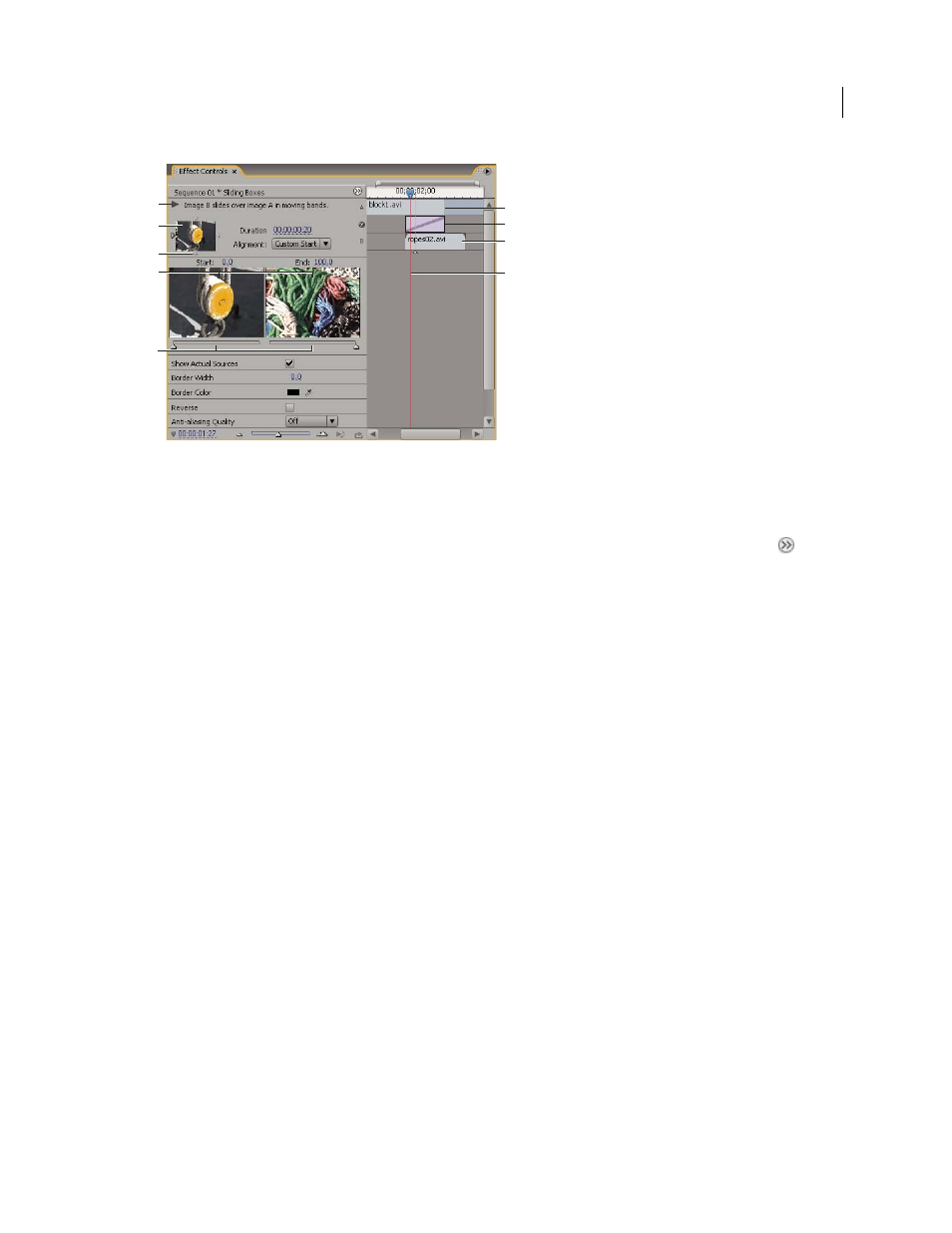
Transition in Effect Controls panel
A. Play The Transition button B. Transition preview C. Edge selector D. Clip previews E. Start and End sliders F. Clip A (first clip)
G. Transition H. Clip B (second clip) I. Current-time indicator
•
To open the transition in the Effects control panel, click the transition in a Timeline panel.
•
To show or hide the time ruler in the Effect Controls panel, click the Show/Hide Timeline View button
. If
necessary, widen the panel to make this button visible and active.
•
To play back the transition in the Effect Controls panel, click the Play The Transition button. This doesn’t affect
the Program Monitor.
•
To view frames from the actual clip or clips in the Effect Controls panel, select Show Actual Sources.
•
To see a specific frame of the transition in the small preview, click the Play The Transition button. Then drag the
current-time indicator in the Effect Controls panel’s time ruler to the desired frame.
Note: Keyframes cannot be used with transitions. For transitions, the Timeline View in the Effect Controls panel is used
for adjusting transition alignment and duration.
More Help topics
Adjust transition alignment
You can change the alignment of a transition placed between two clips in either a Timeline panel or the Effect Controls
panel. A transition need not be centered or strictly aligned to the cut. You can drag the transition to reposition it over
the cut as desired.
Note: You can’t change a double-sided transition into a single-sided transition. If you realign a double-sided transition
to the start or end of a clip, it will use handles from the adjacent clip.
Align a transition in a Timeline panel
1
In a Timeline panel, zoom in so that you can clearly see the transition.
2
Drag the transition over the cut to reposition it.
A
F
G
H
I
C
B
D
E