Artel DLC274 User Manual
Digilink, Dip switch configurations, Sw1 sw3
Simplifying Media Transport
™
DigiLink
Media Transport Simplified
www.artel.com | 978-263-5775 | [email protected] | [email protected]
QUICK START GUIDE
Configuration Switch Functions
Artel ships the DLC274M configured as follows:
•
All four channels enabled
•
BNC connector selected as the source for each channel
•
Optical transmit (TX) enabled
•
Optical receive (RX) disabled
•
No video detected alarm disabled
•
EMS override enabled (DigiLink Manager can change the DLC274M configuration)
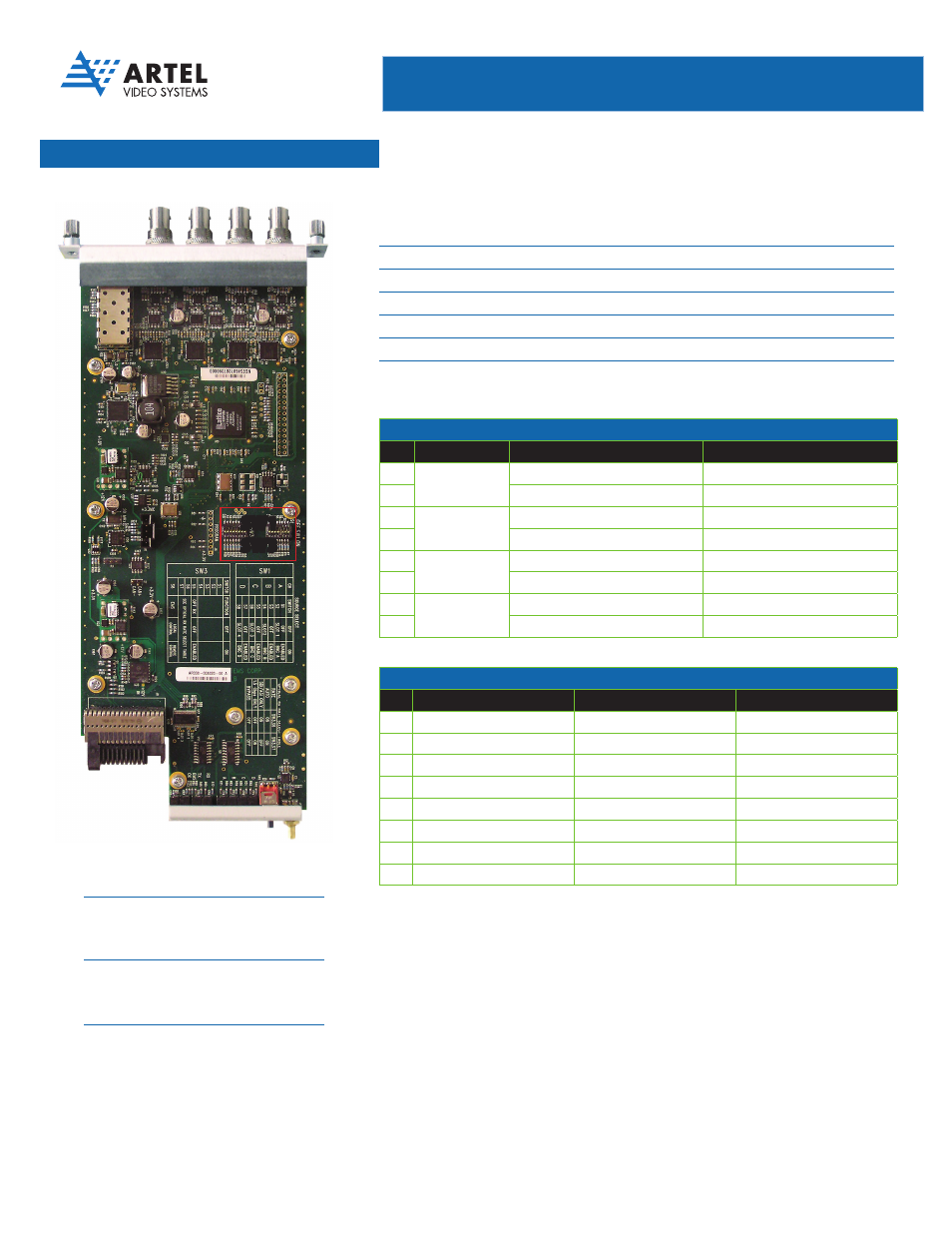
DIP Switch Configurations
SW1
Controls the channel (A, B, C and
D) operation including disabling the
time slot and selecting the signal
source (BNC versus backplane)
SW3
Controls the loss of video alarm
option, enabling/disabling of the
optical receiver and enables the
EMS override function
SW1
SW3
SW1 CONFIGURATION
SW1
Function
Off
On
S1
Ch A Source
Off
Enabled
S2
Backplane 1
BNC A
S3
Ch B Source
Off
Enabled
S4
Backplane 2
BNC B
S5
Ch C Source
Off
Enabled
S6
Backplane 3
BNC C
S7
Ch D Source
Off
Enabled
S8
Backplane 4
BNC D
Factory Default: All on
SW3 CONFIGURATION
SW3
Function
Off
On
S1
Alarm On Loss of Video
Enabled
Disabled
S2
Reserved
-
Must be On
S3
Reserved
-
Must be On
S4
Optical TX
Disabled
Enabled
S5
Optical RX
Enabled
Disabled
S6
Reserved
-
Must be On
S7
Reserved
-
Must be On
S8
EMS Override
Local Control
Remote Control
Factory Default: All On
270 Mb/s Digital Video 4-to-1 TDM Multiplexer with
Optical Transmitter/Receiver/Repeater [DLC274M]