Artel DLC156M DLC156D User Manual
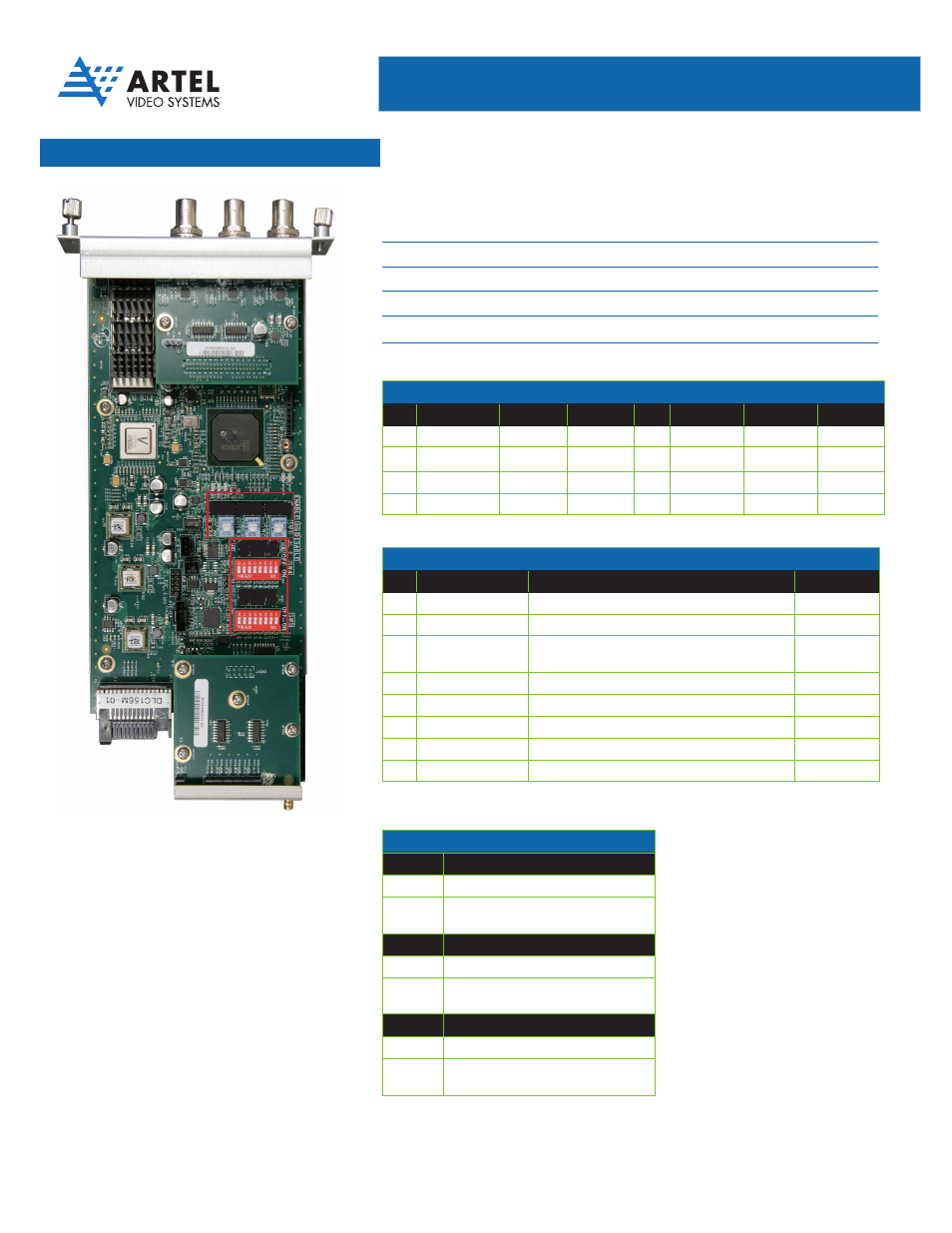
Sw4 sw5, Digilink, Artel ships the dlc156m configured as follows
Simplifying Media Transport
™
DigiLink
Media
Transport Simplified
QUICK START GUIDE
DigiLink Six Channel TDM Multiplexer
for 3G, HD, SDI, and ASI [DLC156M
]
SW4
SW5
Artel ships the DLC156M configured as follows:
•
All six channels enabled
•
BNC connector selected as the source for each channel
•
No video detected alarm disabled
•
EMS override enabled (DigiLink Manager can change the DLC156M configuration)
•
All 3G inputs disabled
SW
4
CHANNEL ENABLES
SW4
Channel
OFF
ON
Channel
OFF
ON
S1
Channel A
Disabled
Enabled
S5
Channel E
Disabled
Enabled
S2
Channel B
Disabled
Enabled
S6
Channel F
Disabled
Enabled
S3
Channel C
Disabled
Enabled
S7
Reserved
-
-
S4
Channel D
Disabled
Enabled
S8
Reserved
-
-
DIP Switch Configurations
SW
1
, SW
2
, AND SW
3
DISABLE
3
G
SW
1
Rates Supported
ON
Channel A and B support SD or HD
OFF
Channel A supports SD, HD, or 3G
Channel B is disabled
SW2
Rates Supported
ON
Channel C and D support SD or HD
OFF
Channel C supports SD, HD, or 3G
Channel D is disabled
SW
3
Rates Supported
ON
Channel E and F support SD or HD
OFF
Channel E supports SD, HD, or 3G
Channel F is disabled
Factory Default: All On
SW
5
CONFIGURATION
SW5
Setting
OFF
ON
S1
Channel E Source
-
Must be on
S2
Channel F Source
-
Must be on
S3
Video Alarm
Loss of video on an enabled input causes a major
alarm
No Alarm
S4
Reserved
-
Must be on
S5
Reserved
-
Must be on
S6
Reserved
-
Must be on
S7
Reserved
-
Must be on
S8
EMS Enable
EMS cannot override the local switches
EMS allowed
Factory Default: All On
Factory Default: All On
SW1
SW3 SW2