Foxconn N68S7AA-8EKRS2H User Manual
Page 84
Advertising
Appendix
76
Note:
To install OS on a e-SATA through "F6" method, please create the
e-SATA driver installation floppy. Please use a legacy Floppy e-SATA
Disk Drive (FDD) when installing OS.
Step 2.
Install the Driver.Please refer to the’’Installing the RAID Driver”in page
68,
insert the floppy that has e-SATA driver,press [S].The Windows Setup screen
will appear.
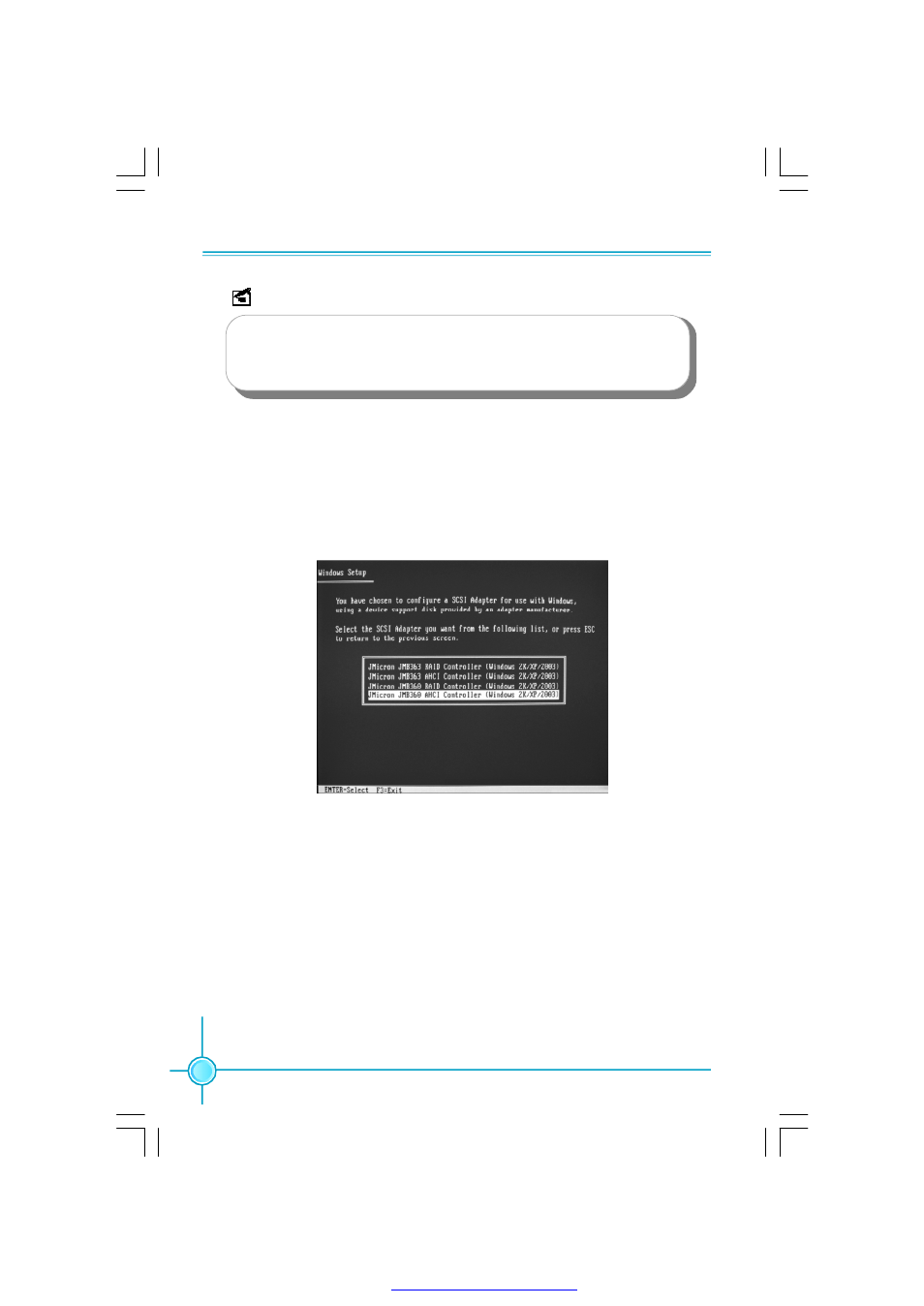
Step 3. Jmicron chip support only one port, when use the e-SATA port to install the
Operating System,you need to select the last item according to the following picture.
PDF 文件使用 "pdfFactory" 试用版本创建
Advertising
See also other documents in the category Foxconn Motherboard:
- AHD1S-V (42 pages)
- 865PE7MF-SH (63 pages)
- 945P7AA-8EKRS2H (119 pages)
- 661FX7MF-S (64 pages)
- K7S741GXMG-6L (10 pages)
- 748K7AA-ERS (10 pages)
- NF3250GK8AA-EKRS (68 pages)
- 6100M2MA-RS2H (94 pages)
- NF4K8AB-RS (75 pages)
- K8S755M-6LRS (104 pages)
- 6497MB-S (107 pages)
- 945P7AA-8EKRS2H (106 pages)
- 755FXK8AA-ERS (108 pages)
- 760GXK8MC-RSH RAID (45 pages)
- 760GXK8MC-RSH (75 pages)
- 761GXK8MC-RSH (85 pages)
- CK804K8MA-KS (55 pages)
- NF3UK8MA-RS (70 pages)
- NF4XK8MC-RSH (68 pages)
- NFPIK8AA-8EKRS (110 pages)
- 761GXK8MB-RSH (87 pages)
- K8M890M2MA-RS2H (69 pages)
- K8T890M2AA-RS2H (62 pages)
- MCP61VM2MA-RS2HV (61 pages)
- N5VM2AA-KRS2H (2 pages)
- N570SM2AA-8EKRS2H (87 pages)
- C51XEM2AA-8EKRS2H (114 pages)
- 761MX (44 pages)
- 761GXM2MA-RS2 (65 pages)
- A6VMX (44 pages)
- A74ML Series (105 pages)
- A7VML Series (105 pages)
- A85GM (104 pages)
- A7VA-S (106 pages)
- A7VA-S (107 pages)
- M61PMP-K (111 pages)
- A7DA-S 3.0 (112 pages)
- A9DA-S (115 pages)
- Cinema II Premium (114 pages)
- A7VMX Series (106 pages)
- 720MX-K (112 pages)
- 720AL (110 pages)
- A79A-S (115 pages)
- 560A (46 pages)
- M61PMX (92 pages)