Ensemble Designs 6040 Tracking Audio Delay User Manual
Page 20
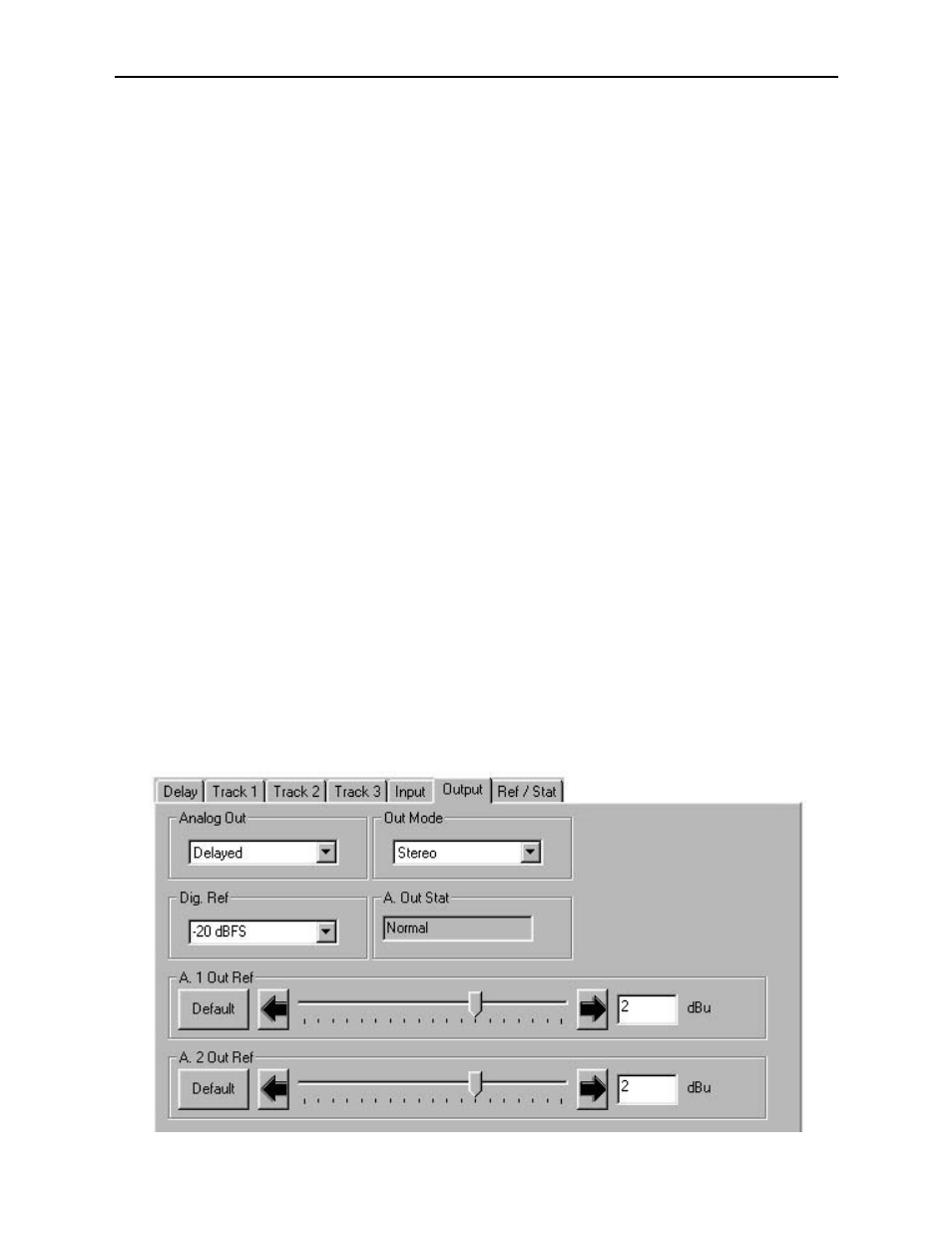
In the Output menu shown, set the following output parameters:
•
Analog Out – select from two of the following possible output states:
•
Delayed (analog outputs follow the delayed signal path)
•
No Delay (analog outputs follow the undelayed signal path)
•
Out Mode – select from the following modes:
•
2-Channel (analog reference levels for these two channels may be set
independently)
•
Stereo (analog reference levels for these two channels track each other)
•
Dig. Ref – select from one of three selections as follows:
•
-20 dBFS (analog audio reference is set to -20 dBFS in the digital domain,
the most common standard)
•
-18 dBFS (analog audio reference is set to -18 dBFS in the digital domain,
the new SMPTE and EBU standard)
•
-16 dBFS (analog audio reference is set to -16 dBFS in the digital domain,
the CBC standard)
•
A. 1 Out Ref – set the analog audio output channel 1 reference level to between
•
-10 dBu and +8 dBu with the slider arrows. The selected value will appear
in the box to the right of the slider. Click Default to enable the default value
of +4 dBu.
•
A. 2 Out Ref – set the analog audio input channel 2 reference level to between
•
-10 dBu and +8 dBu with the slider arrows. The selected value will appear
in the box to the right of the slider. Click Default to enable the default value
of +4 dBu.
The following indicator and error boxes are available in the Output menu:
•
A. Out Stat – indicates the current state of the analog outputs as one of the
following:
•
Normal (analog outputs are operating normally)
•
Muted (analog outputs are muted when a non-audio source is being used on
the digital input)
Model 6040 Tracking Audio Delay
6040-20