Grass Valley 3-CCD CameraMan Rev.C User Manual
Page 17
Meet Your Presenter System
CameraMan 3-CCD Presenter Camera System Installation and Operations Manual
11
•
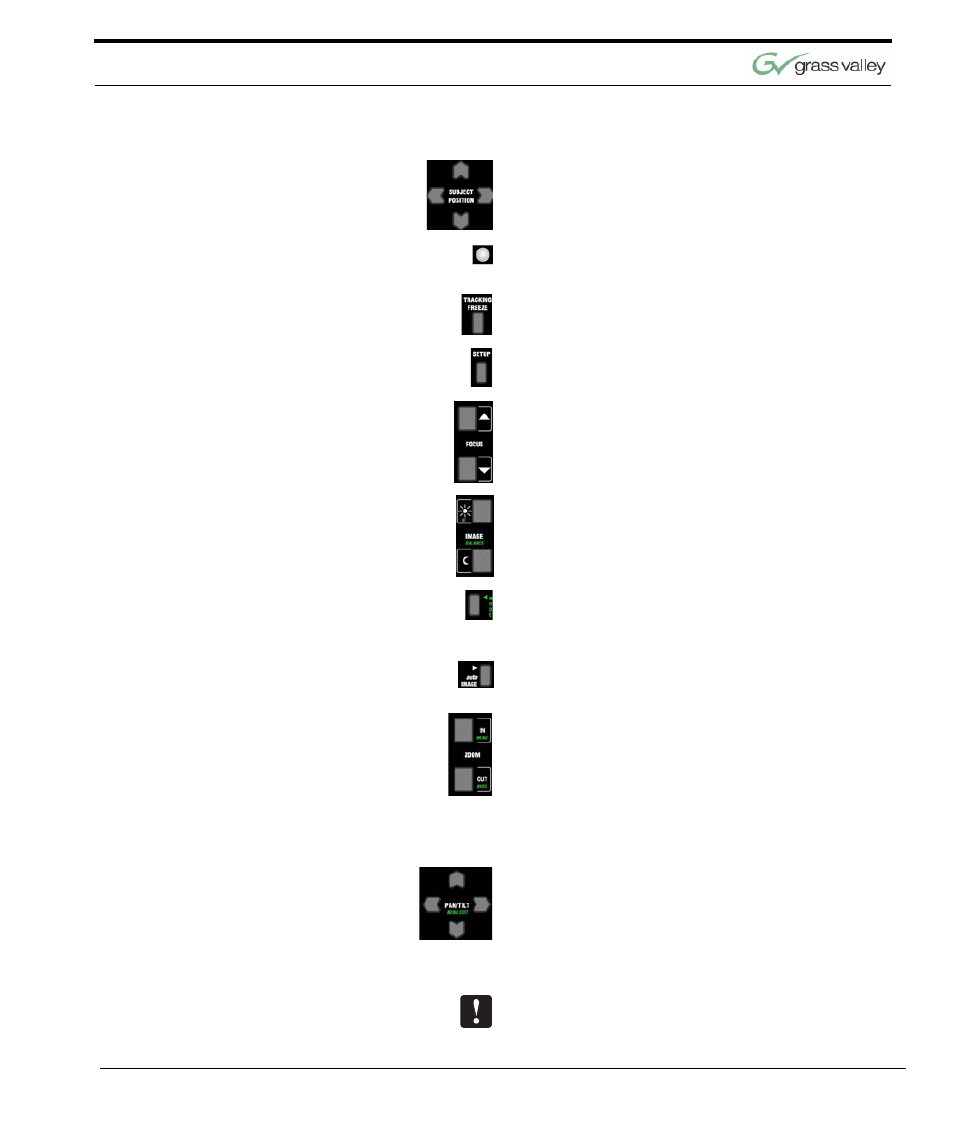
Used to fine-tune the position of the subject
while in autoTRACK mode.
•
Illuminates when batteries are placed in the key-
pad or function buttons are pressed.
•
Used to disengage autoTRACK, and freeze the
camera’s movement while in autoTRACK mode.
•
Used in conjunction with other controls for key-
pad customization and camera setup.
•
Used to manually adjust visual clarity of the
video picture.
•
Used to brighten and darken the video picture.
•
Used, when pressed simultaneously with the
Setup Button, to turn the keypad’s Camera
Setup Mode on and off.
•
Used to allow the camera to automatically adjust
brightness and darkness for each video picture.
•
Zoom (IN/OUT) - Used to control the tightness of
the camera view.
•
Menu - Used to toggle the on-screen menu dis-
play on and off.
•
Bars - Used to toggle the on-screen color bars
on and off.
•
Used to control the camera’s up/down, and left/
right movement.
Using the Pan/Tilt arrow buttons disengages the
autoTRACK mode.