Optical power monitoring – Grass Valley 3430AP CopperHead User Manual
Page 35
23
CopperHead 3430AP
User Manual
AC ON/OVERLOAD
•
Green when system normal operations or when the HDX-Plus has AC Power
•
Red when the HDX-Plus power supply is overloaded
•
Off when switch is off, no AC power or fuse is blown
CABLE FAULT
•
Red if a high voltage short or open condition is detected
CAMERA PSU
•
Green if the Camera Unit power supply is detected
•
Red if the 3430 Camera Unit power supply is shut down due to an overload.
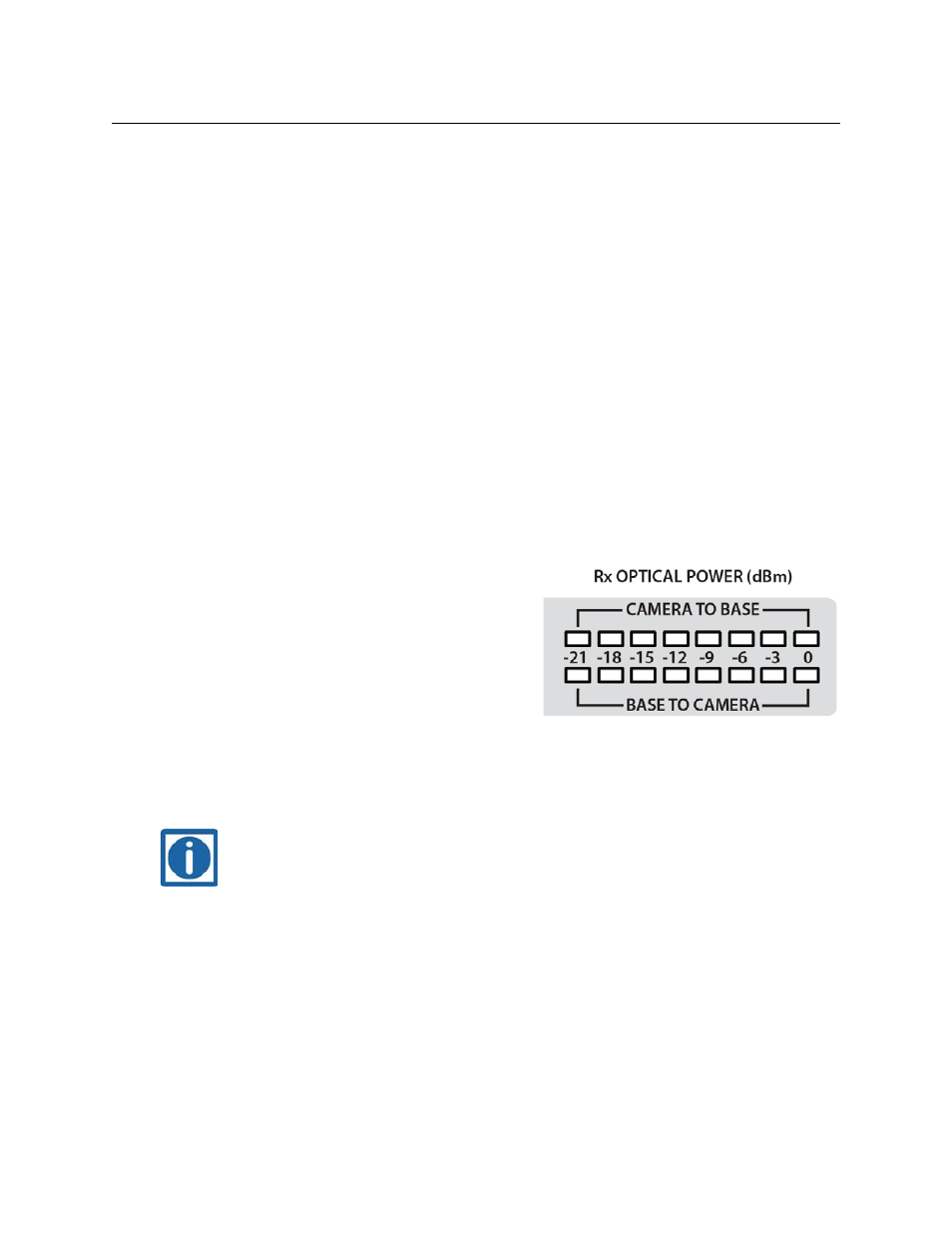
Optical Power Monitoring
The HDX-Plus power supply provides Optical Power monitoring for both the Camera unit and
the Base unit. The metering uses Multi-Colored LEDs with indicators covering a range of -21dBm
to 0 dBm. The CopperHead 3430AP Transceiver system is specified to operate at Optical Power
levels above -22dBm.
The unit has two rows of LEDs:
•
Top row indicates the optical power level at
the camera unit
•
Bottom row indicate optical power level at
the base station
All of the indicator LEDs are multi-color:
•
Green - good power
•
Yellow Orange - Marginal power
•
Red - Insufficient power.
Note: The CopperHead 3430AP system is, of course, a digital system and therefore the link will
operate properly at the lowest acceptable signal strength. If the signal strength dips
below the minimum acceptable level the link will not operate.