Image store quick tabs – Grass Valley Kayenne K-Frame v.7.0 User Manual
Page 373
KAYENNE K-FRAME — User Manual
373
About the Image Store Options
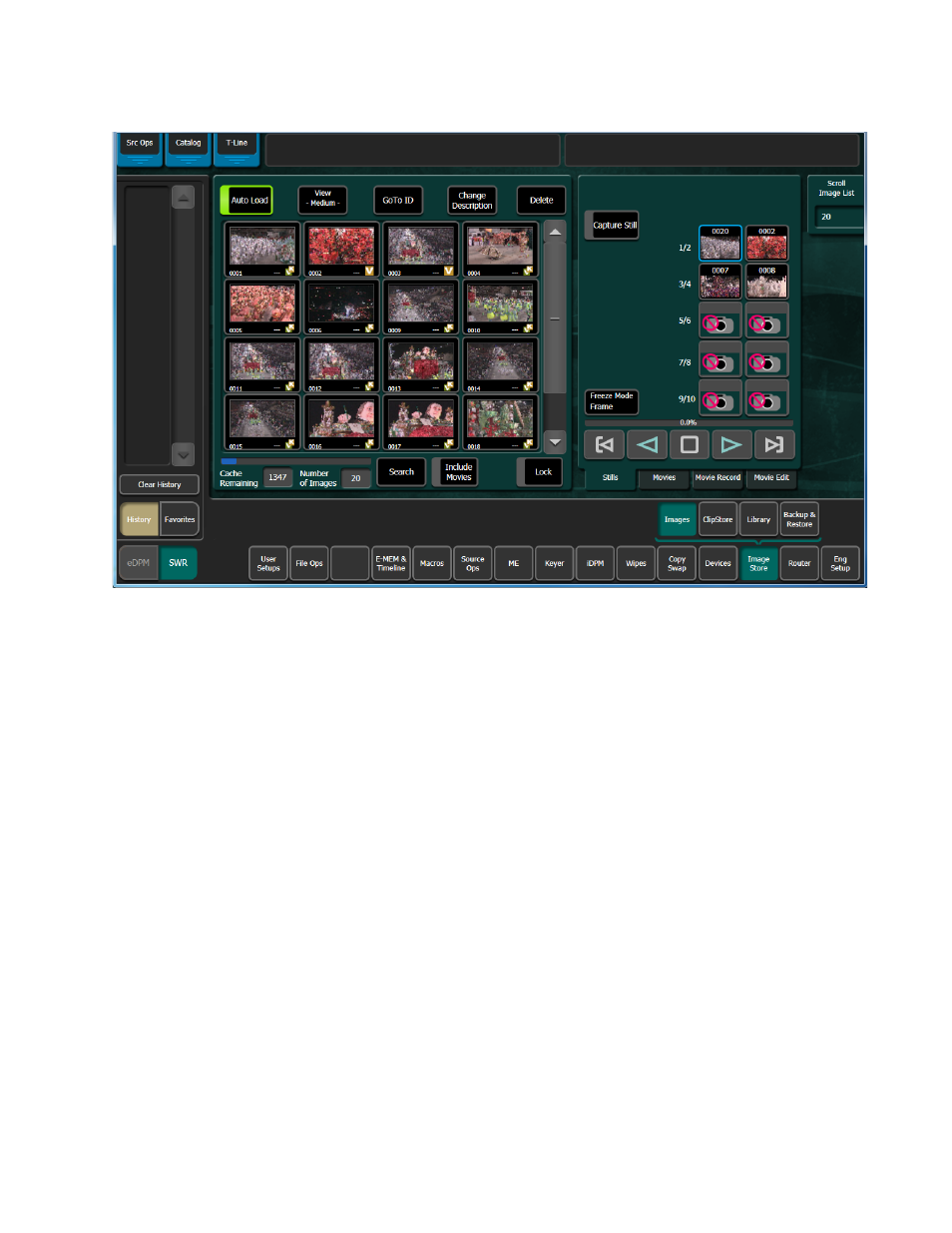
Figure 222. Image Store Images Stills Menus
•
The scrolling window on the left displays the items in the cache.
•
The buttons on the right represent the Image Store channels. Channels
acquired by the current suite are active. The selected channel has a blue
box when selected, which turns red when that channel is on-air.
•
The
Scroll Image List
data pad and soft knob on the right can be used to
select and/or load images and movies.
•
The
Cache Remaining
data field indicates the unused portion of the cur-
rently allocated cache memory, in frames.
•
The
Number of Images
data field displays the number of stills or movies
currently loaded into the allocated cache memory.
Image Store Quick Tabs
There are three Quick Tabs (top-left) in the Image Store menus (
Src Ops
(Source Operations), Catalog (Macro Catalog), and T-Line (Timeline
Edit for the Master E-MEM).