Casio ClassPad Manager Version 3.0 User Manual
Page 69
Advertising
E-67
20060301
To establish a connection between one or more ClassPad unit and
ClassPad Manager
■ ClassPad Manager Operation
1.
On your computer, start up ClassPad Manager.
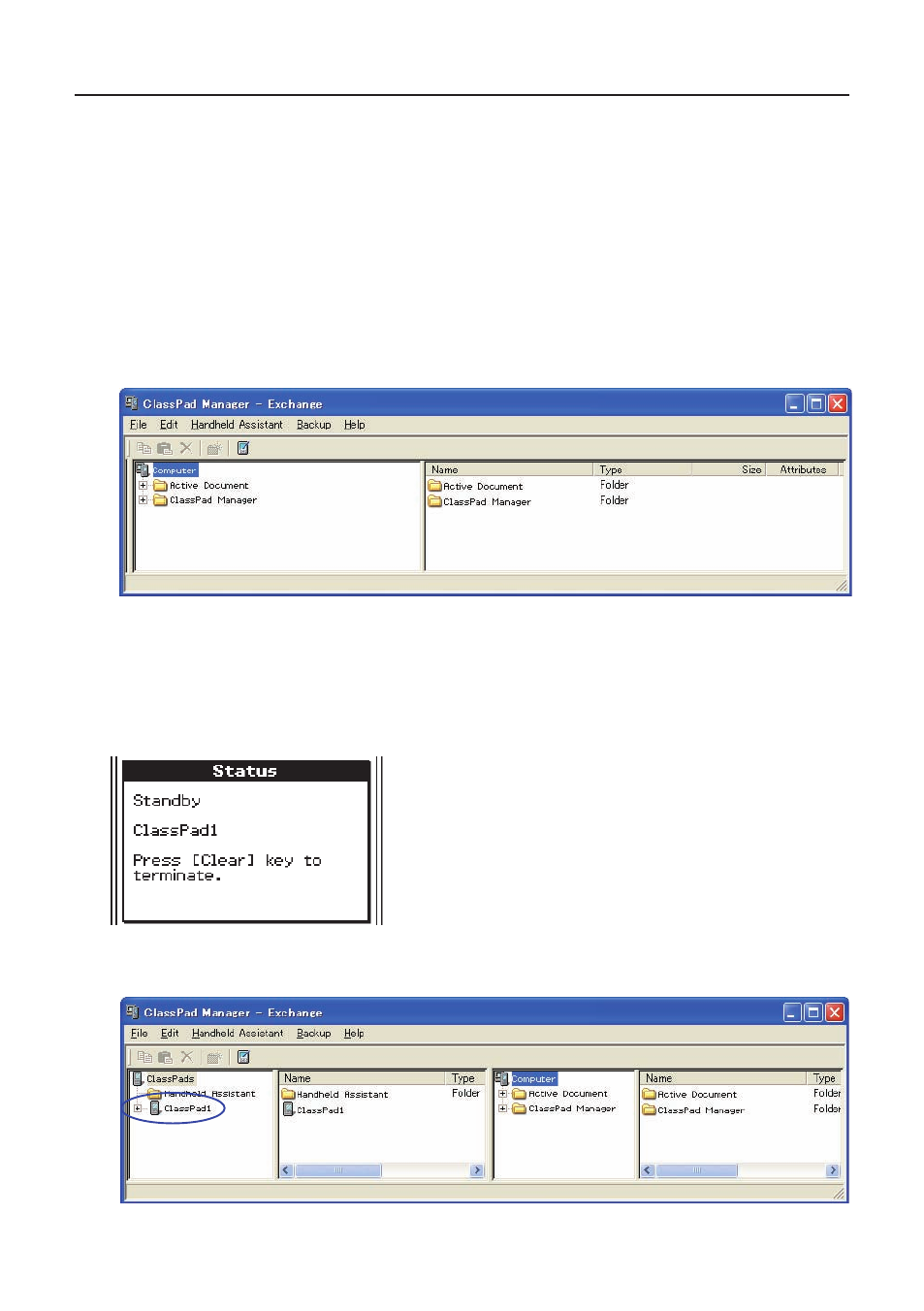
• This displays the ClassPad Window.
2.
Right-click anywhere within the ClassPad Window and then click [Exchange Window] on the
shortcut menu that appears.
• This displays the Exchange Window, which will show the Computer area only.
■ ClassPad Operation
3.
Use the USB cable that comes bundled with the ClassPad to connect it to the computer.
• The ClassPad will establish a connection with ClassPad Manager automatically, and then
display the message shown below.
• At this time, the ClassPad area will appear on the Exchange Window, showing the icon of the
connected ClassPad.
Advertising