Controller settings page – Avago Technologies 3ware SAS 9750-16i4e User Manual
Page 212
Advertising
Chapter 11. 3DM2 Reference
200
3ware SATA+SAS RAID Controller Card Software User Guide, Version 10.2
Controller Settings page
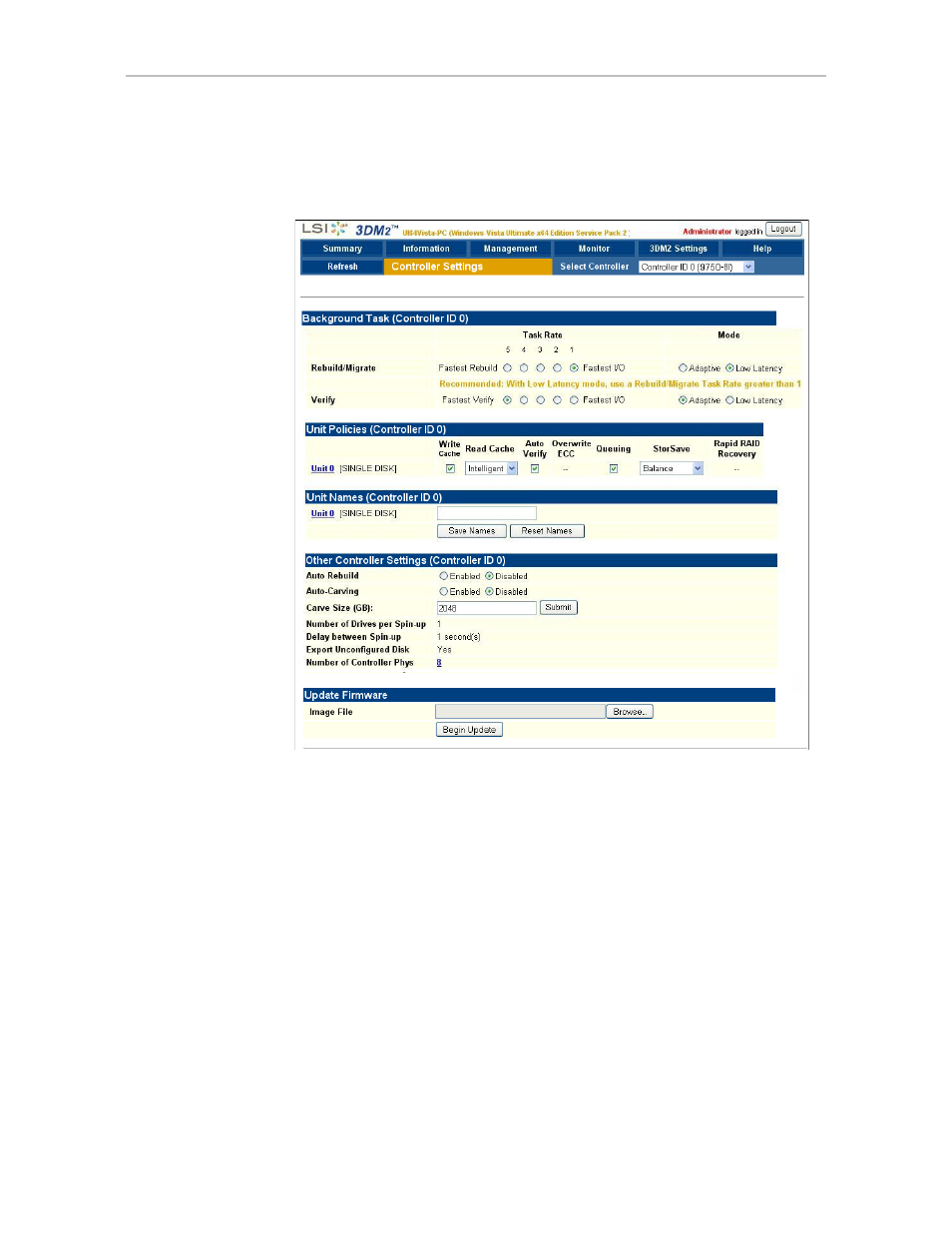
Figure 101. Controller Settings Page
The Controller Settings page appears when you choose
Management >>
Controller Settings
from the menu bar.
This page lets you view and change settings that affect the units on the
controller specified in the drop-down list on the menu bar.
There are four main sections on this page:
•
•
•
•
•
Advertising
This manual is related to the following products:
- 3ware SAS 9750-24i4e 3ware SAS 9750-4i 3ware SAS 9750-4i4e 3ware SAS 9750-8e 3ware SAS 9750-8i 3ware 8006-2LP 3ware 8006-2LP (Channel) 3ware 9550SXU-4LP 3ware 9550SXU-4LP (Channel) 3ware 9550SXU-8LP 3ware 9550SXU-8LP (Channel) 3ware 9650SE-12ML 3ware 9650SE-12ML (Channel) 3ware 9650SE-16ML 3ware 9650SE-16ML (Channel) 3ware 9650SE-24M8 3ware 9650SE-24M8 (Channel) 3ware 9650SE-2LP 3ware 9650SE-2LP (Channel) 3ware 9650SE-4LPML 3ware 9650SE-4LPML (Channel) 3ware 9650SE-8LPML 3ware 9650SE-8LPML (Channel) 3ware 9690SA-4I 3ware 9690SA-4I (Channel) 3ware 9690SA-4I4E 3ware 9690SA-4I4E (Channel) 3ware 9690SA-8E 3ware 9690SA-8E (Channel) 3ware 9690SA-8I 3ware 9690SA-8I (Channel)