Connecting and using a source device, Before connecting, Pre-connection checkpoints – Samsung VM55B-U 55" Video Wall Display User Manual
Page 21: Connecting to a pc, Connection using a dvi cable (digital type), Connecting and using, A source device, Connection using a dvi cable (digital type) 21, Chapter 03
21
Connecting and Using a Source Device
Before Connecting
Pre-connection Checkpoints
―
Refer to the user guide for the source device you want to connect with.
The number and location of ports available on the source device may vary.
―
Do not connect the power cable until all connections are completed.
Connecting the power cable during connection may damage the product.
―
Check the types of ports at the back of the product you want to connect.
―
We recommend using authorized cables for HDMI or DP cable connections.
Connecting to a PC
•
Do not connect the power cable before connecting all other cables.
Ensure you connect a source device first before connecting the power cable.
•
A PC can be connected to the product in a variety of ways.
Select a connection method suitable for your PC.
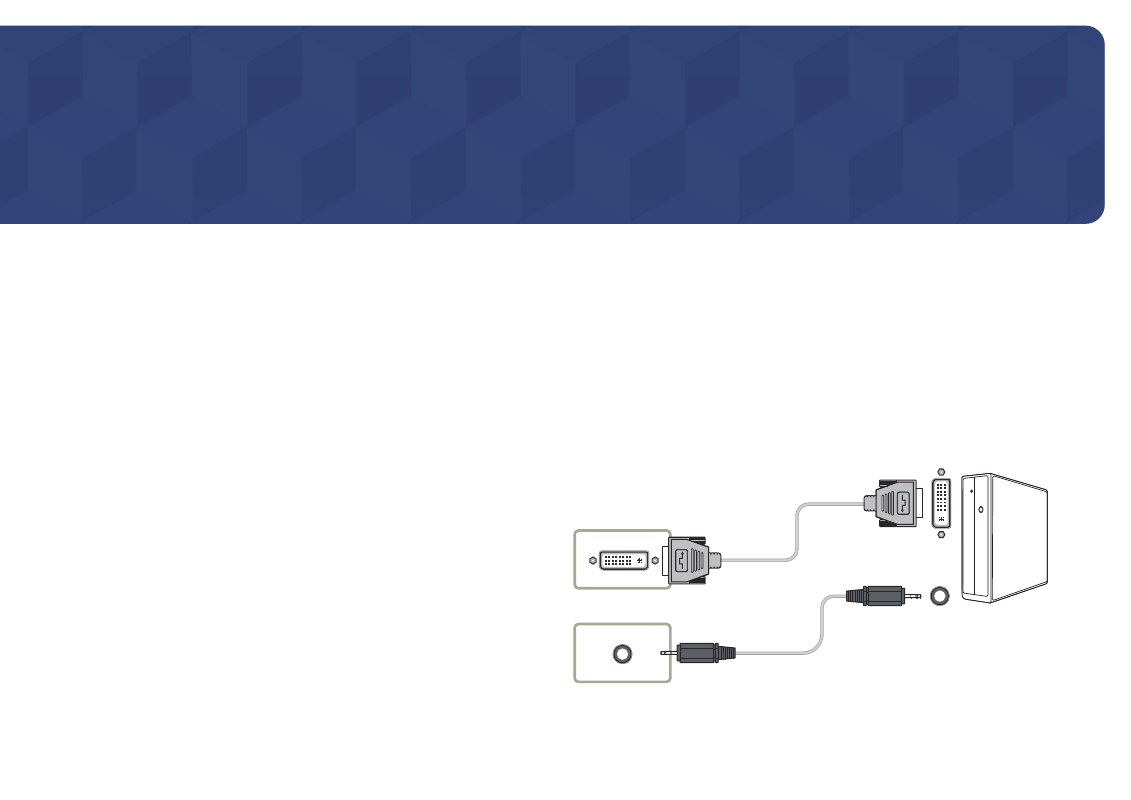
Connection using a DVI cable (Digital type)
―
Connecting parts may differ in different products.
DVI IN
AUDIO IN
Chapter 03