Connection using an dp cable – Samsung VM55B-U 55" Video Wall Display User Manual
Page 23
23
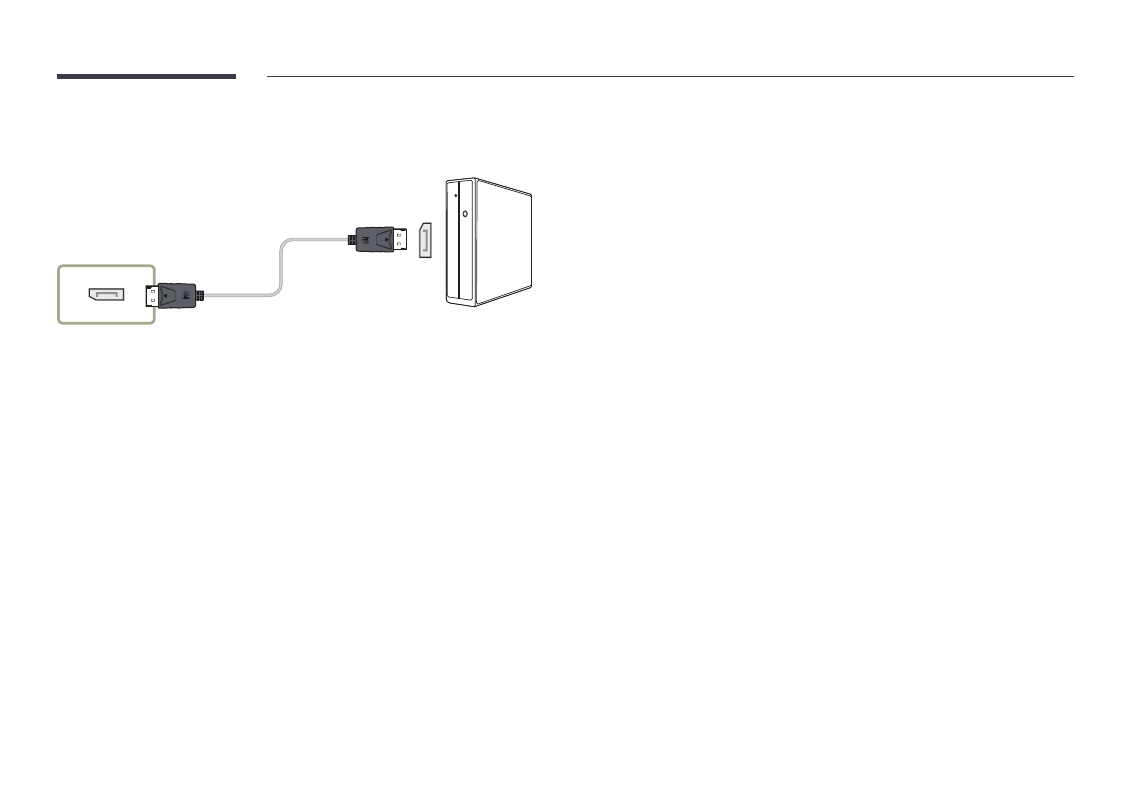
Connection Using an DP Cable
―
Connecting parts may differ in different products.
DP IN
•
Precautions for using DP
―
To increase the standby power capacity, the product stops DP communication when it is
turned off or in power-saving mode.
―
If the product in dual monitor mode is turned off or goes into power-saving mode, monitor
setting changes may not be updated. As a result, screen output may not be displayed
properly.
―
Some graphics cards that are not compliant with the DP standard may prevent the
Windows Booting/Bios screen from being displayed when the product is in power-saving
mode. If this is the case, make sure to turn on the product first before turning on your PC.
―
The DisplayPort interface (
DP IN
) on the product and the provided DP cable are designed
based on the VESA standards. Using a DP cable that is not VESA compliant may cause the
product to function improperly. Samsung shall not be held responsible for any issues from
using a cable that is not VESA compliant.
Make sure to use a DP cable that is VESA compliant.