Screen adjustment, Color temperature, Backlight / brightness / contrast – Samsung VM55B-U 55" Video Wall Display User Manual
Page 47: Sharpness / picture enhancer / color, Tint (g/r) 47, Color temperature 47, Chapter 06
47
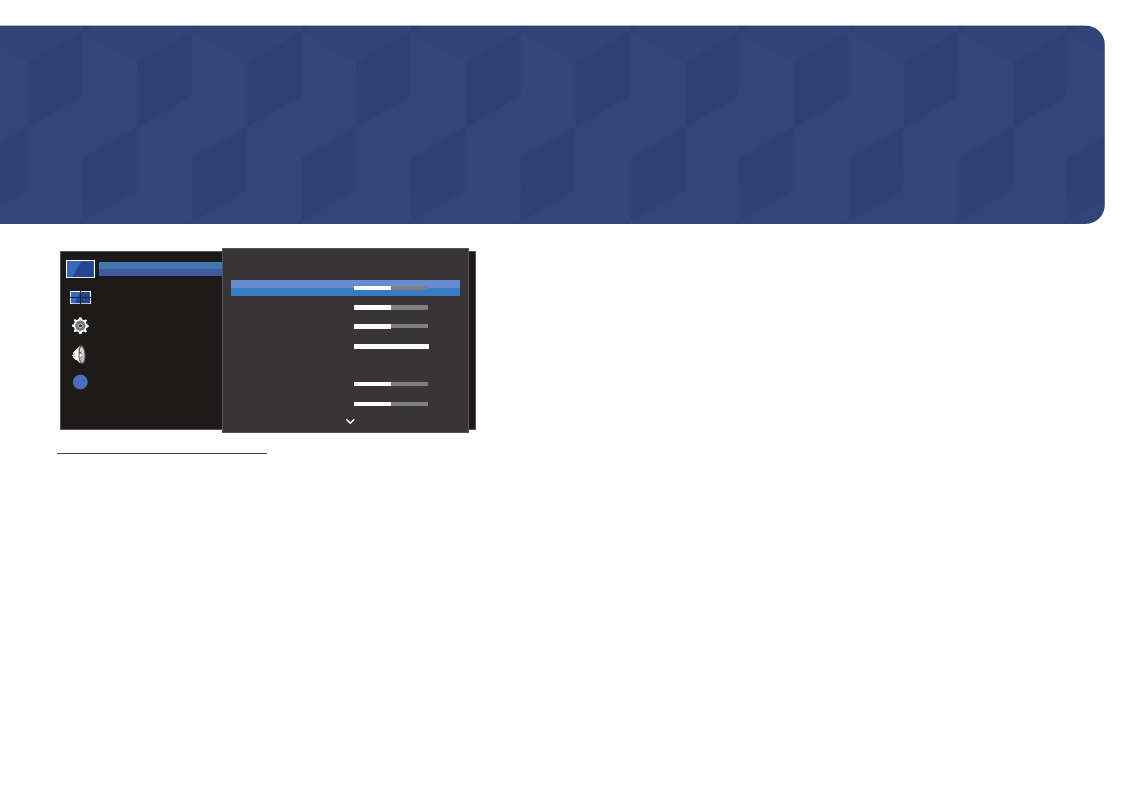
Screen Adjustment
Configure the
Picture
settings (
Backlight
,
Color Tone
, etc.).
The layout of the
Picture
menu options may vary depending on the product.
?
Picture
OnScreen Display
System
Sound
Support
Backlight
Brightness
Contrast
Sharpness
Picture Enhancer
Color
Tint (G/R)
50
50
50
100
Off
50
50
Picture
– The displayed image may differ depending on the model.
Chapter 06
Backlight / Brightness / Contrast / Sharpness /
Picture Enhancer / Color / Tint (G/R)
MENU
m
→
Picture
→
ENTER
E
Your product has several options for adjusting picture quality.
―
You can adjust and store settings for each external device you have connected to an input on the product.
―
Lowering picture brightness reduces power consumption.
Color Temperature
MENU
m
→
Picture
→
Color Temperature
→
ENTER
E
Adjust the color temperature. (Range: 2800K–16000K)