Using the optional sp01 shock-mount – Samson C01U Pro USB Studio Condenser Microphone (Silver) User Manual
Page 13
C01U
· USB Studio Condenser Microphone
13
ENGLISH
FR
ANÇ
AIS
DEUT
SCHE
ESP
AÑOL
IT
ALIANO
SP01
SHOCK MOUNT
THREADED
COLLAR
THUMB
SCREW
THREADED
COLLAR
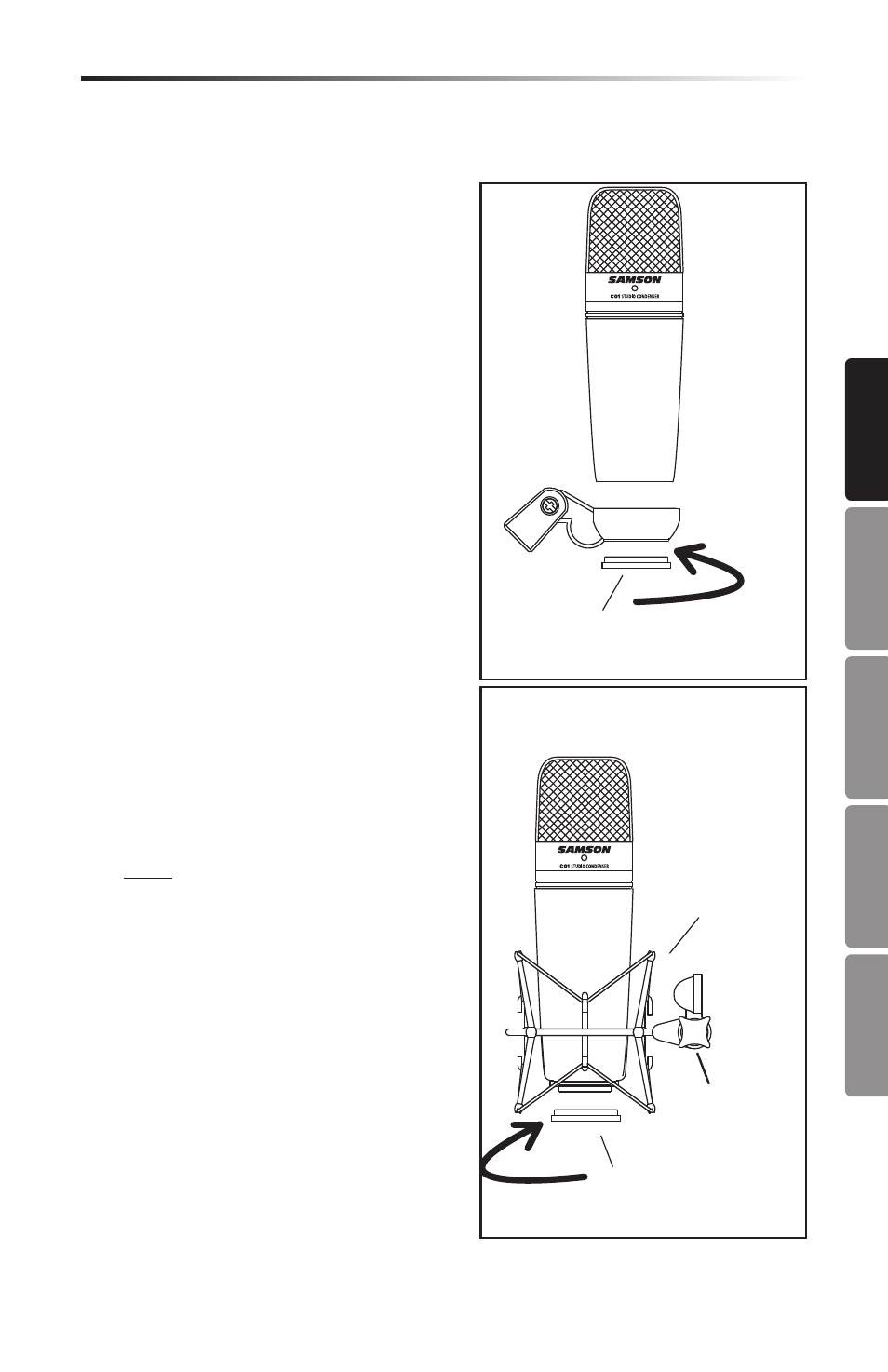
Using the Optional SP01 “Spider” Shock-Mount
Using the Optional SP01 Shock-Mount
1
2
For additional isolation the C01U can be
fitted on the optional SP01 “Spider” shock
mount. Follow the steps below the to install
the SP01.
•
First, screw the SP01 shock mount onto
your mic stand or boom arm. If you’re
using a US 5/8” mic stand or boom,
remove the Euro adapter.
•
Remove the C01U swivel mount by
rotating the threaded collar counter-
clockwise as shown in figure 1.
•
Install the C01U into the SP01 by fitting
the microphone into the center of the
web, positioning the C01U onto the bot-
tom mounting plate.
•
Secure the SP01 by reinstalling the
threaded collar, rotating clockwise until
tight. (Figure 2)
•
Now, loosen the thumb screw to adjust
the angle of the microphone and posi-
tion the C01U to the desired location.
Once set, tighten the thumbscrew to
secure the microphone in place.
Note: Be careful not to cross thread
or over tighten the threaded collar or
thumb screw.