Using touch-enabled settings screens, Screen layout, Operation – Sony DT 11-18mm f/4.5-5.6 Lens User Manual
Page 16
Advertising
1. Overview: Screen Display
16
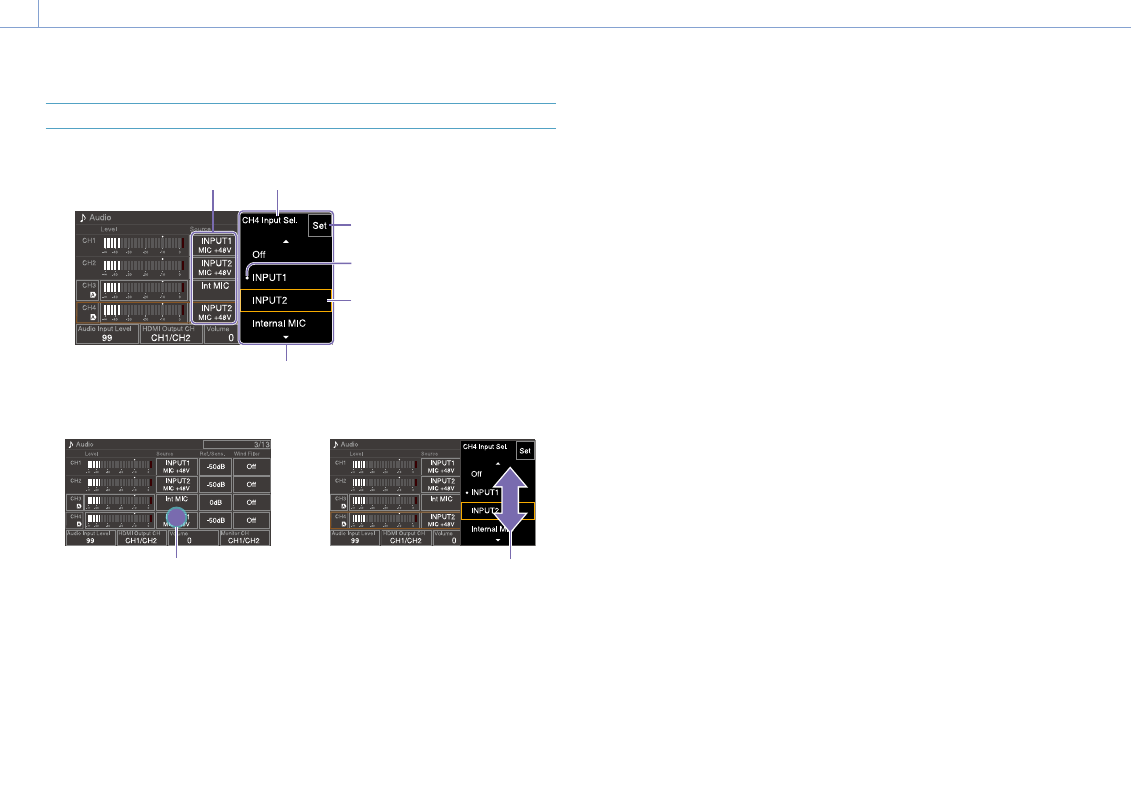
Using Touch-enabled Settings Screens
Screen layout
Item
Mark indicating current setting
Set (apply) button
Setting selection cursor
(orange frame)
Item name
Selection options
Operation
1
Tap a setup item.
Tap
The selection options for the value
appear.
2
Drag or flick a setting to select the value.
Flick
3
Tap the Set button or the value selection
cursor.
The value is applied and the display
returns to the previous screen.
[Tips]
ˎ
ˎ
Press the CANCEL/BACK button to return to the
previous value.
ˎ
ˎ
You can also use the multi-function dial or multi
selector.
ˎ
ˎ
Touch operations can also be disabled (page 93).
Advertising