Upgrading the firmware – Kramer VM-4H2 1:4 HDMI Distribution Amplifier User Manual
Page 11
Kramer Electronics Ltd.
VM-4H2
– Upgrading the Firmware
9
Upgrading the Firmware
To upgrade the
VM-4H2
firmware:
1. Turn off the
VM-4H2
. Set DIP-switch 1 On (down). Turn on the
VM-4H2
.
2. Download and install the EPConsole application from the Koryo (Taiwan) Web site.
3. Download and extract the latest version of the firmware from the Kramer Web site to a
disk location on your PC. The firmware includes three files with names ending in .h00,
.h01, .h02. Make sure they all exist in the same folder.
4. Run EPConsole.
5. Select the COM port that attaches to the
VM-4H2
.
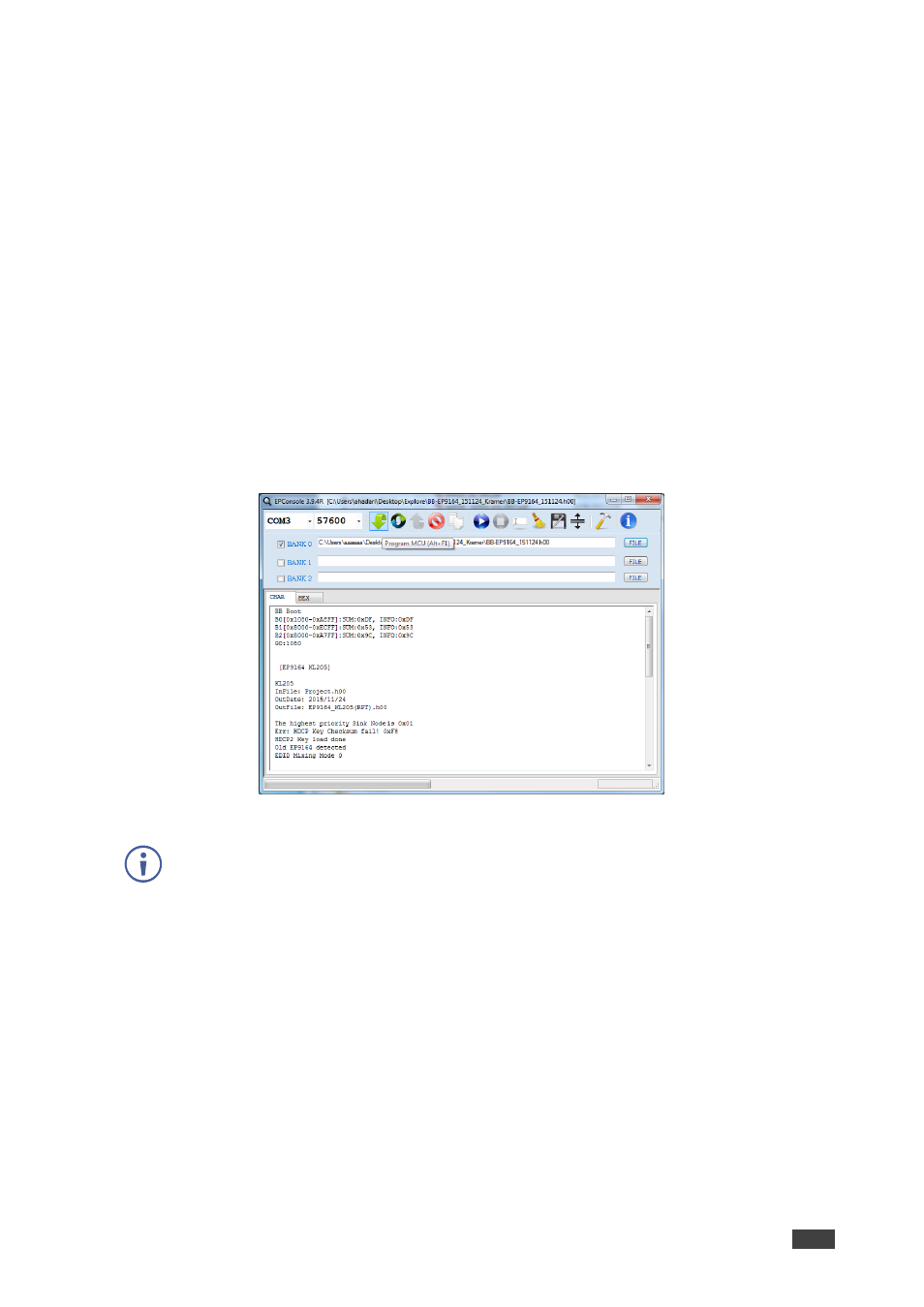
6. Specify the downloaded firmware file ending with .h00 as the BANK0 file. The program
automatically loads the other two files in banks 1 and 2.
7. Press Program MCU icon (downward pointing green arrow) to install the new firmware:
8. After the firmware successfully downloads:
In case of failure, rerun the previous process:
•
Power off the unit.
•
Disconnect the RS-232 cable.
•
Set DIP-switch 1 Off (up).
•
Power on the
VM-4H2
to load the new firmware and resume operation.