Defining the vm-4h2 4k hdmi 2.0 1:4 da, Setting the dip-switches – Kramer VM-4H2 1:4 HDMI Distribution Amplifier User Manual
Page 6
Kramer Electronics Ltd.
VM-4H2
– Defining the VM-4H2 4K HDMI 2.0 1:4 DA
4
Defining the VM-4H2 4K HDMI 2.0
1:4 DA
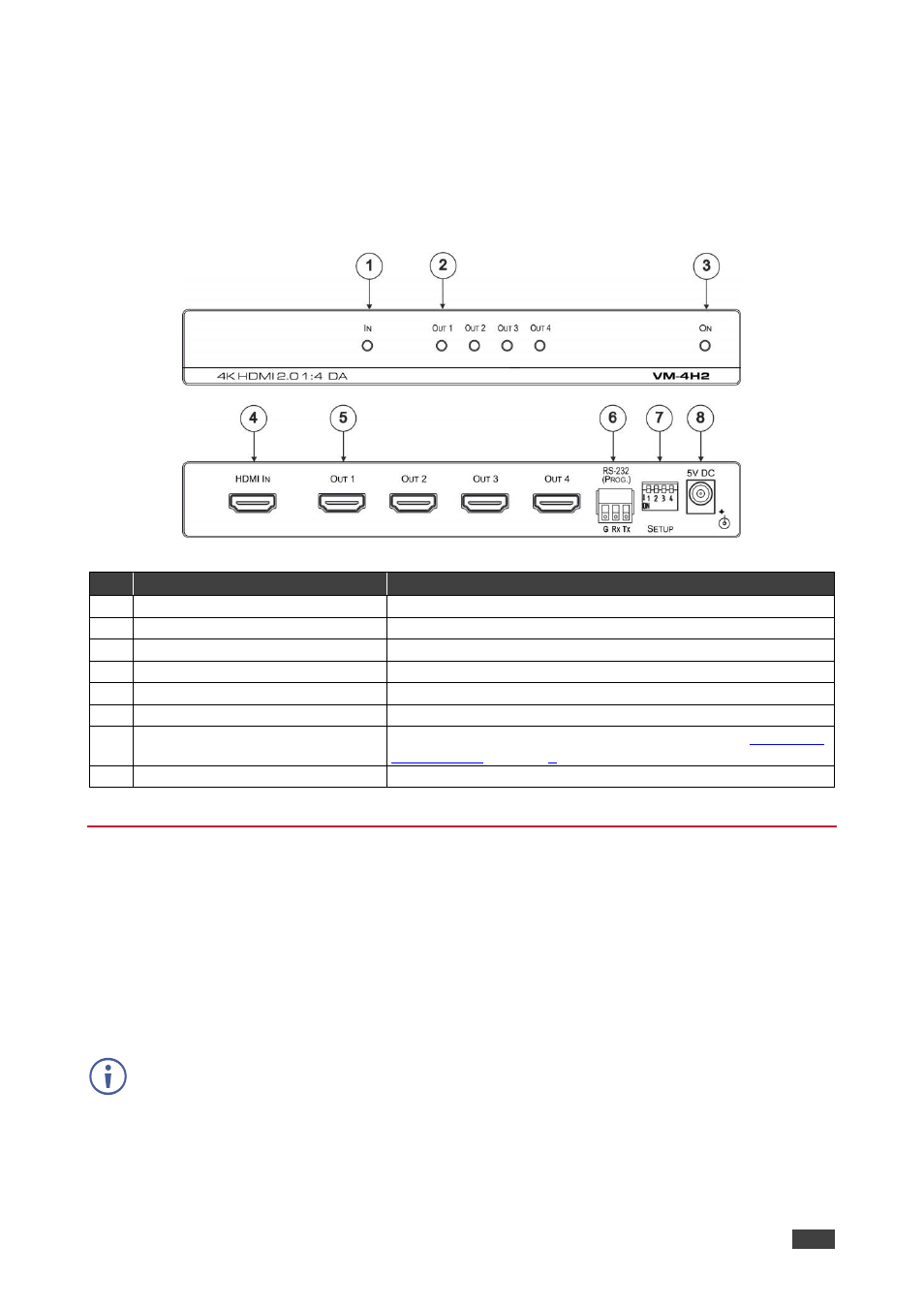
This section defines the
VM-4H2
.
Figure 1: VM-4H2 4K HDMI 2.0 1:4 DA
#
Feature
Function
1
IN LED
Lights green when an HDMI source is connected
2
OUT LEDs (1-4)
Light green when an HDMI acceptor is connected
3
ON LED
Lights green when the unit is powered on
4
HDMI IN Connector
Connects to an HDMI source
5
HDMI OUT Connectors (1 to 4)
Connect to up to four HDMI acceptors
6
RS-232 (PROG) Terminal Block
Connects to a PC for firmware updating
7
SETUP DIP-Switches (1-4)
Used for setting four different operation modes (see
8
5V DC Power Connector
Connects to a 5V DC power supply
Setting the DIP-Switches
The
VM-4H2
uses four DIP-switches to set four different operation modes:
•
Programming mode
–
normal operation mode, programming mode.
•
MAC mode
–
enable HDCP, disable input HDCP.
•
Force RGB -
force RGB, normal operation mode.
•
Lock default EDID
–
locked, not locked.
Any time the DIP-switch settings are changed, the device must be powered off and on for the
new settings to take effect.