Connecting the vm-4h2 – Kramer VM-4H2 1:4 HDMI Distribution Amplifier User Manual
Page 9
Kramer Electronics Ltd.
VM-4H2
– Connecting the VM-4H2
7
Connecting the VM-4H2
Always switch off the power to each device before connecting it to your
VM-4H2
. After
connecting your
VM-4H2
, connect its power and then switch on the power to each device.
You do not have to connect all the inputs and outputs, connect only those that are required.
To connect the
VM-4H2
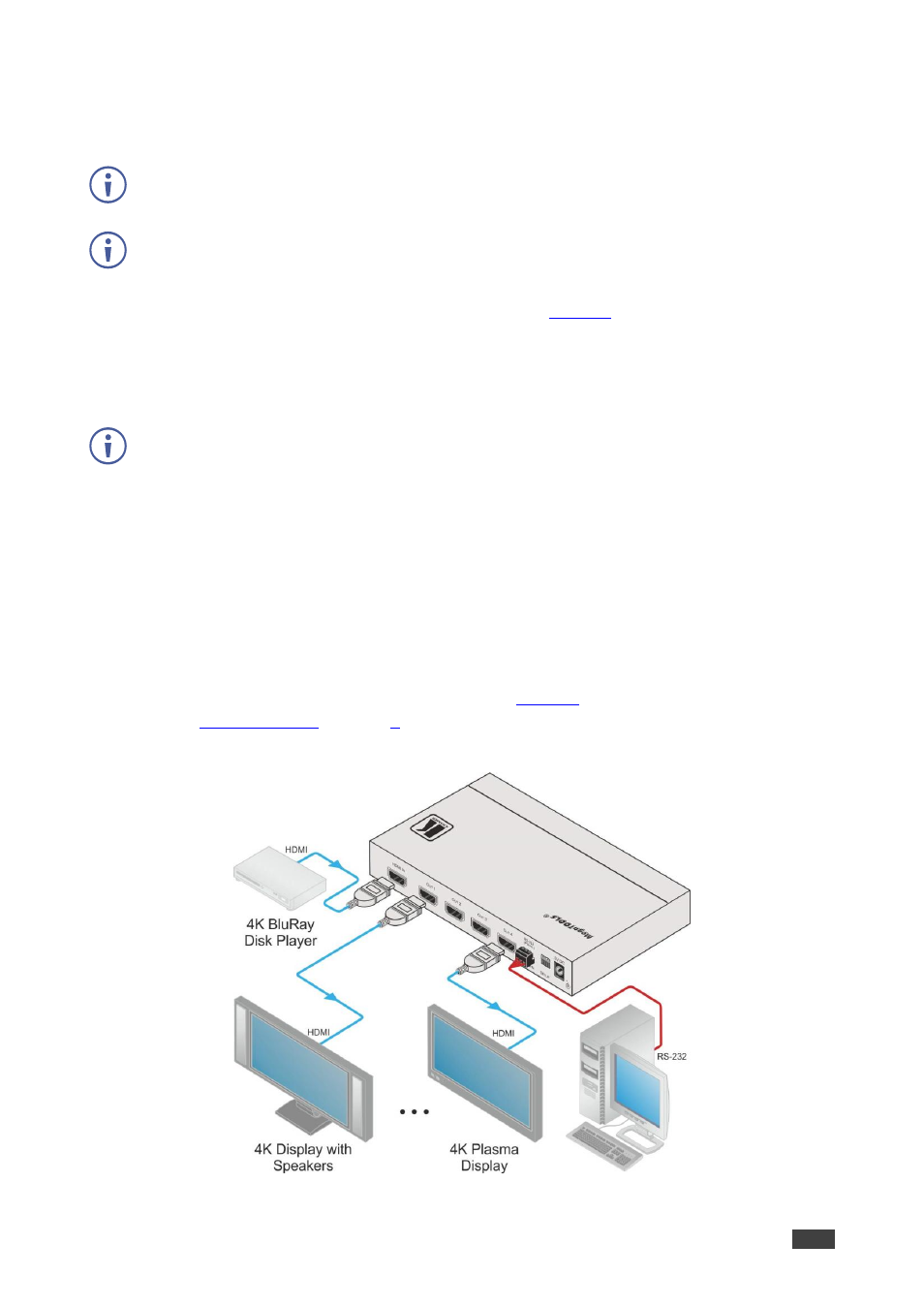
, as illustrated in the example in
, do the following:
1. Connect an HDMI input source (for example, a 4K Blu-ray player) to the HDMI IN
connector.
2. Connect the four OUTPUT connectors to up to four HDMI acceptors, as follows:
Not all outputs need to be connected.
▪
HDMI OUT 1 connector to HDMI acceptor 1 (for example, a 4K display with
speakers).
▪
HDMI OUT 2 connector to HDMI acceptor 2 (for example, a 4K display with
speakers).
▪
HDMI OUT 3 connector to HDMI acceptor 3 (for example, 4K plasma display).
▪
HDMI OUT 4 connector to HDMI acceptor 4 (for example, 4K plasma display).
3. Connect the 5V DC power adapter to the power socket unit and then connect the
adapter to the mains electricity
).
for the state of the LED indicators during and after
powering on.
Figure 2: Connecting the VM-4H2 4K HDMI 2.0 1:4 DA