Hardware setting, Hardware setting screen, 1 hardware setting screen – Sekonic Speedmaster L-858D-U Light Meter User Manual
Page 202
188
7. Hardware Setting
7.
Hardware Setting
7-1
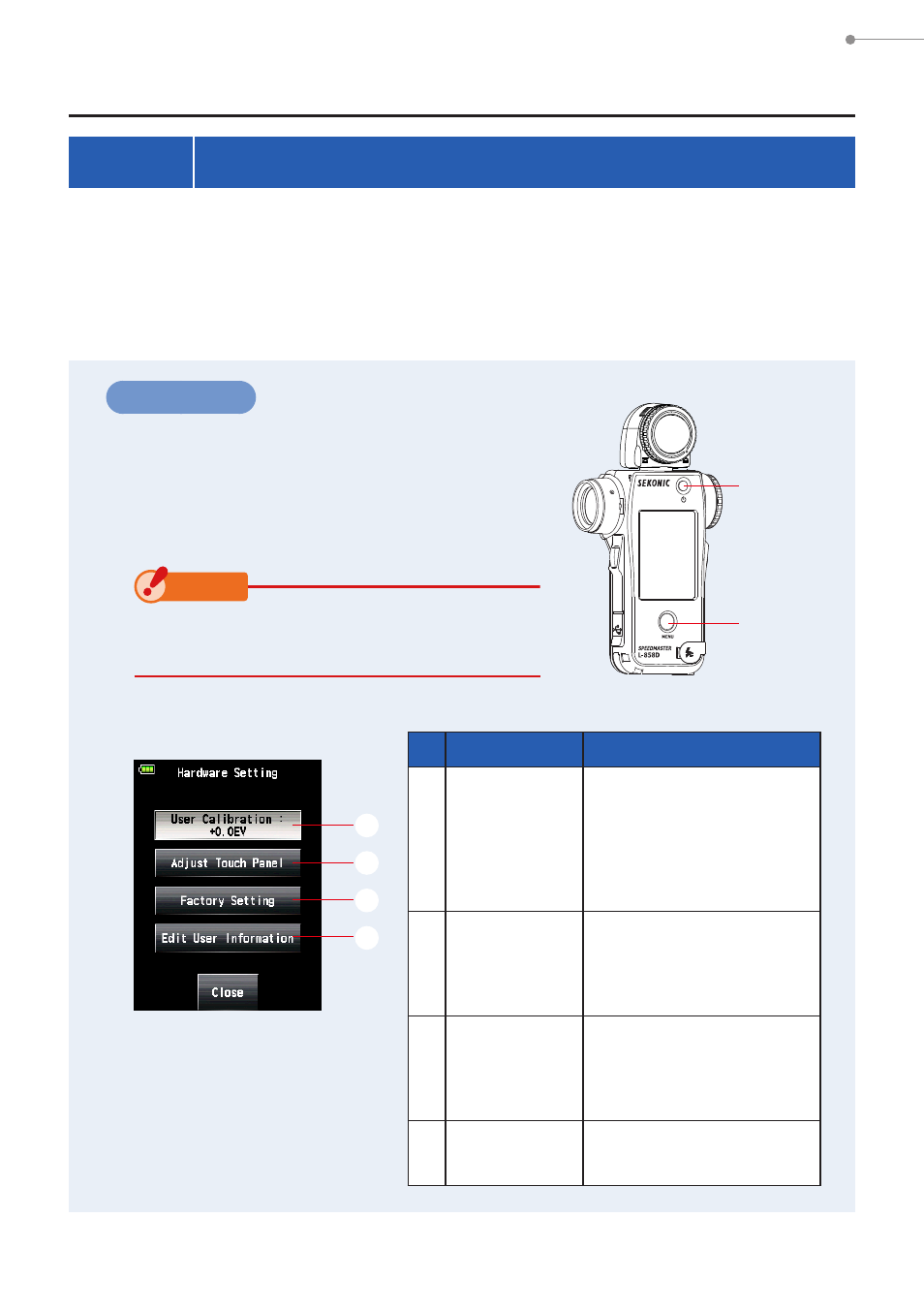
Hardware Setting Screen
The following settings can be made on the Hardware Setting Screen.
●
User calibration of measured value
●
Adjustment of touch panel display position
●
Reset to factory settings (default settings)
●
User information editing
Operation
1.
Ensure that the power is turned off, press
the Power Button
5
while holding down
the Menu Button
9
of the meter.
The Hardware Setting Screen is displayed.
NOTICE
Do not release the Menu Button
9
until
the Hardware Screen is displayed.
2.
Touch the item on the Hardware Setting Screen.
No.
Item
Description
1
User
Calibration
Allows you to preset a
compensation value for a
measured value and apply
it to the measurement
result. (Setting range:
-1.0 EV to 1.0 EV)
2
Adjust Touch
Panel
Touch the white cross
cursor displayed on the
screen, and adjust the
touch panel position.
3
Factory
Setting
Allows you to reset various
parameters and settings in
the meter to their factory
settings.
4
Edit User
Information
Allows you to edit user
information.
Menu
Button
9
Power
Button
5
Hardware Setting Screen
1
2
3
4