Sekonic Speedmaster L-858D-U Light Meter User Manual
Page 90
76
5. Measuring
NOTICE
In case of the following, please follow "5-2-3 Cord Flash Mode".
● When firing the flash, if the flash brightness is lower than the ambient light, the
meter may fail to detect the light.
● Rapid start fluorescent lamps and special lighting are sometimes mistaken for
flash and accidentally measured.
● Even if the flash is not fired, when a sudden light change occurs in the light
receptor, measurement may be made.
● The waveform of a flash bulb has a slight slope and there is a possibility that the
light meter cannot recognize the flash bulb in Cordless Flash Mode.
NOTE
●
In the Cordless Flash Mode, the backlight of the LCD screen dims and is only illuminated
for three seconds after measurement.
●
After the measurement, the meter enters the 90-second Standby Mode again. If you
need to measure again, fire the flash during this time.
●
If the measured values are stored in the memory, the Measurement Standby Mode is
canceled.
●
If the icon stops blinking before the flash fires, repeat Steps 6 and 7.
●
To stop the Standby Mode, just touch the screen.
●
It is convenient to set the light meter in a fixed position during the measuring time. This
can be accomplished by mounting the meter on a tripod or stand using the tripod socket
on the bottom of the meter.
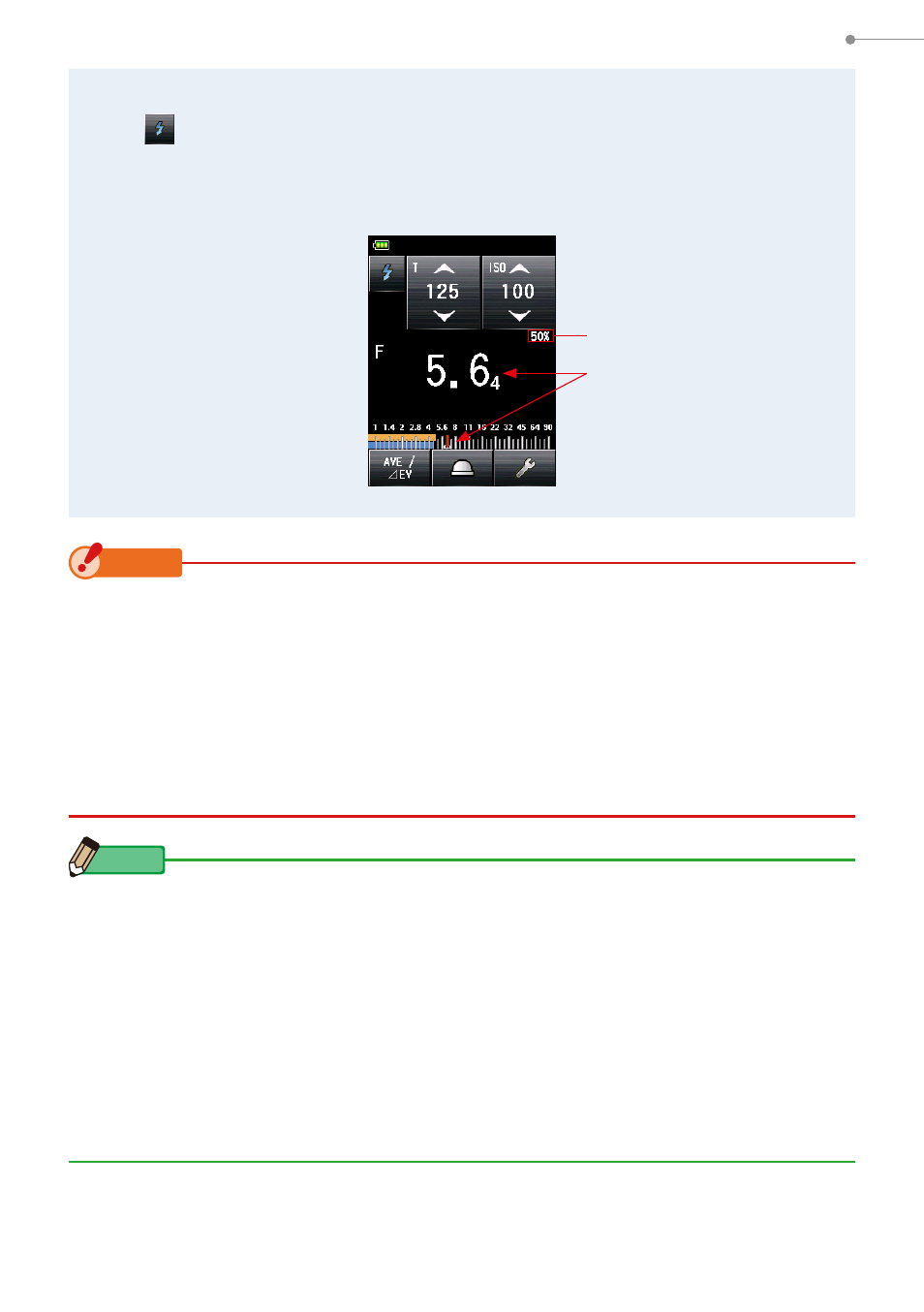
7.
Trigger the flash unit manually while the Measuring Mode Icon
(
) is blinking.
When the flash light is detected, the measurement is made automatically and the
measured value (F-stop) is displayed.
Measuring Screen
Flash Component
Measured Value
(F-stop)