Menu operations – Nikon COOLPIX P950 Digital Camera User Manual
Page 28
18
Other functions
You can press the
d
(menu) button to display the menu screen and change the
camera’s settings.
•
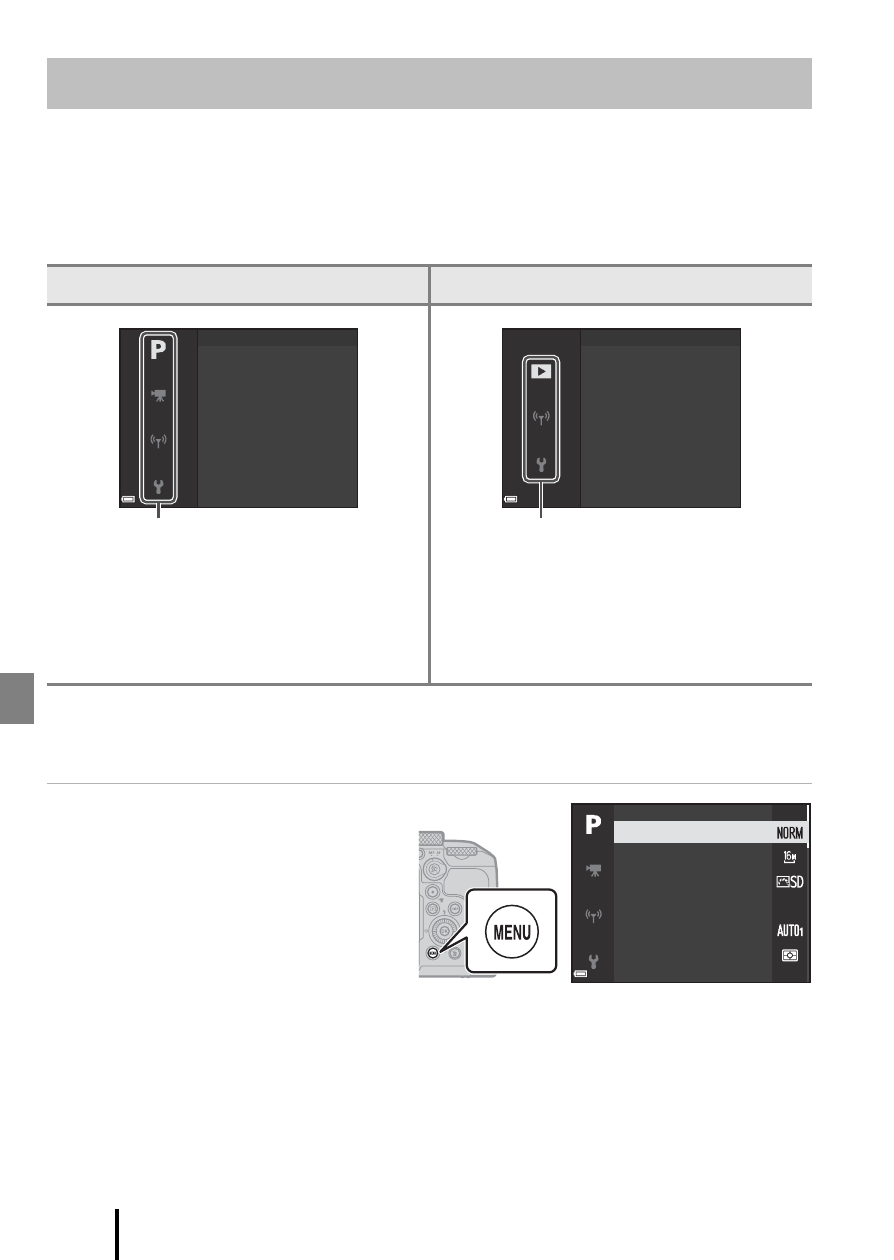
The displayed menu varies depending on the status of the camera (during
shooting or playback).
•
Menu items are categorized by the icons on the left side of the screen.
1
Menu names and icons vary depending on the shooting mode.
2
Displayed when the mode dial is rotated to
u
(Movie manual).
3
Displayed when the mode dial is rotated to a mode other than
u
(Movie manual).
1
Press the
d
(menu)
button to display the
menu screen.
Menu operations
When shooting
During playback
•
j
Shooting menu
1, 3
•
G
Movie manual mode menu
2
•
D
Movie menu
3
•
q
Network menu
•
z
Setup menu
•
h
Playback menu
•
q
Network menu
•
z
Setup menu
I
m
age qualit
y
Metering
Shooting
m
enu
White balance
I
m
age size
Picture Control
Custo
m
Picture Control
Menu categories
Mark for upload
Slide show
Pla
y
back
m
enu
Filter effects
Quick retouch
D-Lighting
Skin softening
Menu categories
I
m
age qualit
y
Picture Control
White balance
Metering
I
m
age size
Custo
m
Picture Control