Connecting equipment and power to the transformer, Caution – APC Smart-UPS 5kVA 2U Rackmount Step-Down Transformer User Manual
Page 5
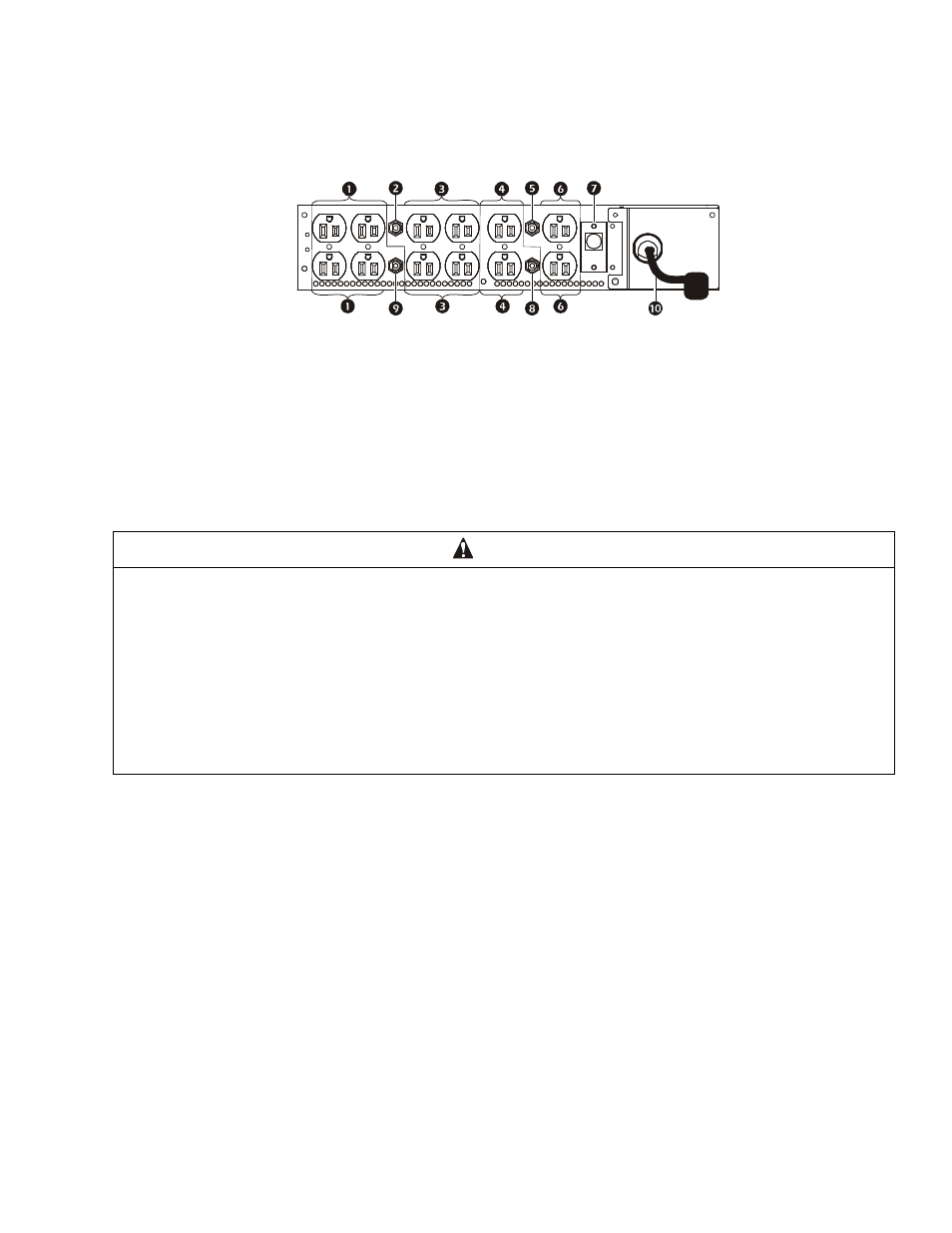
Smart-UPS On-Line Step-Down Transformer SRT5KRMTF
5
Connecting Equipment and Power to the
Transformer
Rear panel
Start-Up
1. Check that all power is turned OFF.
2. Connect all load equipment to the transformer receptacles.
Note:
Each receptacle group is protected by a circuit breaker. A colored label identifies each circuit and the
corresponding breaker.
3. Switch the transformer input circuit breaker ON.
4. Turn on output circuit breakers as needed.
5. Turn on all connected equipment.
Output 15 A Max.
Overload protector
Output 15 A Max.
Output 15 A Max.
Overload protector
Output 15 A Max.
Input Overload protector
Overload protector
Overload protector
Input power cord
CAUTION
DAMAGE TO EQUIPMENT OR PERSONNEL
• Disconnect the mains input circuit breaker before installing or servicing the UPS or transformer or connected equipment.
• Disconnect internal and external batteries before installing or servicing the UPS or connected equipment.
• The UPS contains internal and external batteries that may present a shock hazard even when disconnected from the mains.
• UPS and transformer pluggable outlets may be energized by remote or automatic control at any time.
• Disconnect equipment from the UPS and transformer before servicing any equipment.
• Do not use the UPS as a safety disconnect.
• Only one of the cooling fans operate when the transformer temperature is less than 100°F. The redundant fan operates above
100°F or when the main fan fails.
Failure to follow these instructions can result in equipment damage and minor or moderate injury
su
o
10
13a