1 ip alias setup, Table 70 menu 3.2.1: ip alias setup – ZyXEL Communications P-334 User Manual
Page 216
Prestige 334 User’s Guide
215
Chapter 21 Menu 3 LAN Setup
21.3.1 IP Alias Setup
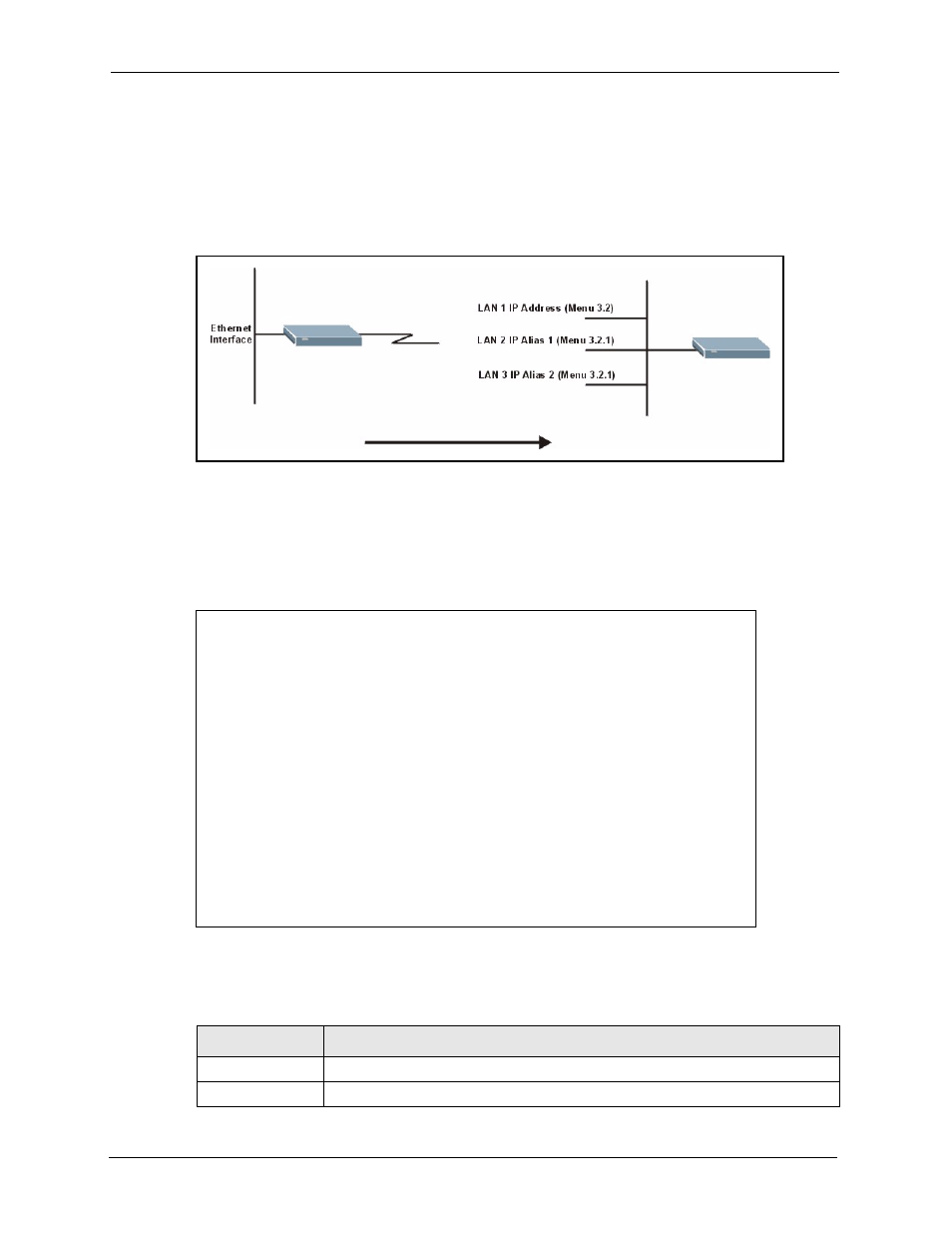
IP alias allows you to partition a physical network into different logical networks over the
same Ethernet interface. The Prestige supports three logical LAN interfaces via its single
physical Ethernet interface with the Prestige itself as the gateway for each LAN network.
Figure 97 Physical Network & Partitioned Logical Networks
You must use menu 3.2 to configure the first network. Move the cursor to the Edit IP Alias field, press
[SPACE BAR] to choose Yes and press [ENTER] to configure the second and third network.
Press [ENTER] to open Menu 3.2.1 - IP Alias Setup, as shown next.
Figure 98 Menu 3.2.1: IP Alias Setup
Use the instructions in the following table to configure IP alias parameters.
Menu 3.2.1 - IP Alias Setup
IP Alias 1= Yes
IP Address=
IP Subnet Mask= 0.0.0.0
RIP Direction= None
Version= RIP-1
Incoming protocol filters=
Outgoing protocol filters=
IP Alias 2= No
IP Address= N/A
IP Subnet Mask= N/A
RIP Direction= N/A
Version= N/A
Incoming protocol filters= N/A
Outgoing protocol filters= N/A
Enter here to CONFIRM or ESC to CANCEL:
Table 70 Menu 3.2.1: IP Alias Setup
FIELD
DESCRIPTION
IP Alias 1, 2
Choose Yes to configure the LAN network for the Prestige.
IP Address
Enter the IP address of your Prestige in dotted decimal notation.