Using the video mode – TOYOTA 2010 Highlander User Manual
Page 314
Advertising
333
3-3. Using the rear audio system
3
Inte
rior fe
atures
Using the video mode
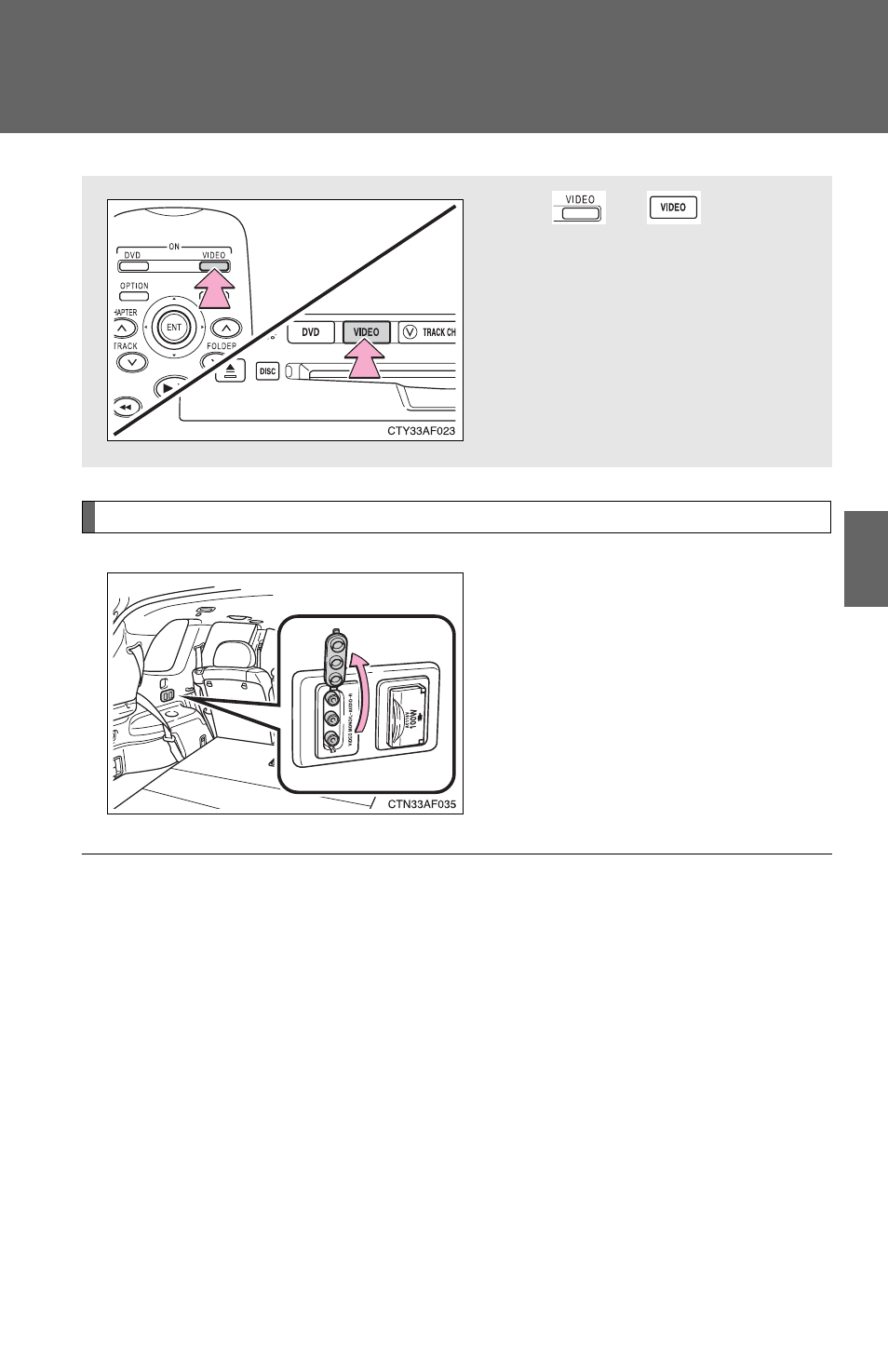
Using the adapter
Open the cover.
The A/V input adapter is com-
posed of 3 input adapters.
Yellow: Image input adapter
White: Left channel audio input
adapter
Red: Right channel audio input
adapter
Press
or
to select
the video mode.
Before switching to the video
mode, connect the audio
source to the A/V input
adapter.
■
A/V input adapter
The rear seat entertainment system plays videos and sound when audio-
video equipment is connected to the A/V input adapter. For details, refer to
the manufacturer's instructions.
■
Power outlet
The power outlet is used to connect the audio device. (
→P. 392)
Advertising