Adobe After Effects CS3 User Manual
Page 331
AFTER EFFECTS CS3
User Guide
326
When a pen tool is active, path-editing mode is active. To remain in path-editing mode, select the Pen tool; press V
or Ctrl (Windows) or Command (Mac OS) to temporarily activate the Selection tool as needed.
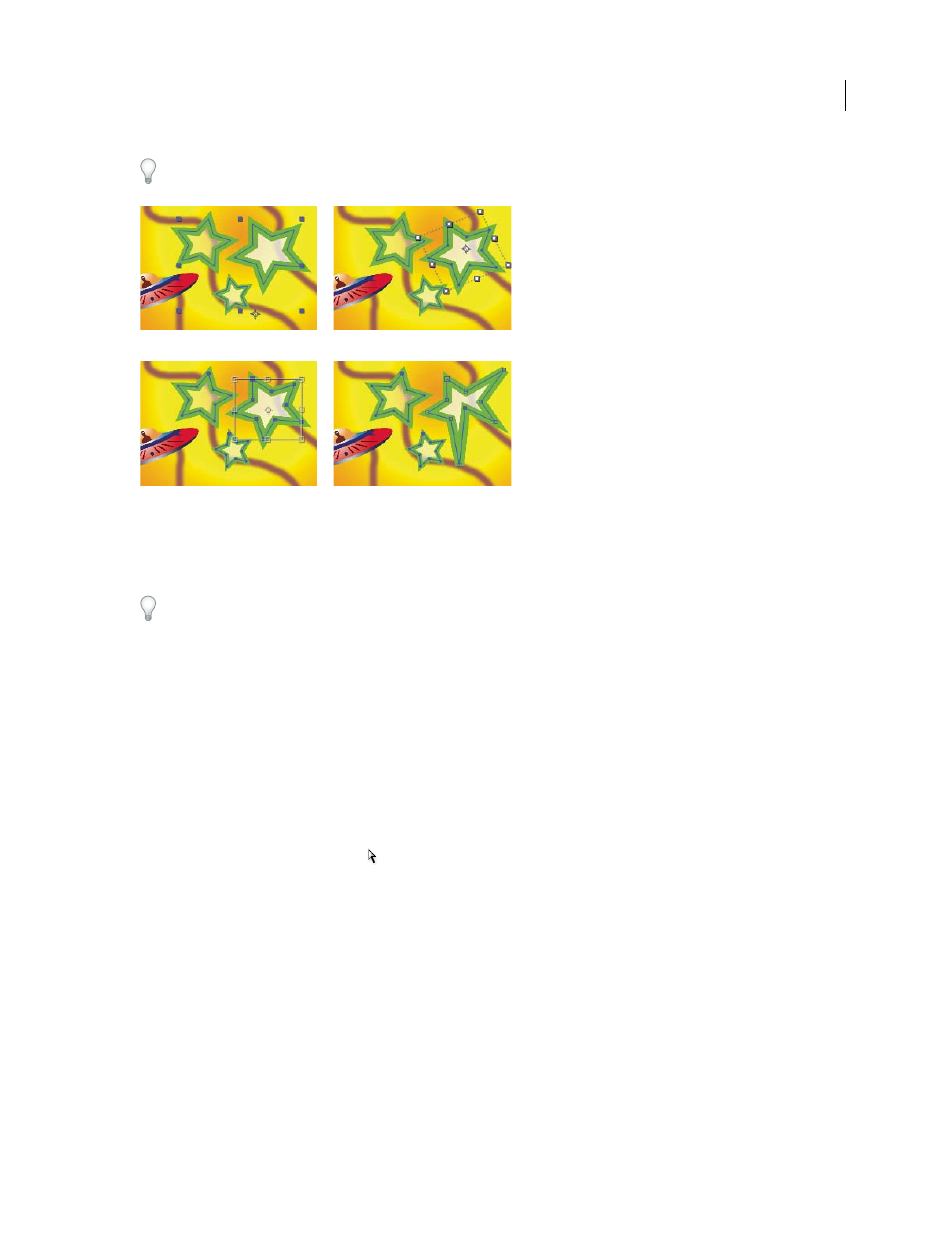
Selection modes for shapes on shape layers
A. Layer selection B. Group selection C. Free-transform D. Path editing
For information on selecting masks, see “Select masks, segments, and vertices” on page 258.
Press Ctrl+A (Windows) or Command+A (Mac OS) with a shape vertex selected to select all vertices on that path.
Press again to select all shapes. Press again to select all layers.
Select a shape layer
•
Click the layer name or layer duration bar in the Timeline panel.
•
Using the Selection tool, click within the layer’s bounds in the Composition panel.
•
To deselect all shapes on a layer but leave the shape layer selected, click within the layer’s bounds but outside all
shape paths.
Select a shape group in group selection mode
•
Using the Selection tool, double-click a member of the group in the Composition panel. Each time that you
double-click, you descend another level in the group hierarchy.
•
To activate the Direct Selection tool
, hold Ctrl (Windows) or Command (Mac OS) with the Selection tool
selected. Click a shape in the Composition panel with the Direct Selection tool to directly select that shape’s group,
regardless of how deeply nested the shape is in the group hierarchy.
•
To select a group that is contained within the same group as the group that is already selected, click the group to
select.
•
To add a group to a selection, Shift-click it. You can combine the Shift key with double-clicking and with the Direct
Selection tool to add more deeply nested groups to the selection.
Select paths and vertices in path-editing mode
•
To select a vertex, click the vertex with the Selection tool. To add vertices to the selection, Shift-click them.
•
To select a path segment, click the segment with the Selection tool. To add segments to the selection, Shift-click them.
A
B
C
D