Operation, Controls and indicators, Section 3 – AMETEK SFA Series User Manual
Page 35: Operation -1, Ontrols and, Ndicators
Advertising
SECTION 3
OPERATION
3.1
CONTROLS AND INDICATORS
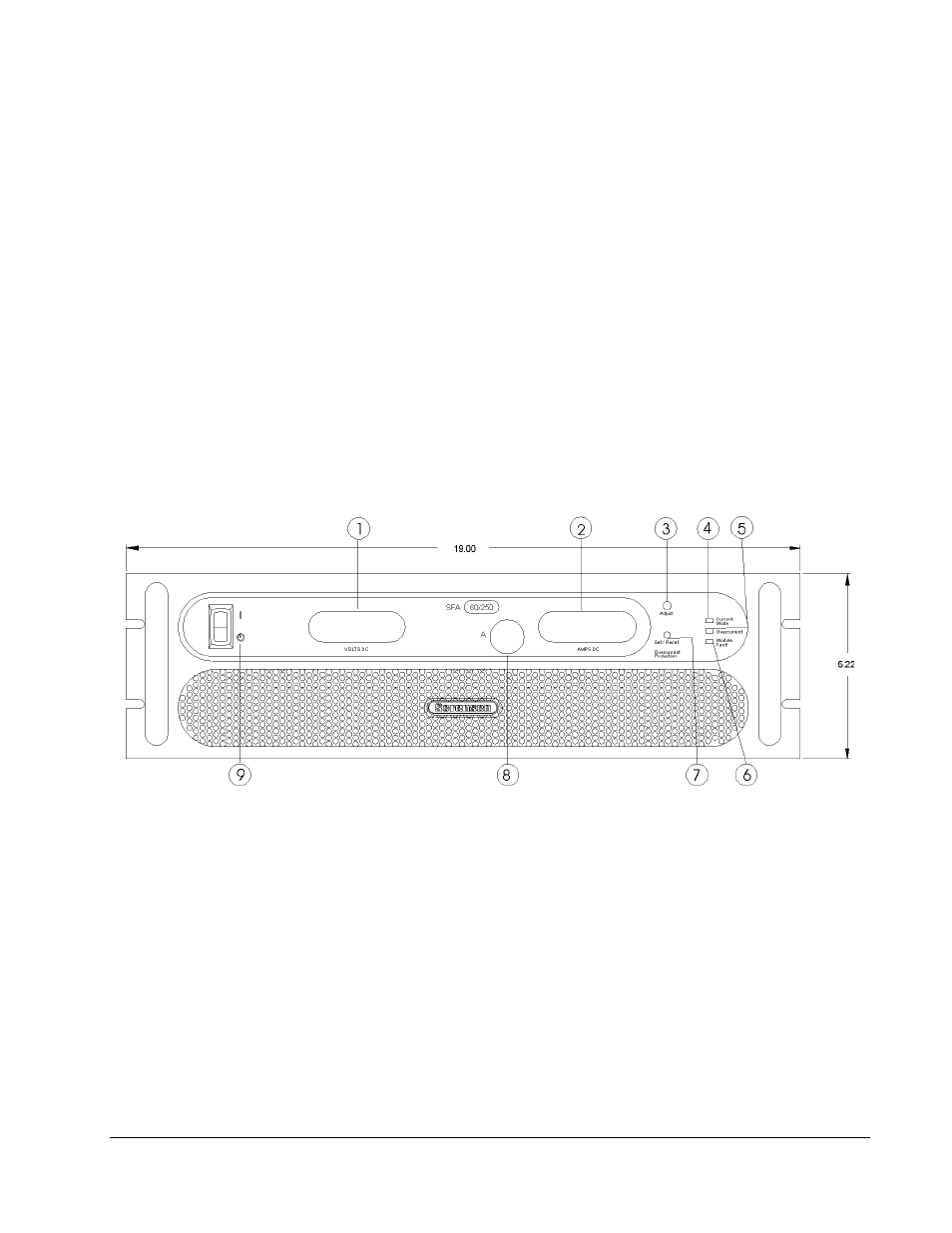
Refer to Figure 3-1 and the corresponding descriptions below for an explanation
of front panel controls and indicators on the SFA Series power supply.
Figure 3-1. Front Panel Controls and Indicators (3U model shown)
1
Voltage Display: 3½ digit green LED display indicates the DC output voltage of the supply.
2
Current Display: 3½ digit green LED display indicates the DC output current of the supply.
Display indicates the OCP setting when the SET/RESET OVERCURRENT PROTECTION button
is pushed.
3
ADJUST Overcurrent Potentiometer: Adjusts the overcurrent trip level.
M550292-01 Rev G
3-1
Advertising