2 optional -48v dc operation – replace the fuse – Comtech EF Data MBT-5000 User Manual
Page 46
MBT-5000 L-Band Up/Down Converter System
MN-MBT5000
Rear Panel Connections
Revision 4
3–14
3.3.3.2 Optional -48V DC Operation – Replace the Fuse
WARNING! DISCONNECT THE POWER SUPPLY BEFORE PROCEEDING!
CAUTION – FOR CONTINUED OPERATOR SAFETY, ALWAYS REPLACE THE FUSES WITH
THE CORRECT TYPE AND RATING.
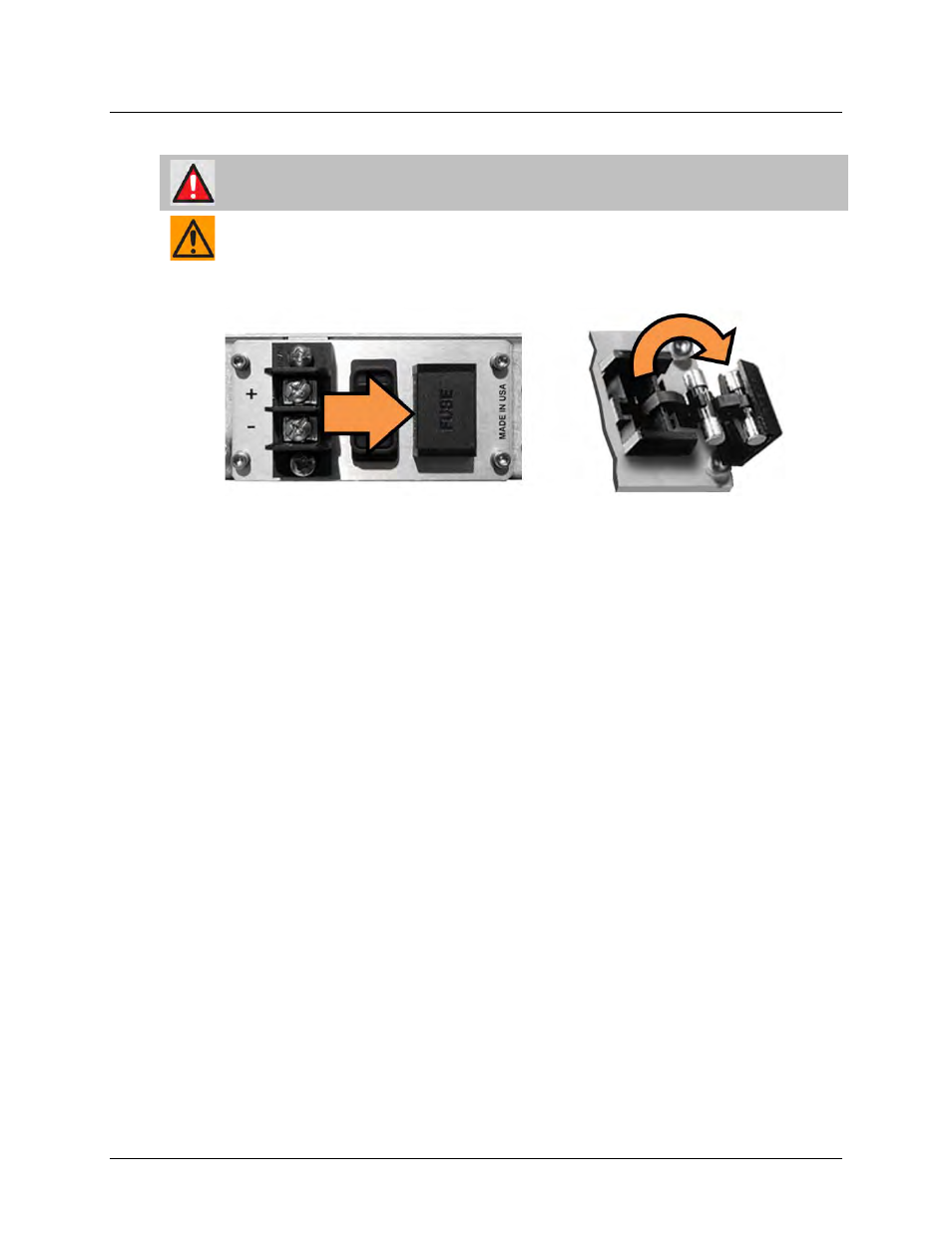
The optional -48V DC MBT-5000 uses a single 20mm slow-blow fuse. A latched fuse holder is
located on the rear panel, on the DC power supply (terminal block) module (Figure 3-11).
Figure 3-11. Replace the MBT-5000 DC Fuse
To replace the DC fuse, do these steps:
• First, press on the fuse holder cover, where shown in Figure 3-11, to unlatch the cover. Pull
out the fuse carrier from its receptacle, and then swing out as shown.
• Then, remove and replace the fuse (the fuse carrier features a cradle that stores a spare
fuse):
o
Use 3.15 Amp 5 x 20mm slow-blow fuses for standard operation
• Finally, swing back, and then push the fuse carrier back into its receptacle. Continue to push
in until the cover latch clicks back into its locked position.