7 service menu – Electro-Chemical Devices (ECD) CA6 Hardness Analyzer User Manual
Page 50
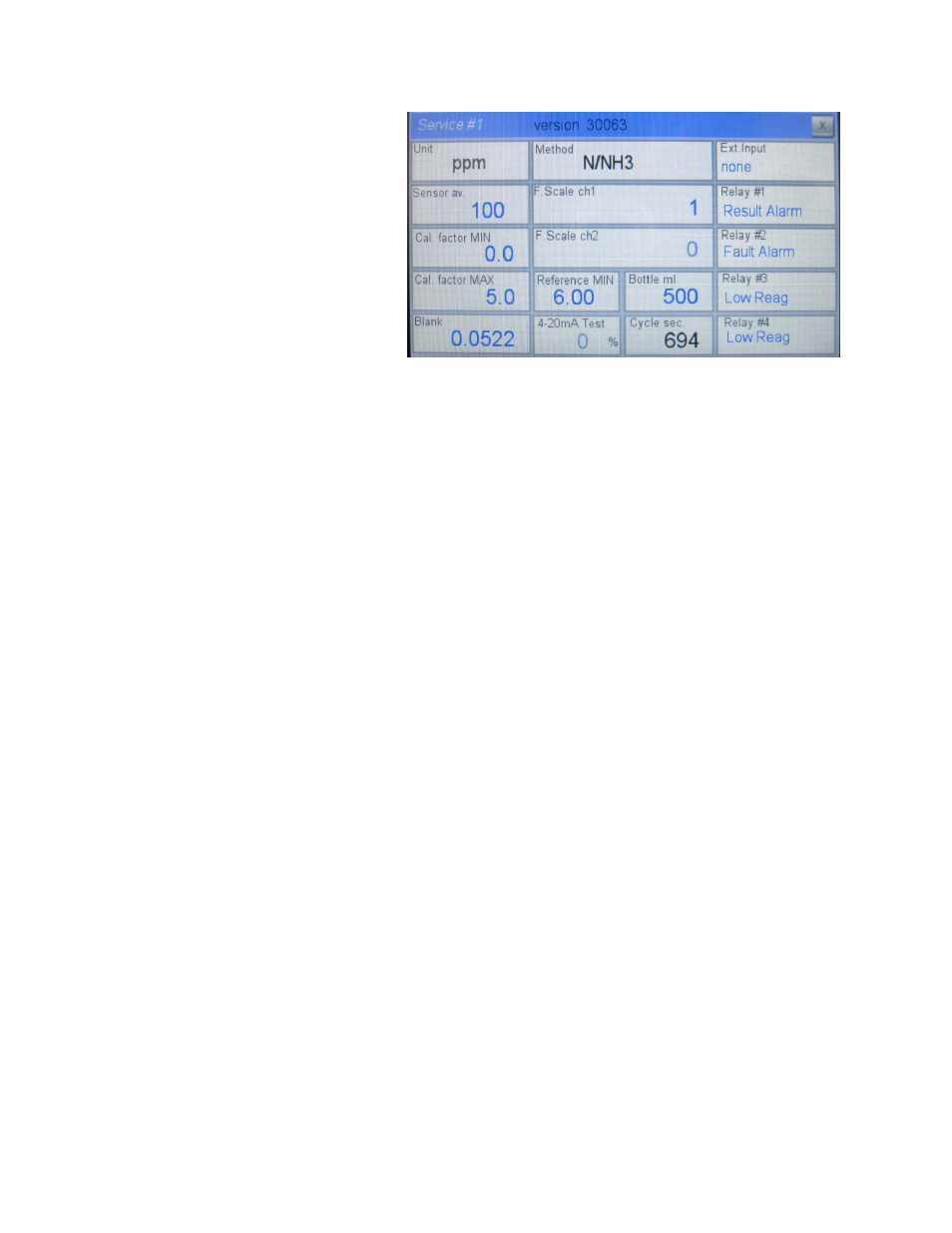
8.7 SERVICE MENU
This menu is protected with a 2
nd
level
password and contains settings critical to
the performance of the analyzer. These
values should only be modified by
properly trained personnel.
Service Window #1
Unit: Choose the unit of measurement:
ppm or ppb.
Sensor av.: Set the number of cycles averaged for the sensor reading.
Cal. Factor MIN: Minimum allowable calibration factor.
Cal. Factor MAX: Maximum allowable calibration factor.
Blank: Enter the blank value manually (see section 7.1). Use the value in Section 11.3 as a default
setting.
Method: Choose the specific measured parameter (N/NH3, PO4, N/NO2, SiO2...).
F. Scale1/2: Set the full scale value for the 4-20 mA output (0 to 200.0 ppb = 4-20 mA, above)
Reference Min: This sets the minimum reference value allowable. Values below this value cause a
FAULT. This failure is typically caused by a coating on the cell blocking the light transmittance, clean the
cell.
Bottle ml: Enter the volume of the reagent(s) bottle(s).
Cycle sec.: Displays the duration of the programmed analysis cycle.
Ext. Input: Allows a selected function to be executed from an external input: extra cycle, on line, print or
none.
Relay #1 - #4: Configure the functions of the relays.
−
Cycle Command (relay activated as programmed in the steps in the PROGRAM
menu)
−
Fault Alarm (relay activated in case of fault alarm)
−
Loss of Sample (relay activated in case of loss of sample alarm)
39