Foxconn X38A User Manual
Page 81
Advertising
75
Chapter 5 RAID Configuration
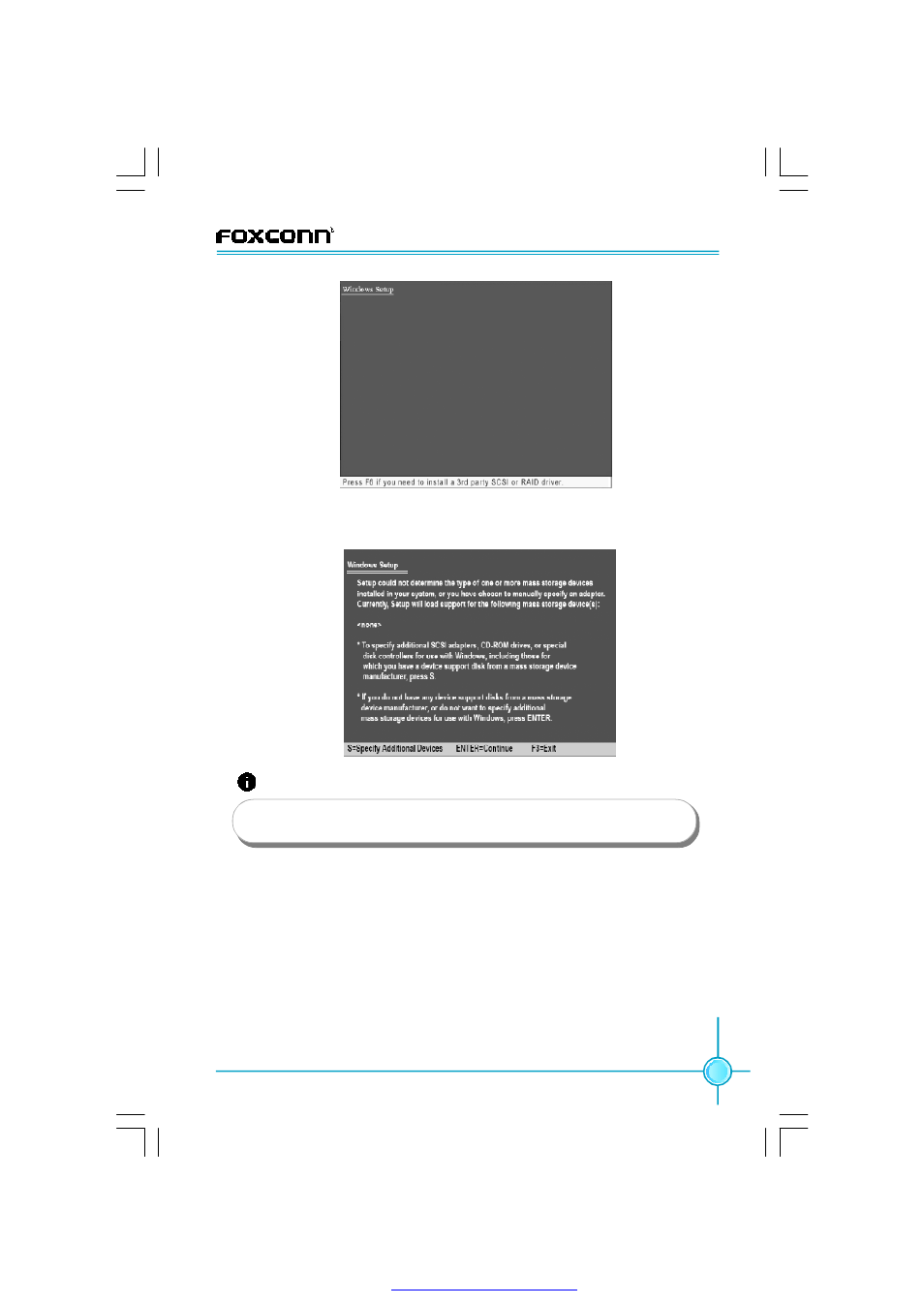
5. When the following picture appears, press <S> and then follow the screen
message to complete the OS installation.
Attention:
1. Make sure the floppy disk drive works normally.
2. Formatting will erase ALL data on your floppy disk, so please take care.
PDF 文件使用 "pdfFactory" 试用版本创建
Advertising
See also other documents in the category Foxconn Motherboard:
- AHD1S-V (42 pages)
- 865PE7MF-SH (63 pages)
- 945P7AA-8EKRS2H (119 pages)
- 661FX7MF-S (64 pages)
- K7S741GXMG-6L (10 pages)
- 748K7AA-ERS (10 pages)
- NF3250GK8AA-EKRS (68 pages)
- 6100M2MA-RS2H (94 pages)
- NF4K8AB-RS (75 pages)
- K8S755M-6LRS (104 pages)
- 6497MB-S (107 pages)
- 945P7AA-8EKRS2H (106 pages)
- 755FXK8AA-ERS (108 pages)
- 760GXK8MC-RSH RAID (45 pages)
- 760GXK8MC-RSH (75 pages)
- 761GXK8MC-RSH (85 pages)
- CK804K8MA-KS (55 pages)
- NF3UK8MA-RS (70 pages)
- NF4XK8MC-RSH (68 pages)
- NFPIK8AA-8EKRS (110 pages)
- 761GXK8MB-RSH (87 pages)
- K8M890M2MA-RS2H (69 pages)
- K8T890M2AA-RS2H (62 pages)
- MCP61VM2MA-RS2HV (61 pages)
- N5VM2AA-KRS2H (2 pages)
- N570SM2AA-8EKRS2H (87 pages)
- C51XEM2AA-8EKRS2H (114 pages)
- 761MX (44 pages)
- 761GXM2MA-RS2 (65 pages)
- A6VMX (44 pages)
- A74ML Series (105 pages)
- A7VML Series (105 pages)
- A85GM (104 pages)
- A7VA-S (106 pages)
- A7VA-S (107 pages)
- M61PMP-K (111 pages)
- A7DA-S 3.0 (112 pages)
- A9DA-S (115 pages)
- Cinema II Premium (114 pages)
- A7VMX Series (106 pages)
- 720MX-K (112 pages)
- 720AL (110 pages)
- A79A-S (115 pages)
- 560A (46 pages)
- M61PMX (92 pages)