Setup, General setup – OpenEye Gen6 RADIUS-PC User Manual
Page 26
27
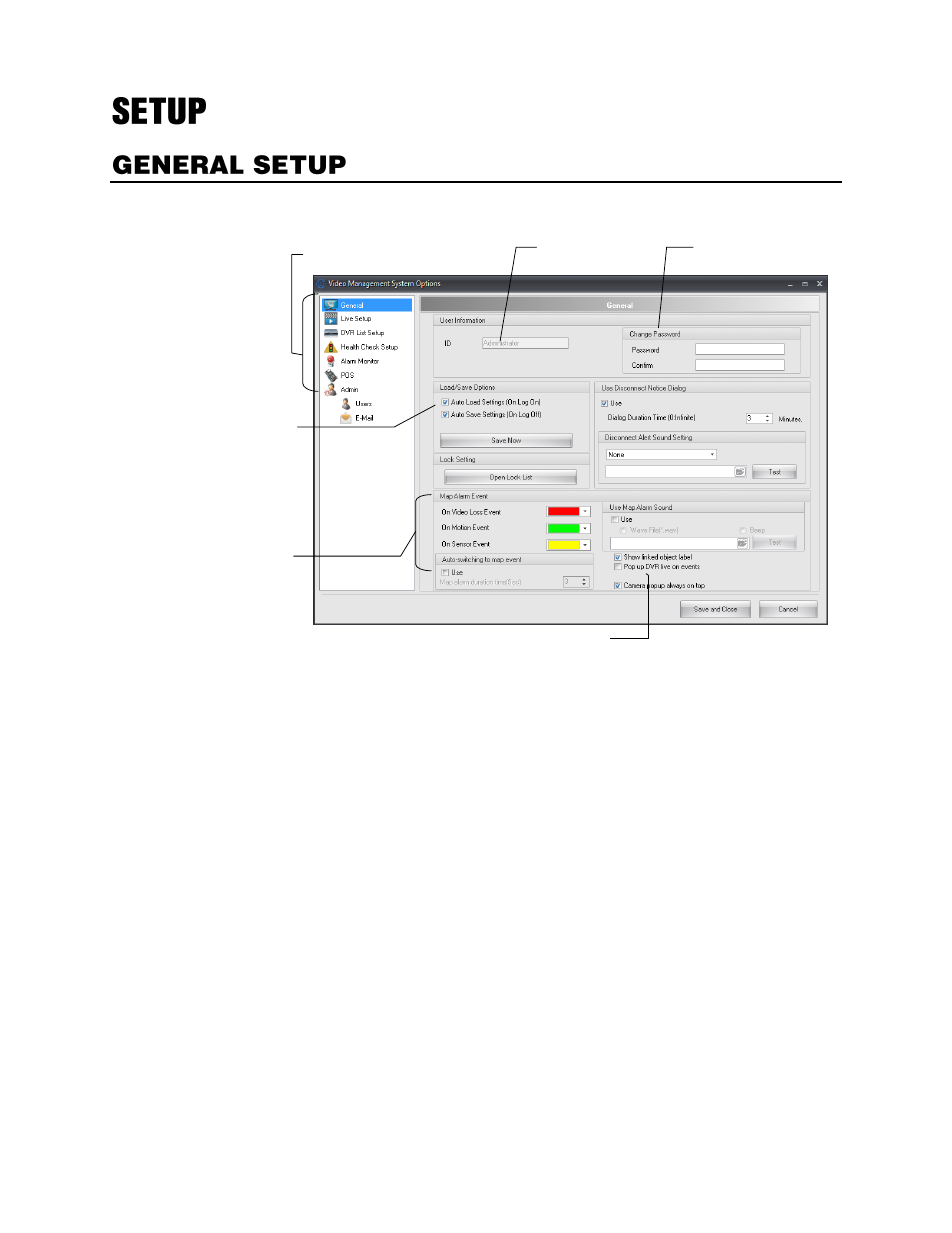
Use the General Options to configure map alarm settings and user information.
User Information
–
Displays the current user ID.
Change Password
–
Change the password of the current user.
Load/Save Options
–
Auto load or auto save all settings. (Must be selected to save user screens)
Open Lock List
–
Displays a list of functions that can be locked after configurable time of inactivity.
Use Disconnect Notice Dialog
–
Opens a dialog box, for the specified number of minutes, to indicate
that a recorder has disconnected from RADIUS.
Disconnect Alert Sound Setting
–
Specify the audible alert to sound when a recorder disconnects
from RADIUS.
Map Alarm Event
–
Specify the colors that display around map alarms on alarm events.
Auto-switching to map event
–
Opens the map associated with an alarm on an alarm event for the
specified number of seconds.
Use Map Alarm Sound
–
Triggers an audible alarm on a map alarm event.
Show linked object label
–
Displays the user-defined label under linked objects on maps.
Pop up DVR live on events
–
Opens live video of recorder associated with an alarm on an alarm
event.
Camera popup always on top
–
Opens live video window on top of all current application windows
running on the system.
User Information
Password
Map Alarm
Event settings
Menu of configurable
options
Load/Save
Options
Map Alarm Sound settings