Admin setup – OpenEye Gen6 RADIUS-PC User Manual
Page 37
38
32541AD
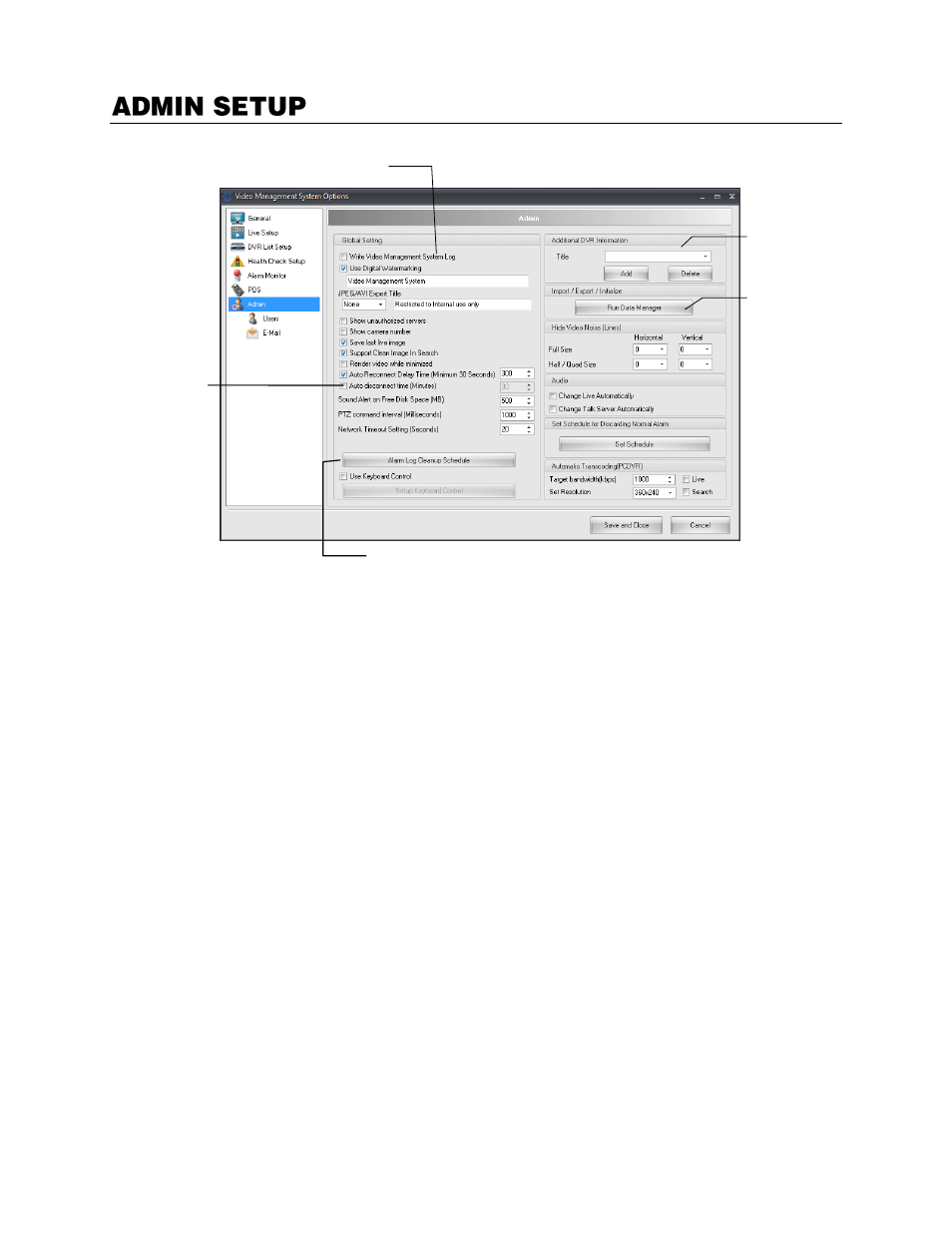
Write Video Management System Log
–
Enable to write RADIUS events to the log of the recorder.
Use Digital Watermarking
–
Adds a user defined digital watermark to exported JPEG files.
Auto reconnect delay time
–
Specifies amount of time RADIUS waits before attempting to reconnect
after a disconnection with a recorder.
Sound alert on free disk space
–
Enable an audible alert to sound when HDD space becomes limited
on the recorder.
PTZ command interval
–
Delay PTZ commands to reduce the risk of multiple commands reaching the
camera at the same time due to network latency.
Network timeout setting
–
Amount of time before RADIUS reports being disconnected from the
recorder.
Alarm Log Cleanup Schedule
–
Schedule alarm log clean up and resize the alarm log file.
Use Keyboard Control
–
Enable use of a PTZ joystick keyboard controller.
Additional DVR Information
–
User-supplied contact information.
Run Data Manager
–
Opens the Data Manager application to import and export configuration, log, and
map files.
Hide Video Noise (Lines)
–
Adjust settings to hide analog camera video noise.
Audio
–
Enables Audio for Live and Remote functionality
Set Schedule for discarding normal alarm
– Create a schedule to filter out normal alarms, by
category, from the event viewer display.
Auto Disconnect
– Length of time before the recorder will disconnect.
Configure global
recorder settings
Enter additional
information
Import / Export
configuration, log
and map files
Schedule Alarm Log Clean Up and Resize the Alarm Log File
Auto
Disconnect