Installation instructions – Eneo PXD-2080Z03 D User Manual
Page 11
Installation Instructions
11
NETWORK AF ZOOM CAMERA
• In the case of installation with Flush/ Surface/ Tilted mount, IP protection rating
is not guaranteed.
• If power, Video, Network connectors are exposed to water or rain, separate
protection shield is essential.
CAUTION
* Refer to the instruction guide for Tilted Junction mount .
* Refer to the signal assignment for wiring connection.
①
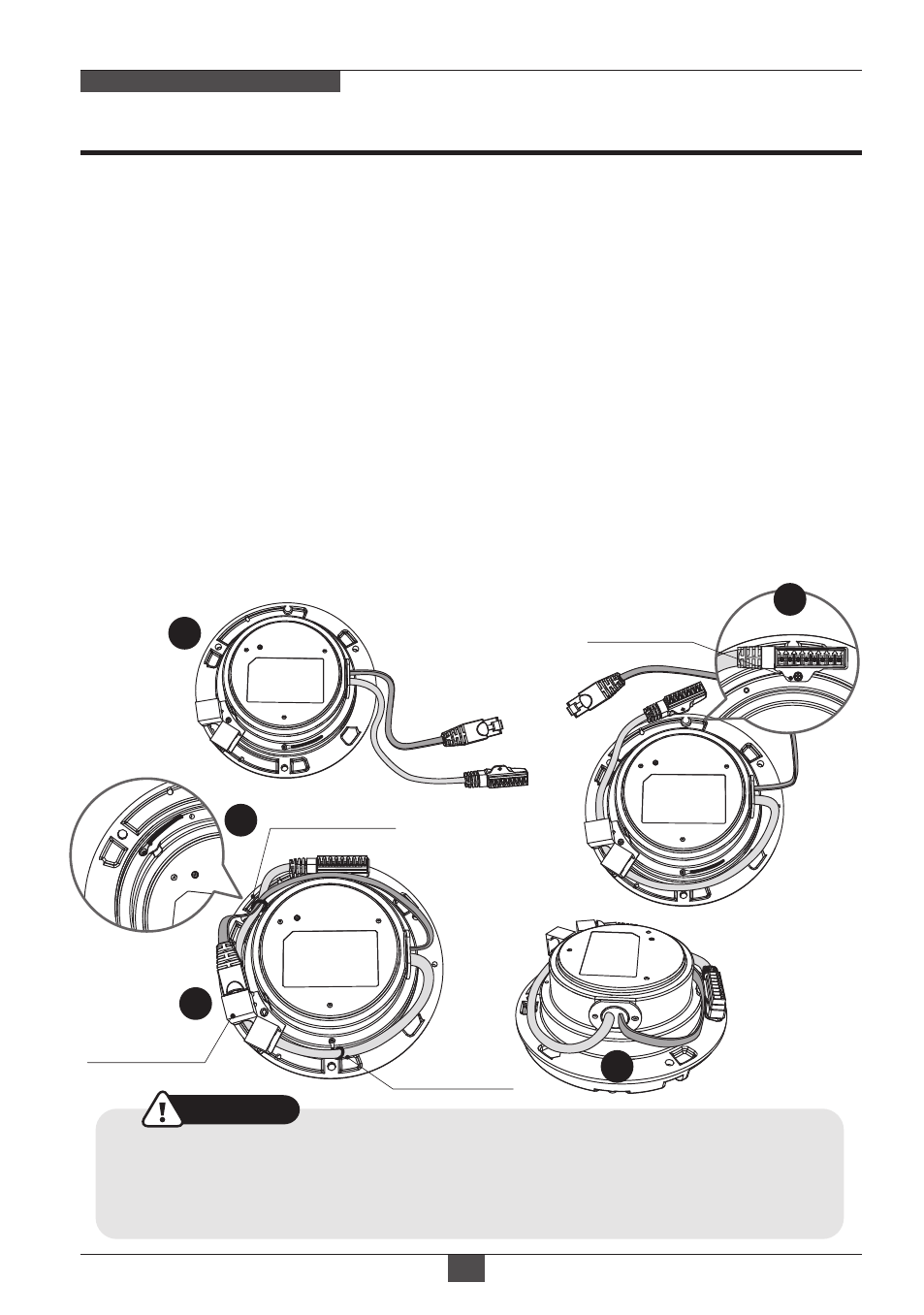
Cables are unfixed on the Dome base.
②
Disassemble coupler board for LAN cabling.
③
Connect the ethernet and power cables to their repective connections.
①
Cables are unfixed on the Dome base.
②
Organize the cables to fix the dome base as illustrated.
Fix the power supply connector with fixing screw.
③
Connect the ethernet cable to the coupler board.
④
Tie up the cables with the cable holders.
⑤
Check the final view for cable exit.
⑥
Connect the wiring connector to their repective connections.
Cable holder-1
Coupler Board
■
Option 2.
Installation with Surface mount / Tilted mount
■
Option 1.
Installation with Flush mount / Tilted Junction mount
Cable holder-2
3
4
5
1
Connector
fixing screw
2