Front panels – H3C Technologies H3C SR6600-X User Manual
Page 19
11
•
Supports three operating modes that can be configured at the CLI: CPOS E3, CPOS T3, or POS
(155 Mbps).
•
The configuration of the operating mode can take effect only after you hot-plug the interface module
or reboot the device. It is recommended to remove and insert the module to bring the configuration
into effect.
•
The configuration of the operating mode takes effect for all the interfaces on the interface modules.
NOTE:
The HIM-CLS1P/HIM-CLS2P does not support channelizing OC-3/STM-1 into DS1s or E1s.
Front panels
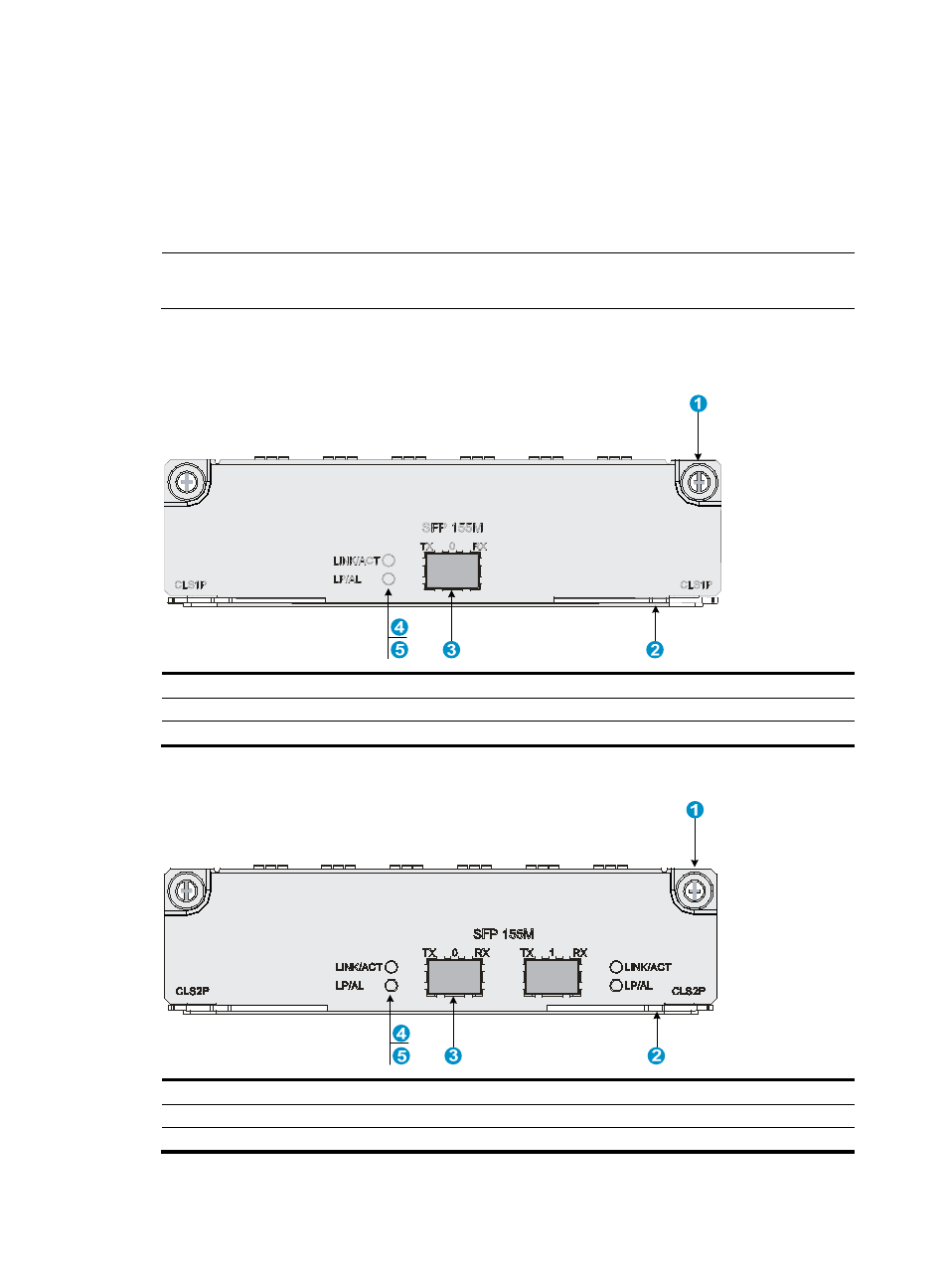
Figure 9 Front panel of HIM-CLS1P
(1) Captive screw
(2) Ejector lever
(3) SFP port
(4) SFP port carrier signal LED (LINK/ACT)
(5) SFP port loopback/alarm LED (LP/AL)
Figure 10 Front panel of HIM-CLS2P
(1) Captive screw
(2) Ejector lever
(3) SFP port
(4) SFP port carrier signal LED (LINK/ACT)
(5) SFP port loopback/alarm LED (LP/AL)