Configuring wlan access, Wlan access overview, Terminology – H3C Technologies H3C MSR 50 User Manual
Page 18: Client access
9
Configuring WLAN access
The terms AP and fat AP in this document refer to MSR 900, MSR 930, and MSR 20-1X routers with IEEE
802.11b/g and MSR series routers installed with a SIC WLAN module.
WLAN access overview
A WLAN can provide the following services:
•
WLAN client connectivity to conventional 802.3 LANs
•
Secured WLAN access with different authentication and encryption methods
•
Seamless roaming of WLAN clients in the mobility domain
Terminology
•
Client—A handheld computer or laptop with a wireless NIC or a terminal that supports WiFi.
•
Access point—An AP bridges frames between wireless and wired networks.
•
Fat AP—A fat AP controls and manages all associated wireless stations and bridges frames
between wired and wireless networks.
•
Service set identifier—A client scans all networks at first, and then selects a specific SSID to connect
to a specific wireless network.
•
Wireless medium—A medium used for transmitting frames between wireless clients. Radio
frequency is used as the wireless medium in the WLAN system.
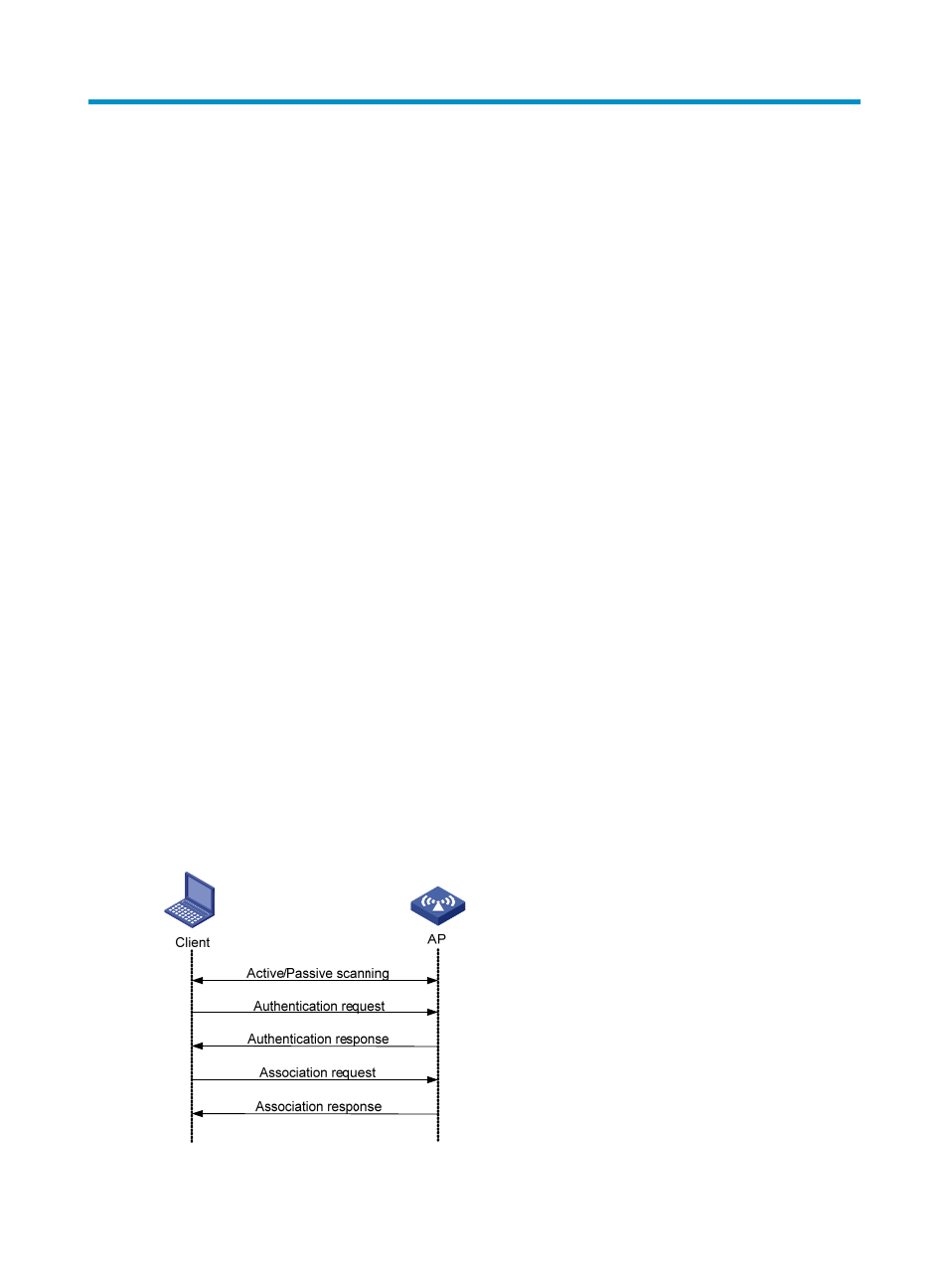
Client access
A wireless client access process involves three steps: active/passive scanning surrounding wireless
services, authentication, and association, as shown in
Figure 1 Establishing a client access