Installing the router on a workbench, Installing the router in a cabinet, Mounting brackets – H3C Technologies H3C MSR 20-2X[40] User Manual
Page 22
15
Table 12 Physical dimensions of the MSR 20 routers
Model
Physical dimension
(H × W × D) (excluding feet and mounting brackets)
MSR 20-20
44.2 × 360 × 287.1 mm (1.74 × 14.17 × 11.3 in.)
MSR 20-21
44.2 × 360 × 287.1 mm (1.74 × 14.17 × 11.3 in.)
MSR 20-40
44.2 × 442 × 407.1 mm (1.74 × 17.4 × 16.02 in.)
Install the router after you have completed the installation preparations.
The router can be installed:
•
On a workbench
•
In a cabinet
Installing the Router on a Workbench
In many circumstances, you may not own a 19-inch standard rack. Usually, the router will be installed on
a clean workbench. The operations are very simple, but still, you should be aware of the following items:
•
Ensure the stability and well-grounding of the workbench.
•
Reserve a space of 10 cm (3.9 in.) around the router for heat dissipation.
•
Do not place heavy objects on the router to avoid extruding the device and affecting heat
dissipation performance.
Installing the Router in a Cabinet
You can install an MSR 20 router in a 19-inch standard cabinet, such as an H3C N68 rack. For the
installation of an N68 rack, refer to N68 Cabinet Installation Guide.
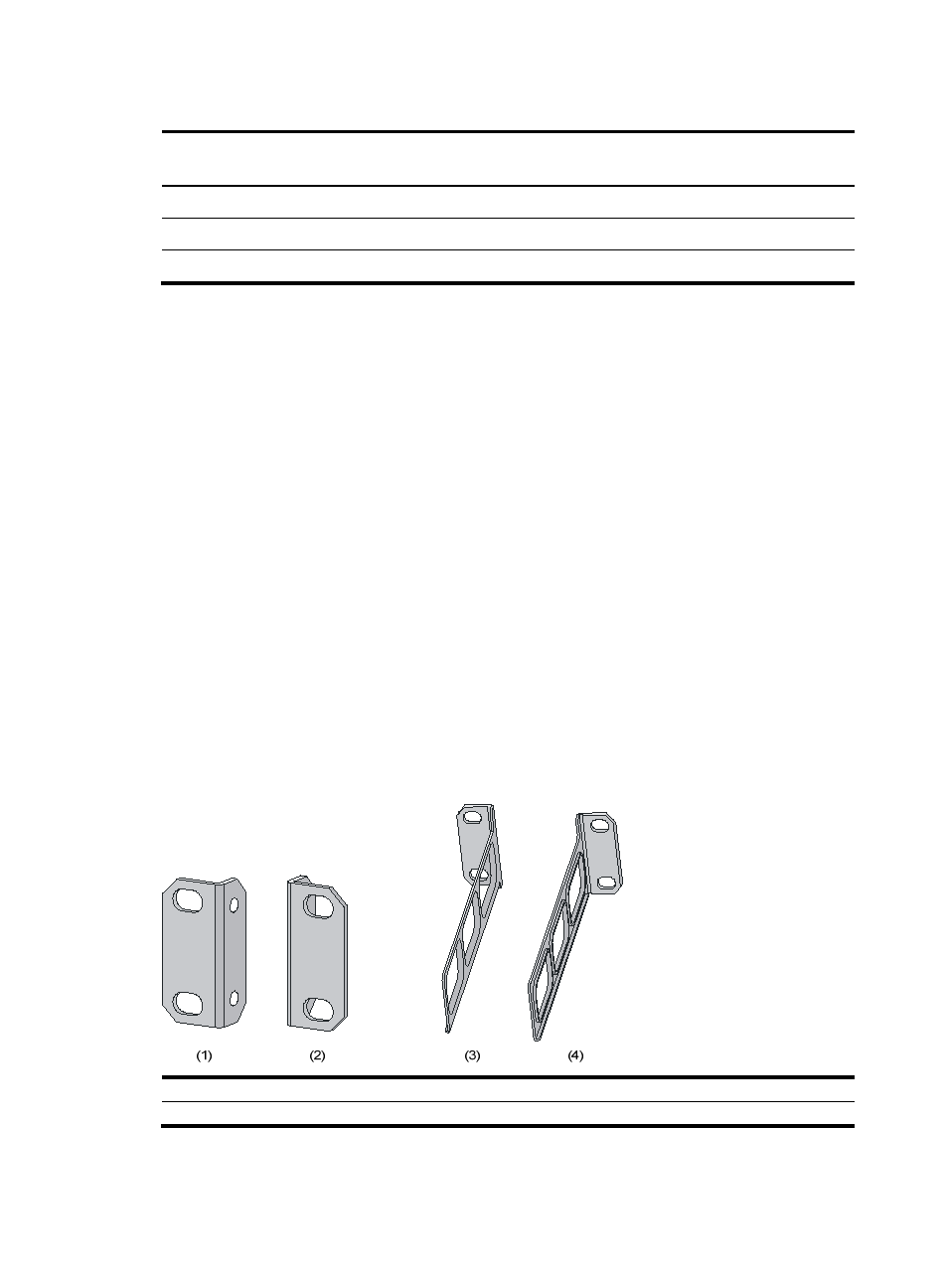
Mounting brackets
Figure 8 Mounting brackets
(1) Left-front mounting bracket
(2) Right-front mounting bracket
(3) Left-rear mounting bracket
(4) Right-rear mounting bracket