Msr 20-20 router, Appearance – H3C Technologies H3C MSR 20-2X[40] User Manual
Page 9
2
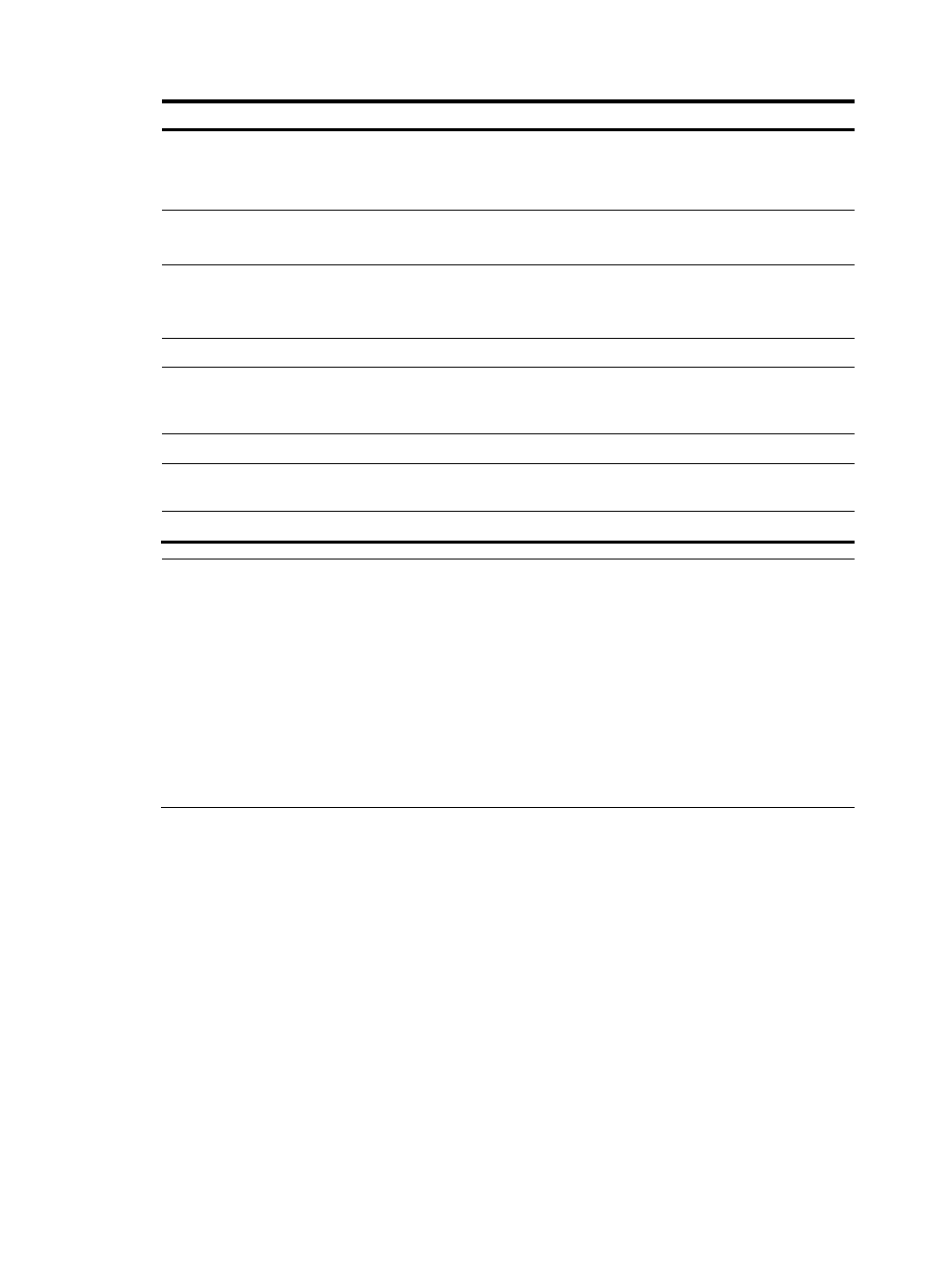
Item
MSR 20-20
MSR 20-21
MSR 20-40
Memory
SDRAM
Default: 128 MB
Maximum: 384 MB
SDRAM
Default: 128 MB
Maximum: 384 MB
SDRAM
Default: 128 MB
Maximum: 384 MB
CF flash
Default: 256 MB
Maximum: 1 GB
Default: 256 MB
Maximum: 1 GB
Default: 256 MB
Maximum: 1 GB
Dimensions (H × W × D)
(excluding feet and mounting
brackets)
44.2 × 360 × 287.1
mm (1.74 × 14.17 ×
11.3 in.)
44.2 × 360 × 287.1
mm (1.74 × 14.17 ×
11.3 in.)
44.2 × 442 × 407.1
mm (1.74 × 17.4 ×
16.02 in.)
Weight
3.4 kg (7.5 lb.)
3.4 kg (7.5 lb.)
5.4 kg (11.9 lb.)
AC input
Rated voltage: 100
VAC to 240 VAC;
50/60 Hz
Rated voltage: 100
VAC to 240 VAC;
50/60 Hz
Rated voltage: 100
VAC to 240 VAC;
50/60 Hz
Max power consumption
54 W
54 W
100 W
Operating temperature
0°C to 40°C (32°F to
104°F)
0°C to 40°C (32°F to
104°F)
0°C to 40°C (32°F to
104°F)
Relative humidity (non-condensing)
5% to 90%
5% to 90%
5% to 90%
NOTE:
•
The Boot ROM stores the Bootstrap for booting the router.
•
The memory is used to store the communication data between the system and the CPU when the system
is running.
•
The CF card is used to store the software system and configuration file. The CF card LED blinks when the
system is reading/writing data from/to the CF card. In this case, do not remove the CF card, otherwise
hardware and software damage may occur.
•
Do not unplug the USB device during USB data transmission; otherwise, data loss or even hardware
failures may occur.
•
The USB interface does not support hot-swapping of USB modems from Sierra Wireless.
MSR 20-20 Router
Appearance
1.
Front view