Configuration considerations, Configuration procedure – H3C Technologies H3C WX5500E Series Access Controllers User Manual
Page 141
130
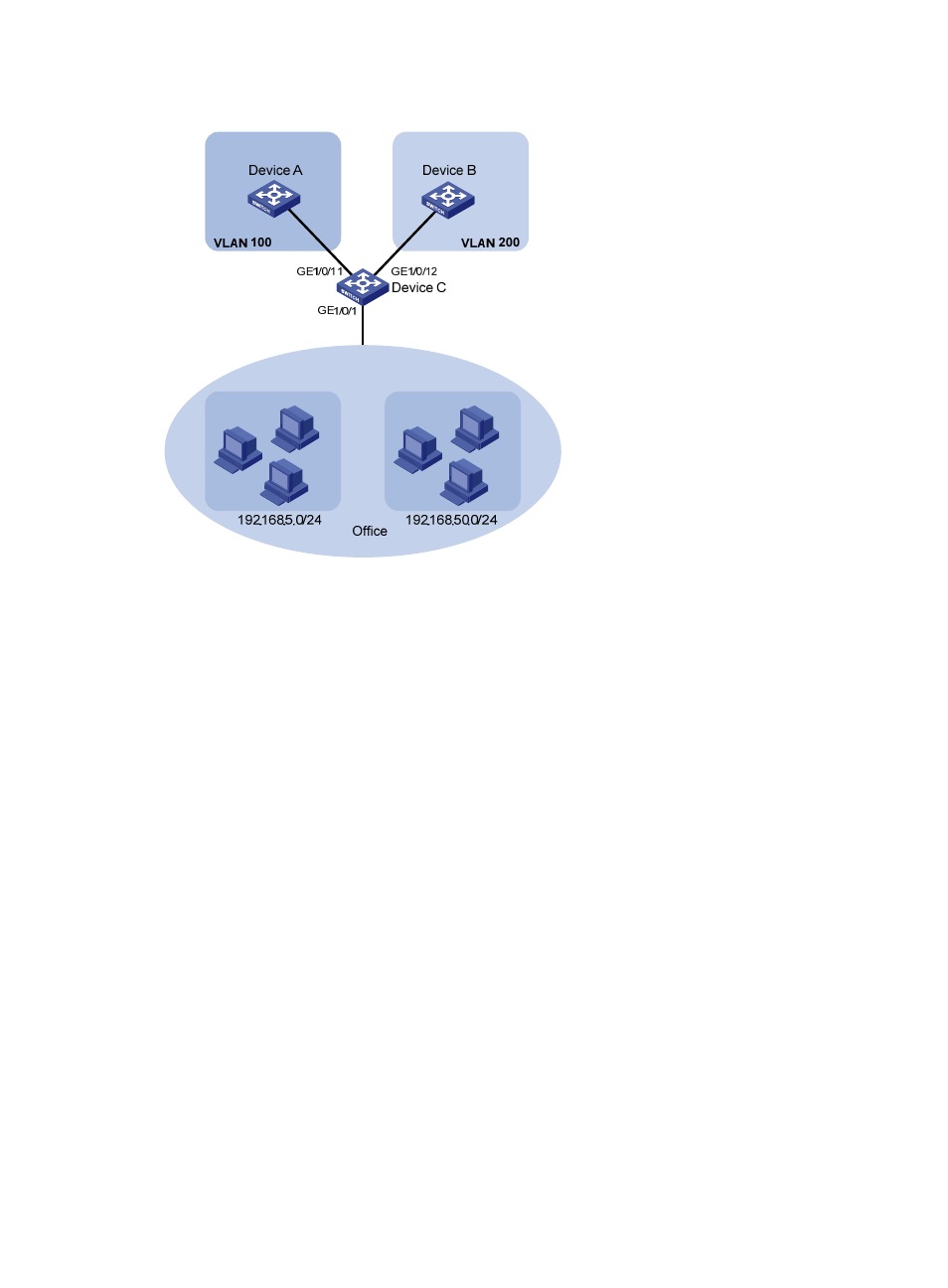
Figure 39 Network diagram
Configuration considerations
•
Create VLANs 100 and 200.
•
Associate IP subnets with the VLANs.
•
Assign ports to the VLANs.
Configuration procedure
# Associate IP subnet 192.168.5.0/24 with VLAN 100.
<DeviceC> system-view
[DeviceC] vlan 100
[DeviceC-vlan100] ip-subnet-vlan ip 192.168.5.0 255.255.255.0
[DeviceC-vlan100] quit
# Associate IP subnet 192.168.50.0/24 with VLAN 200.
[DeviceC] vlan 200
[DeviceC-vlan200] ip-subnet-vlan ip 192.168.50.0 255.255.255.0
[DeviceC-vlan200] quit
# Configure interface GigabitEthernet 1/0/11 to permit packets of VLAN 100 to pass through.
[DeviceC] interface gigabitethernet 1/0/11
[DeviceC-GigabitEthernet1/0/11] port link-type hybrid
[DeviceC-GigabitEthernet1/0/11] port hybrid vlan 100 tagged
Please wait... Done.
[DeviceC-GigabitEthernet1/0/11] quit
# Configure interface GigabitEthernet 1/0/12 to permit packets of VLAN 200 to pass through.
[DeviceC] interface gigabitethernet 1/0/12
[DeviceC-GigabitEthernet1/0/12] port link-type hybrid
[DeviceC-GigabitEthernet1/0/12] port hybrid vlan 200 tagged