H3C Technologies H3C SecPath F1000-E User Manual
Page 207
195
•
Select ESP as the security protocol.
•
Select SHA1 as the ESP authentication algorithm.
•
Select DES as the ESP encryption algorithm.
•
Click Apply.
# Configure the IKE peer.
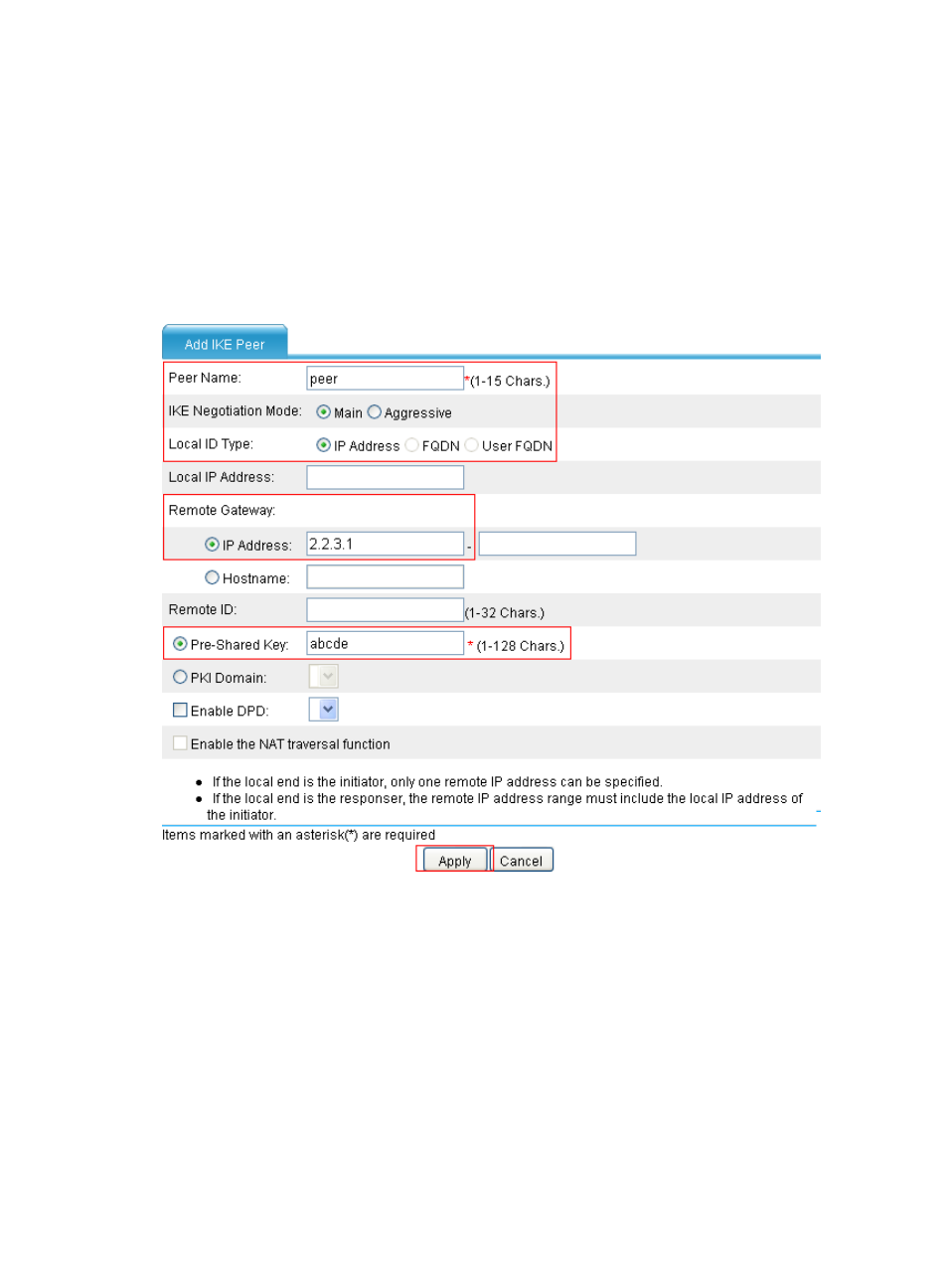
Select VPN > IKE > Peer from the navigation tree and then click Add to enter the IKE peer configuration
page. Perform the configurations shown in
.
Figure 124 Configure an IKE peer
•
Enter peer as the peer name.
•
Select Main as the negotiation mode.
•
Enter 2.2.3.1 as the IP address of the remote gateway.
•
Select Pre-Shared Key and enter abcde as the pre-shared key.
•
Click Apply.
# Configure an IPsec policy.
Select VPN > IPSec > Policy from the navigation tree and then click Add to enter the IPsec policy
configuration page appears. Perform the configurations shown in
- H3C SecPath F5000-A5 Firewall H3C SecPath F1000-A-EI H3C SecPath F1000-E-SI H3C SecPath F1000-S-AI H3C SecPath F5000-S Firewall H3C SecPath F5000-C Firewall H3C SecPath F100-C-SI H3C SecPath F1000-C-SI H3C SecPath F100-A-SI H3C SecBlade FW Cards H3C SecBlade FW Enhanced Cards H3C SecPath U200-A U200-M U200-S H3C SecPath U200-CA U200-CM U200-CS