Pki configuration examples in the web interface, Network requirements, Configuring the ca server – H3C Technologies H3C SecPath F1000-E User Manual
Page 300
Advertising
288
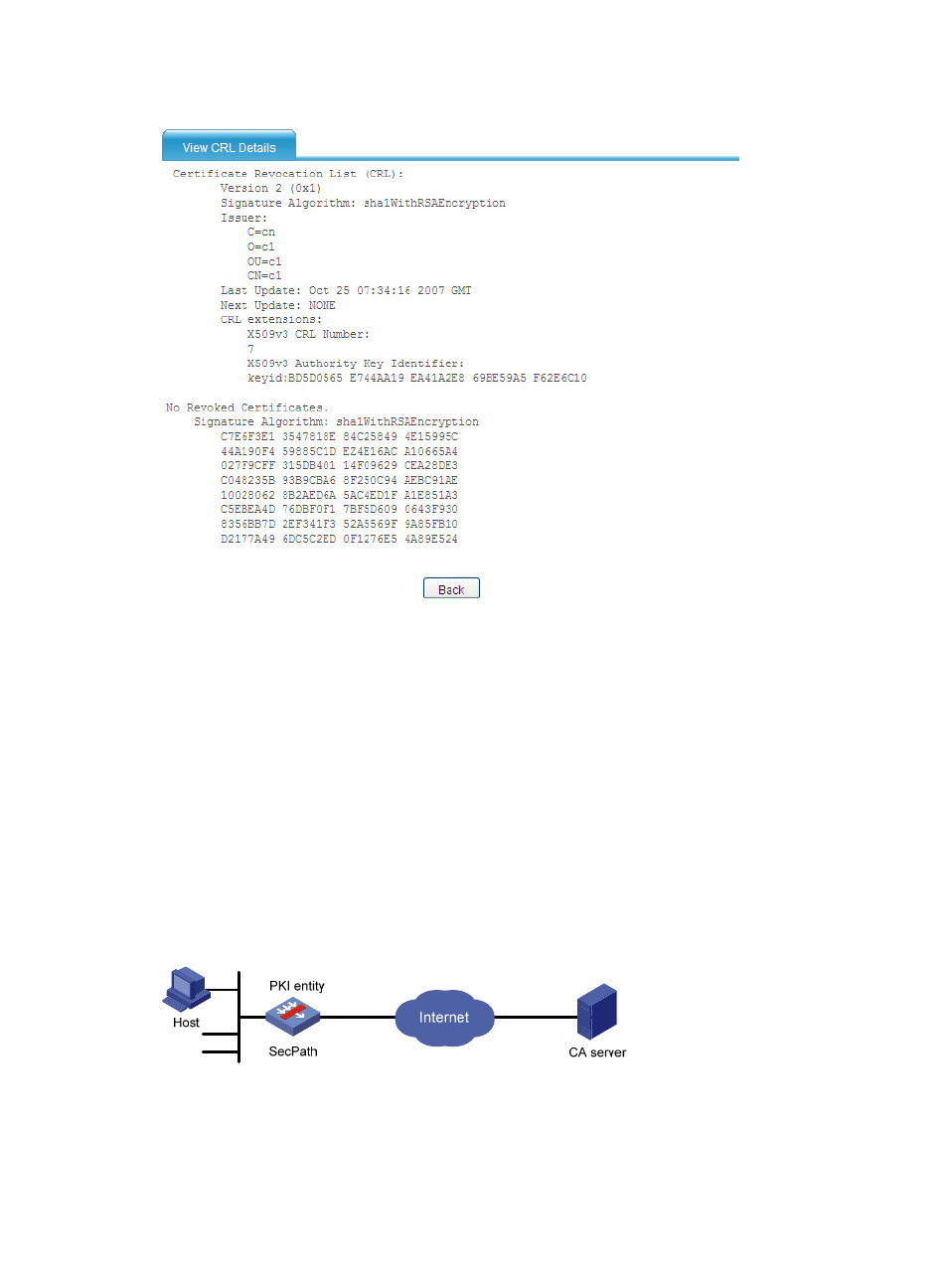
Figure 183 CRL information
PKI configuration examples in the Web interface
Certificate request from a Windows 2003 CA server
configuration example
Network requirements
As shown in
, configure SecPath to work as the PKI entity, so that:
•
SecPath submits a local certificate request to the CA server, which runs Windows 2003 server
operating system.
•
SecPath acquires CRLs for certificate verification.
Figure 184 Network diagram
Configuring the CA server
1.
Install the CA server component:
a.
Select Control Panel > Add or Remove Programs from the start menu.
Advertising
This manual is related to the following products:
- H3C SecPath F5000-A5 Firewall H3C SecPath F1000-A-EI H3C SecPath F1000-E-SI H3C SecPath F1000-S-AI H3C SecPath F5000-S Firewall H3C SecPath F5000-C Firewall H3C SecPath F100-C-SI H3C SecPath F1000-C-SI H3C SecPath F100-A-SI H3C SecBlade FW Cards H3C SecBlade FW Enhanced Cards H3C SecPath U200-A U200-M U200-S H3C SecPath U200-CA U200-CM U200-CS