N in, Figure 162 – H3C Technologies H3C SecPath F1000-E User Manual
Page 263
Advertising
251
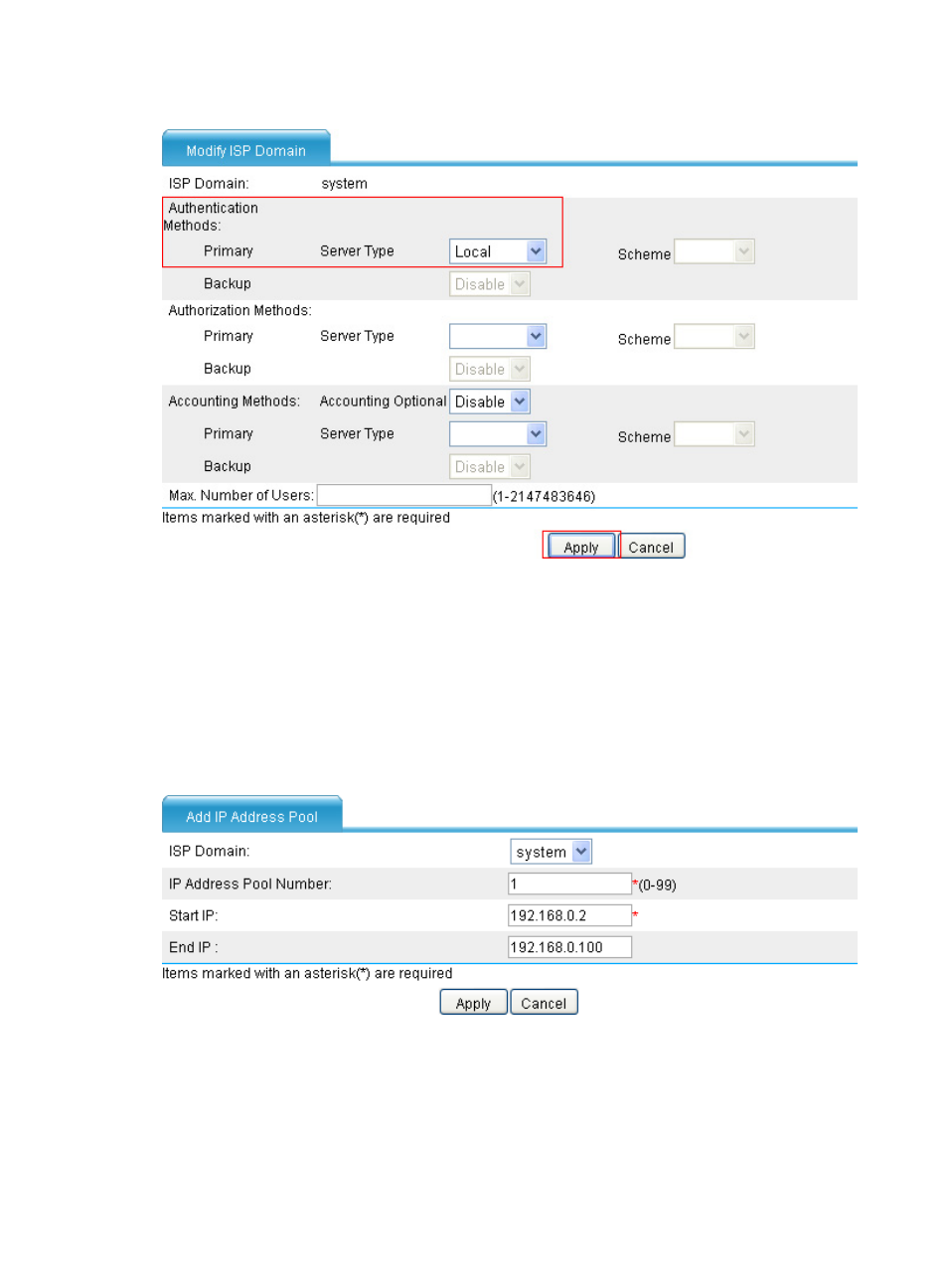
Figure 162 Configuring local authentication method for VPN users
•
Select the server type Local as the PPP authentication method.
•
Click Apply to return to the L2TP group configuration page.
•
Enter 192.168.0.1/255.255.255.0 as the PPP server IP address/mask.
•
Select Trust from the PPP Server Zone list. (Select a security zone according to your network
configuration.)
•
Click the Add button of the User Address parameter and then perform the configurations shown
in
Figure 163 Adding an IP address pool
•
Select domain system.
•
Enter 1 as the IP address pool number.
•
Enter the start IP address 192.168.0.2.
•
Enter the end IP address 192.168.0.100.
Advertising
This manual is related to the following products:
- H3C SecPath F5000-A5 Firewall H3C SecPath F1000-A-EI H3C SecPath F1000-E-SI H3C SecPath F1000-S-AI H3C SecPath F5000-S Firewall H3C SecPath F5000-C Firewall H3C SecPath F100-C-SI H3C SecPath F1000-C-SI H3C SecPath F100-A-SI H3C SecBlade FW Cards H3C SecBlade FW Enhanced Cards H3C SecPath U200-A U200-M U200-S H3C SecPath U200-CA U200-CM U200-CS