Area d - miscellaneous connectors, Area e – fiber connector – Grass Valley 3400 CopperHead User Manual
Page 29
23
CopperHead 3400
User Guide
• 18 - Sidetone Control
• 19 - Intercom Talk Control
• 20 - Intercom Local/Remote
• LOCAL- Switch 18 is enabled
• REMOTE- Remote Push-to-Talk Switch enabled
For information on the Audio/Intercom Connector Panel operation, see
Intercom Usage with the CopperHead 3400
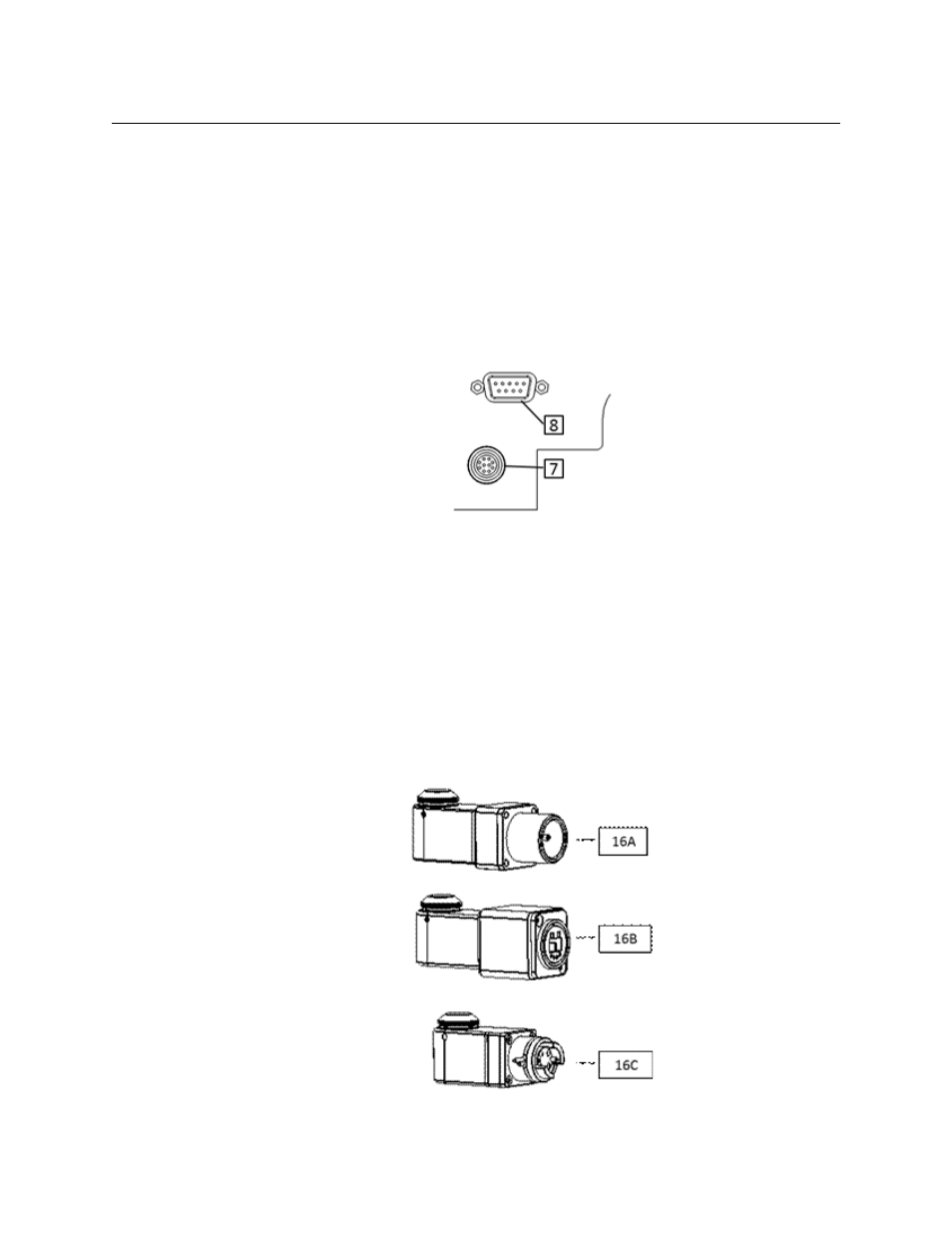
Area D - Miscellaneous Connectors
Fig. 3-12: Camera Remote and Production DB1 connectors
• 7 - Camera Remote Connector (for optional Camera Remote Control unit)
• 8 - Production DB15HD Connector for Tally: Intercom Trigger, 2
nd
GPI and Serial
Communication (RS232/422/485)
For information regarding available cables and customer furnished cables, see
Area E – Fiber Connector
The CopperHead 3400 Camera Unit is shipped with one of the three Fiber Connectors
shown in
.
Fig. 3-13: Three types of Fiber Connectors