Miscellaneous, Welcome, File menu – Grass Valley SMS-6000 Series User Manual
Page 89: Actions windows buttons, Miscellaneous -26
3-26
Copyright © Tektronix, Inc., Grass Valley Products
159398-00 Software Ver1.0
Section 3 — SMS-6000 Configuration Editor
Miscellaneous
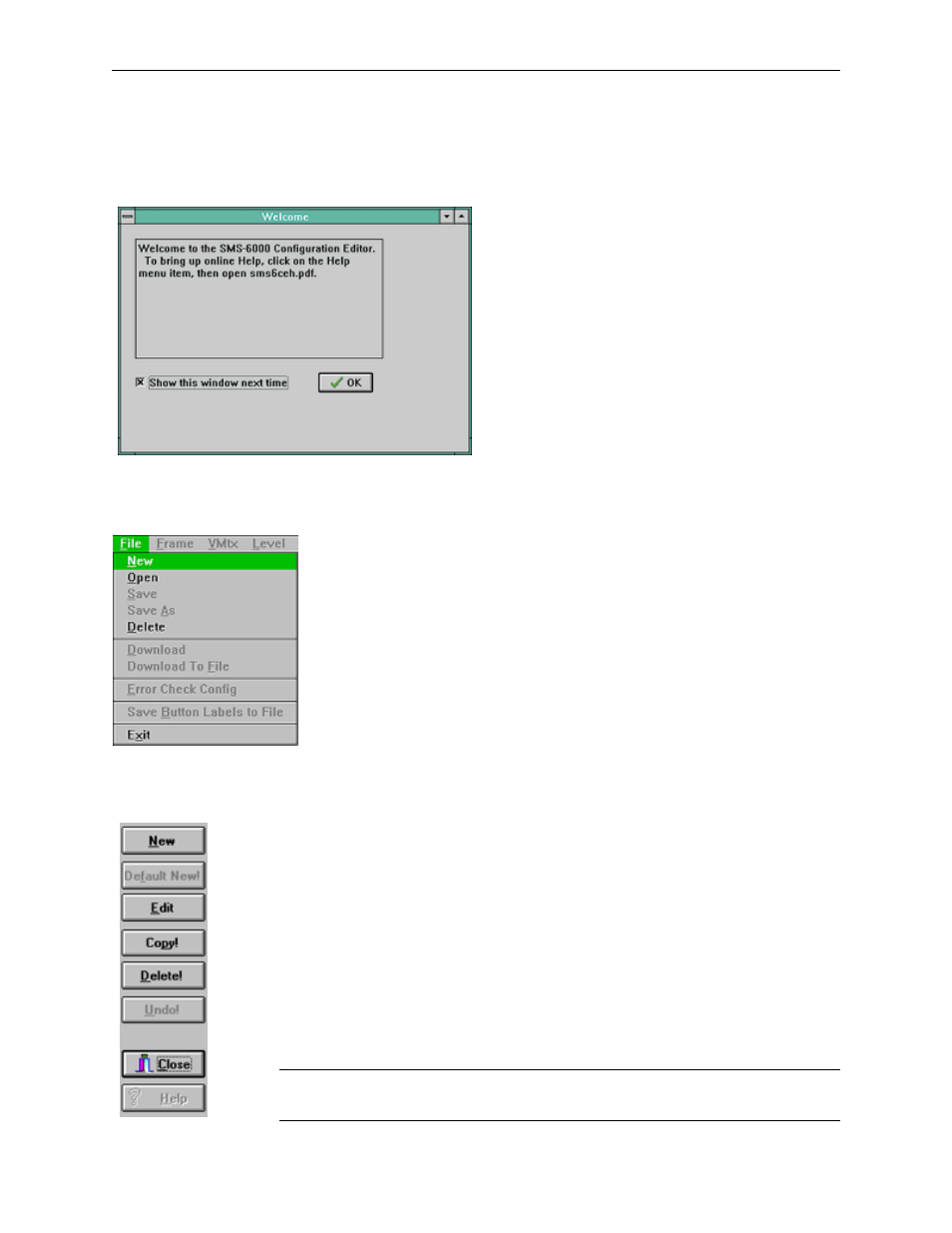
Welcome
The Welcome window will appear when the
SMS-6000 Configuration Editor is loaded.
Figure 3-20. Welcome Window
File Menu
.
The File menu has the following unique features:
■
DOWNLOAD TO FILE
this selection is for future use.
■
ERROR CHECK CONFIG
does a thorough error check of the entire
configuration. It is recommended that you use this feature if
you have any doubts about the consistency of the configuration.
■
SAVE BUTTON LABELS TO FILE
is used to create a text file of the
Button Labels. This text file can be used in an application such
as Excel to create custom button labels.
■
Figure 3-21. File Menu
Actions Windows Buttons
All Actions windows have the following buttons:
■
NEW
to add a new item.
■
DEFAULT
NEW
to add default entries.
■
EDIT
to modify an existing item.
■
COPY
to copy an existing item.
■
UNDO
to undo the last entry.
■
CLOSE
to close the Action window.
■
HELP
to access the on-line documentation.
NOTE:
Whenever a button appears gray on the screen that function is not
available.
Figure 3-22. Action Windows Buttons