Casio E-125 Mobile Picture & Video Player V.1.0 User Manual
Page 30
Advertising
- 30 -
Mobile Picture & Video Player with Camera
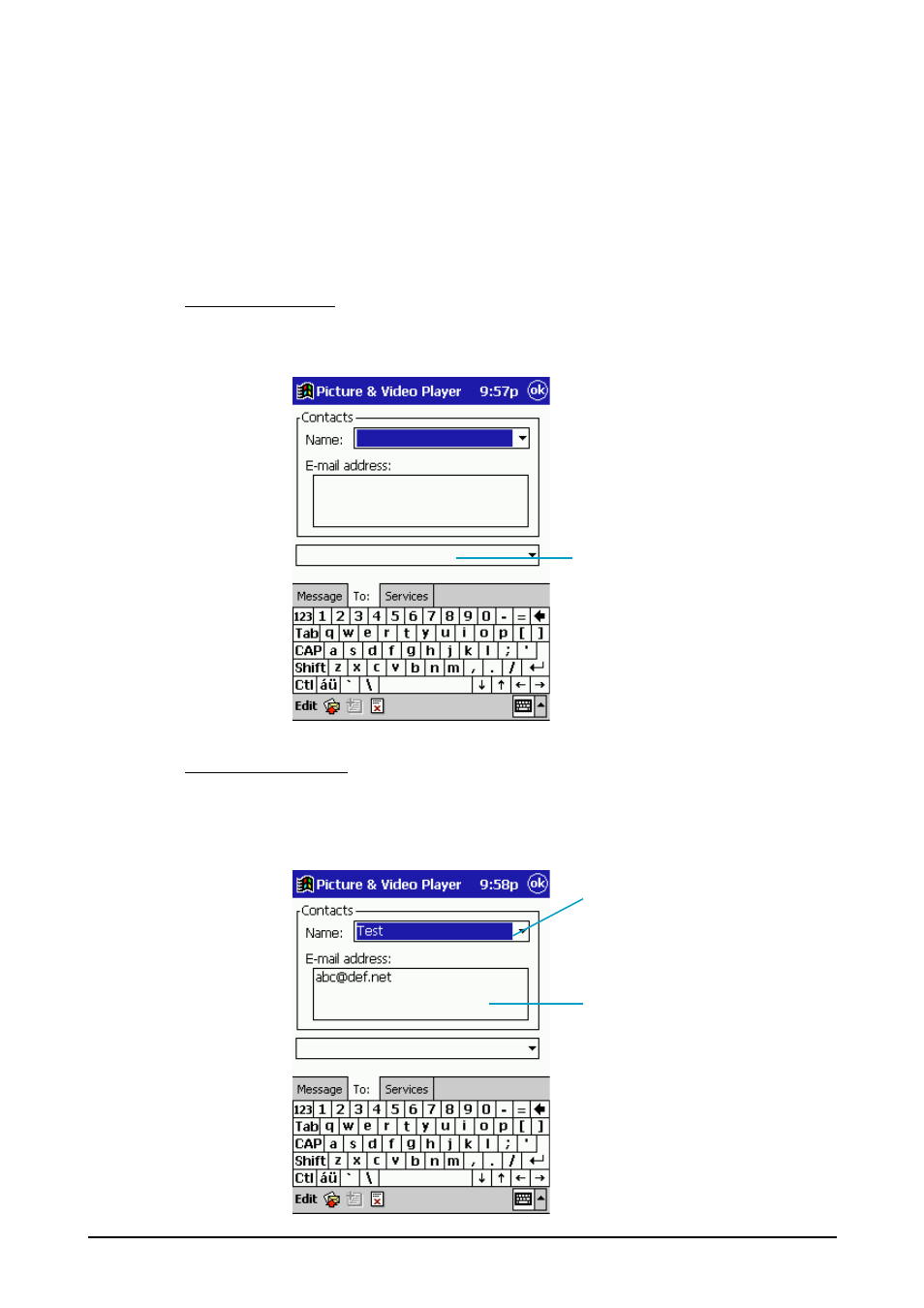
5. Tap the "To:" tab and input the mail address to which you want to send the
message.
You can use any of the three following methods to input the mail address.
•
Direct input
•
Input from Contacts
•
Inputting a pre-assigned nickname
Direct e-mail input
Type the e-mail address into the box at the bottom of the tab. You can input
up to 200 characters for the address.
Input from Contacts
With this method, you use e-mail data from the Contacts application. Tap the
"down" arrow next to the “Name” box, and then tap the name of the person
whose e-mail address you want to use.
Input the e-mail address here.
Tap here to display a list of
e-mail addresses.
Tap the name of the person
whose e-mail address you
want to use.
Advertising
This manual is related to the following products: