Installation, Connection, Gb accessories (see rear fold out fl ap) – Silvercrest SAR 28 A1 User Manual
Page 123
119
SAR 28 A1
GB
Accessories (see rear fold out fl ap)
Figure D:
29
Case for face plate
30
Installation
bracket
31
Key for installation bracket
32
Anchoring plate (including securing material)
Installation
WARNING
Damage can be caused when installing the device!
►
If possible, have the device installed by a qualifi ed technician.
►
If you wish to install the device yourself, follow the instructions for connec-
tion and installation for safe, fault-free use of the device. Incorrect installa-
tion can cause a fi re hazard!
Connection
CAUTION
Using incorrect connections can cause damage to the device.
►
For installation, use the device's ISO connections. The vehicle-specifi c ISO
adapters you may require can be sourced from a specialist workshop, from
a local dealer or from a general store's technical department. Using other
connector types voids the warranty.
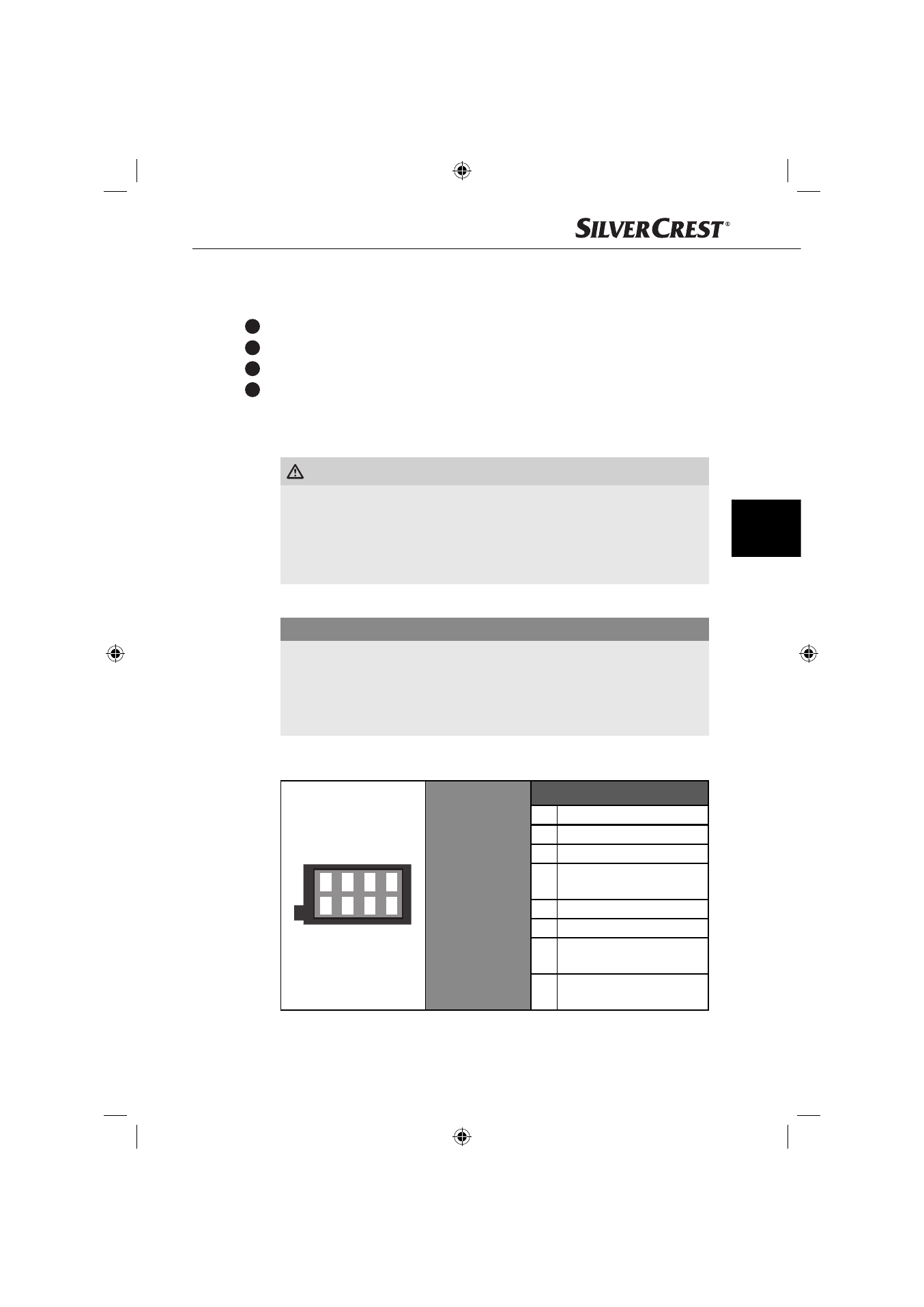
Assignment of the ISO connections
The view of the plug connector is from behind.
1 3 5 7
2 4 6 8
ISO A
(power supply
assignment)
Assignment
1 Not
used
2
Not used
3
Not used
4
Steady plus 12 V
(terminal 30)
5
Antenna power
6
Not used
7
Ignition circuit positive 12 V
(terminal 15)
8
Negative (-)
ground (terminal 31)
IB_42775_SAR28A1_LB1.indb 119
IB_42775_SAR28A1_LB1.indb 119
22.10.13 16:07
22.10.13 16:07