Epson DFX-9000 User Manual
Page 67
Advertising
Printer Software
67
3
3
3
3
3
3
3
3
3
3
3
3
6. Double-click the Printers icon on the control panel.
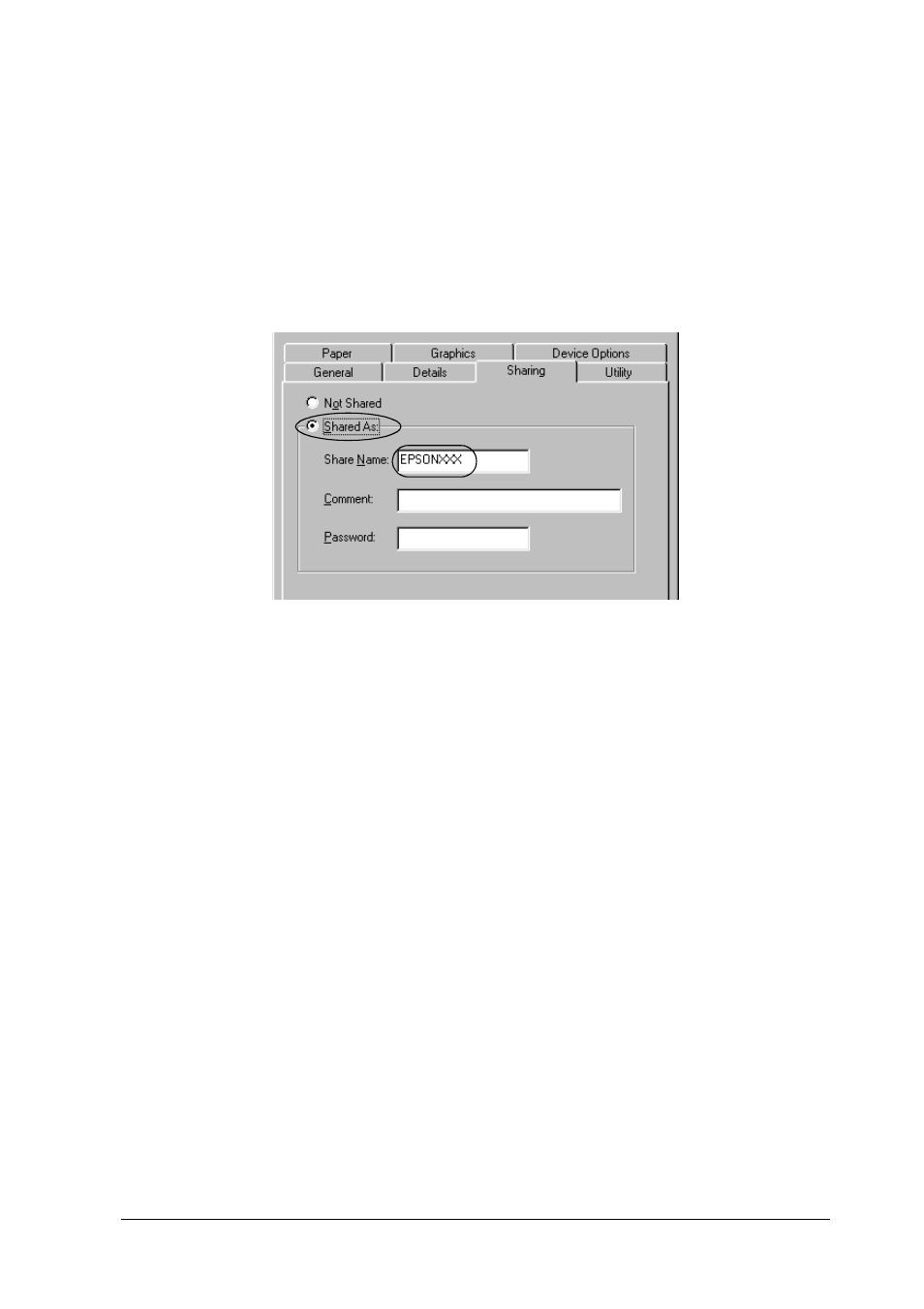
7. Right-click your printer icon, and click Sharing in the menu
that appears.
8. Select Shared As, type the name in the Share Name box, and
click OK. Type a Comment and Password if needed.
Note:
❏ Do not use spaces or hyphens for the share name, or an error
may occur.
❏ When sharing the printer, be sure to set EPSON Status
Monitor 3 so that the shared printer can be monitored on the
printer server. See “Setting up EPSON Status Monitor 3” on
page 61.
You need to set the client computers so that they can use the
printer on a network. See the following pages for details.
❏ “With Windows Me, 98, or 95” on page 70
Advertising