Dell C2722DE 27" 16:9 IPS Video Conferencing Monitor User Manual
Page 32
Advertising
32
| About your monitor
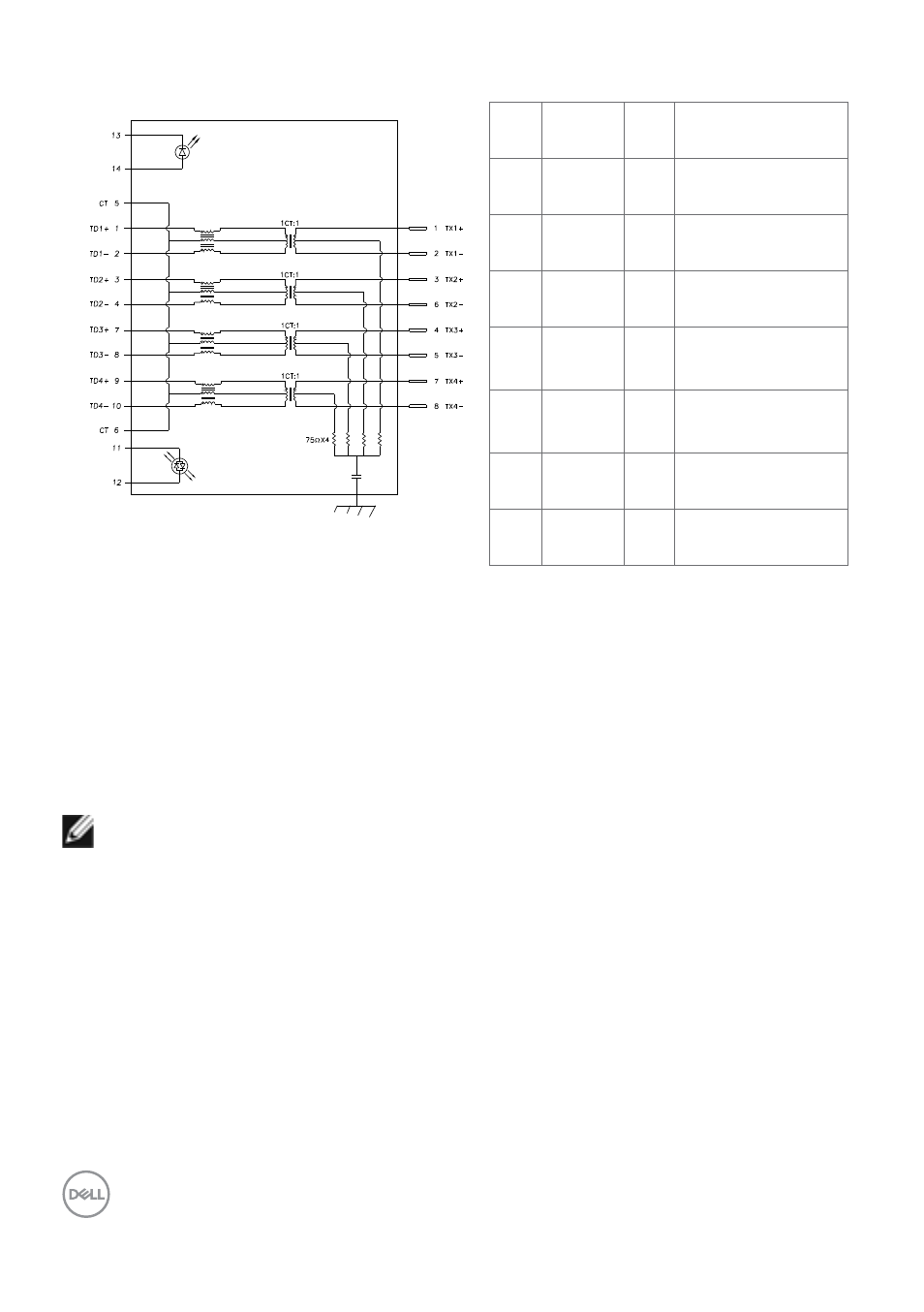
RJ45 port (connector side)
PHY SIDE
CABLE SIDE
RJ45
GREEN
GREEN
ORANGE
SHIELD
GROUND
2kV, 1000pF
Pin Signal
Pin Signal
1
TD1 +
8
TD3 -
2
TD1 -
9
TD4 +
3
TD2 +
10
TD4 -
4
TD2 -
11
GREEN_OR-
ANGE
5
CT
12
GREEN_OR-
ANGE
6
CT
13
GREEN
7
TD3 +
14
GREEN
Driver installation
Install the Realtek USB GBE Ethernet Controller Driver available for your system. This
is available for download at
“Driver and
download” section.
Network (RJ45) data rate via USB-C max speed is 1000 Mbps.
NOTE:
This LAN port is 1000Base-T IEEE 802.3az compliant, supporting Mac
Address (Printed on model label) Pass-thru, Wake-on-LAN (WOL) from standby
mode (S3 only) and PXE Boot function, these 3 features depend on BIOS setting
and OS version.
Advertising
This manual is related to the following products:
- U2723QE 27" 16:9 4K UHD HDR IPS Monitor with USB Type-C Docking UltraSharp 31.5" 4K HDR Video Conferencing Monitor U2722D 27" 16:9 IPS Monitor G3223Q 32" 4K HDR 144 Hz Gaming Monitor UltraSharp 30" 1600p USB Type-C Hub Monitor U2421E UltraSharp 24.1" 16:10 USB Type-C Hub IPS Monitor UltraSharp 40" 5K Curved Monitor