Control panel, Number button description – VIEWSONIC 55" 4K Wireless Presentation Display Bundle with Wall Mount User Manual
Page 17
17
Control Panel
VOL-
CH+
CH-
SOURCE MENU
OK
CH+
CH-
VOL+
VOL-
CH+
CH-
SOURCE MENU
VOL+
1
2
3
4
1
2
3
4
1
2
3
4
4
VOL-
CH+
CH-
SOURCE MENU
OK
CH+
CH-
VOL+
VOL-
CH+
CH-
SOURCE MENU
VOL+
1
2
3
4
1
2
3
4
1
2
3
4
4
VOL-
CH+
CH-
SOURCE MENU
OK
CH+
CH-
VOL+
VOL-
CH+
CH-
SOURCE MENU
VOL+
1
2
3
4
1
2
3
4
1
2
3
4
4
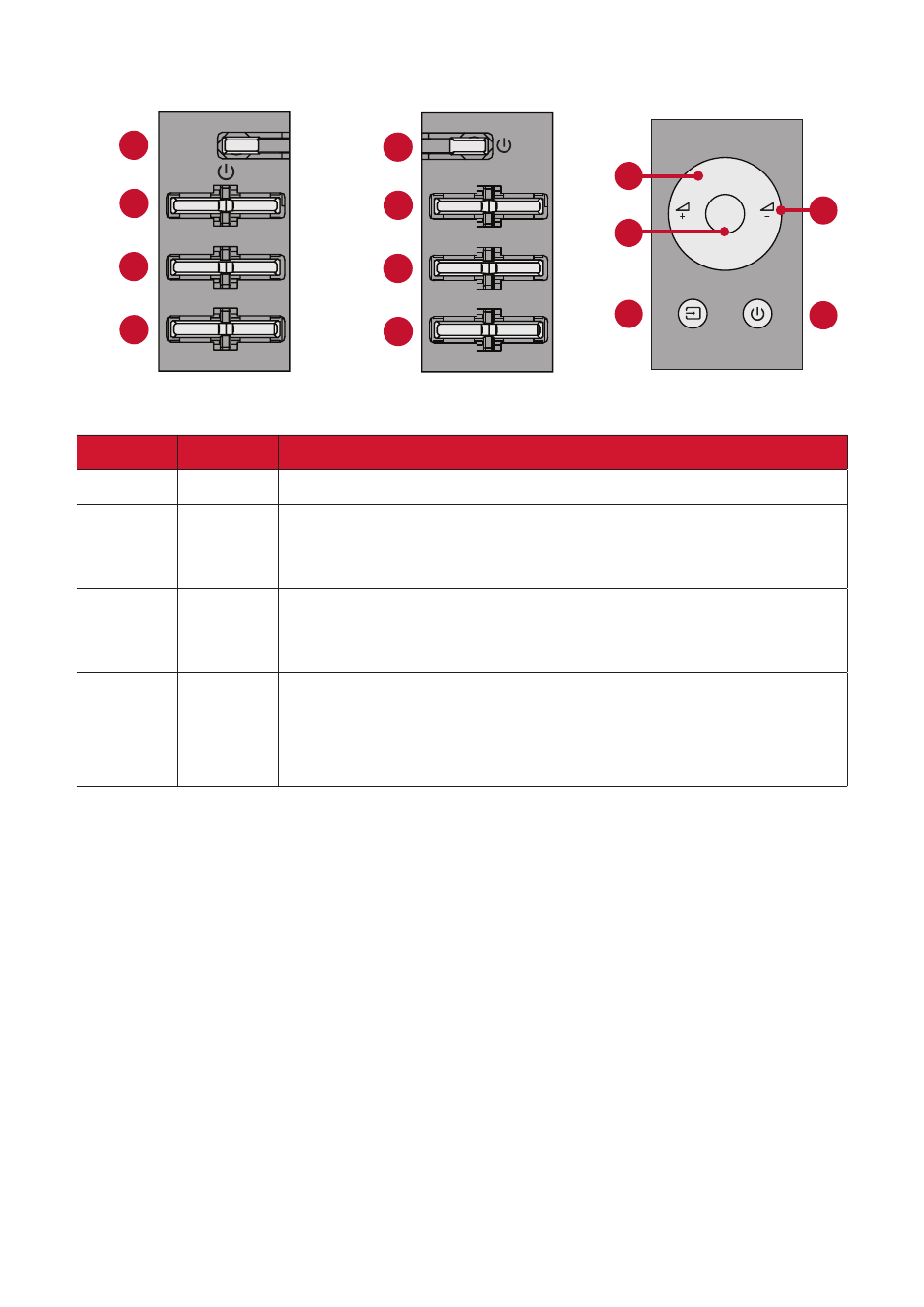
CDE4312 & CDE5512
CDE6512
CDE7512
Number
Button
Description
1
Power
•
Press to turn on/off the display.
2
Volume
• In the OSD menu, press the
VOL+/VOL-
key to adjust the value
of the selected item.
• Adjust the volume level.
3
Channel
• Press the
SOURCE
key to enter the input source menu, and press
CH+/CH-
to select the signal source.
• Press the
CH+/CH-
key to select an item in the OSD menu.
4
Source/
Menu
• Press the
MENU
key to enter the main menu.
• Press the
SOURCE
key to confirm the operation under the OSD
menu operations.
•
Confirm the operation in the input source menu.