Using your display, Powering on/off your display – VIEWSONIC 55" 4K Wireless Presentation Display Bundle with Wall Mount User Manual
Page 28
Advertising
28
28
Using Your Display
Powering On/Off Your Display
1.
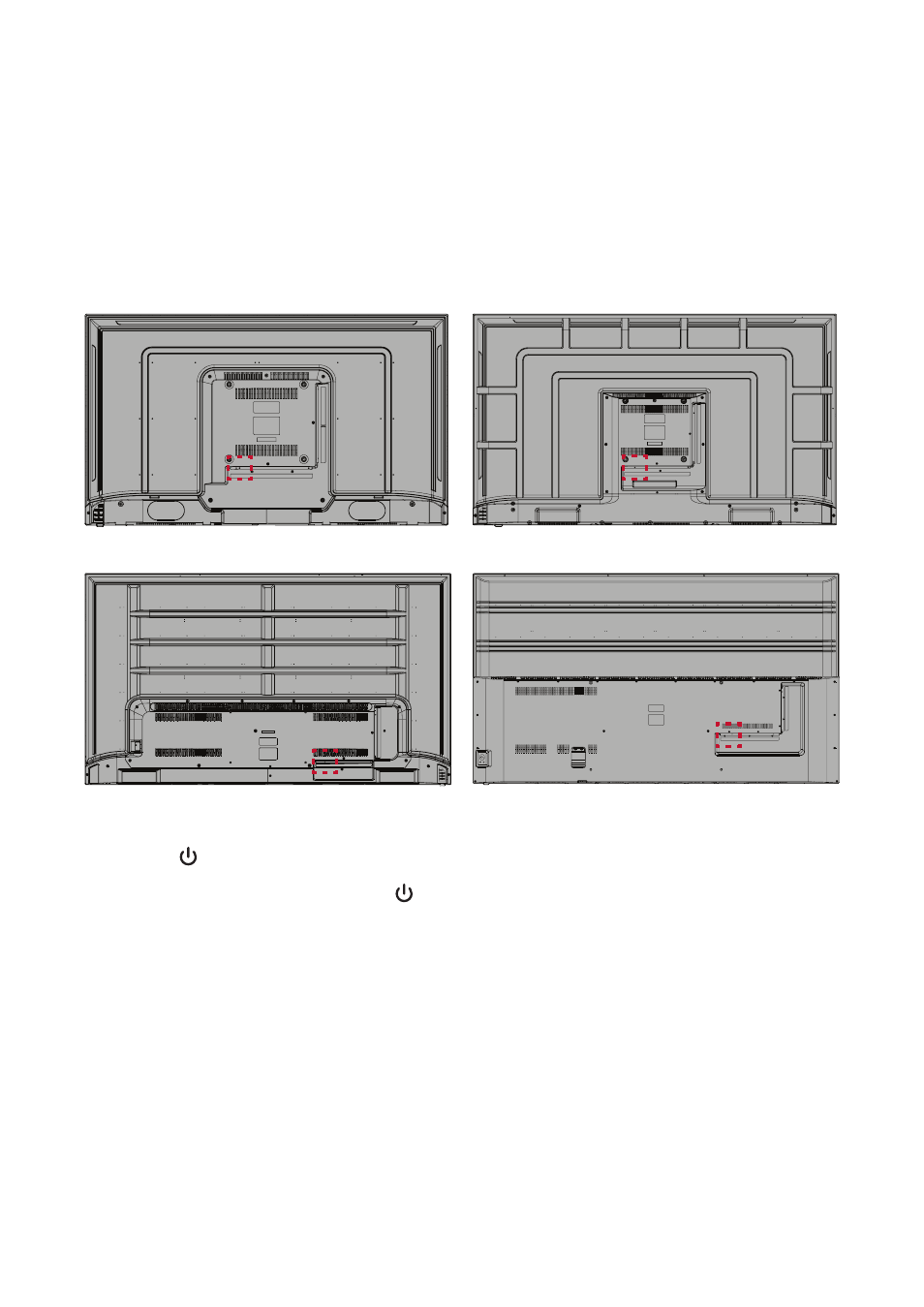
Ensure the power cord is connected, plugged into a power outlet, and the power
switch is in the “On” position.
NOTE:
The AC IN socket is located at the rear, and the Power Switch is located
underneath the display.
VOL+
VOL-
CH+
CH-
SOURCE MENU
VOL+
VOL-
CH+
CH-
SOURCE MENU
CDE4312
CDE5512
VOL+
VOL-
CH+
CH-
SOURCE MENU
OK
CH+
CH-
CDE6512
CDE7512
2.
Press the
Power button to turn on the display.
3.
To turn the display off, press the Power button.
Advertising
See also other documents in the category VIEWSONIC Monitors:
- N4200W (42 pages)
- E71F (18 pages)
- Z90 (16 pages)
- Optiquest Q2201WB (2 pages)
- A90F+ (19 pages)
- M50 (16 pages)
- CD4230 VS12541 (45 pages)
- VX2453mh-LED (25 pages)
- GT775 (22 pages)
- G220F (19 pages)
- VX910 (21 pages)
- VX724 (21 pages)
- Optiquest Q9B (23 pages)
- P95f+-2 (19 pages)
- E50 (21 pages)
- E90 (2 pages)
- VX2739WM (2 pages)
- VX900 (21 pages)
- PS775 (16 pages)
- PT775 (18 pages)
- CD5233I (52 pages)
- G810 (20 pages)
- V1250 (66 pages)
- PERFECTFLAT PF77 (18 pages)
- A71F+ (18 pages)
- CLARITY VG150M (2 pages)
- EF70 (16 pages)
- Optiquest Q201WB (2 pages)
- G773 (32 pages)
- A91f+ (19 pages)
- G225F (20 pages)
- P75F+B (2 pages)
- E50B (2 pages)
- E70f+ (18 pages)
- VX2640W (26 pages)
- Optiquest Q2161WB (21 pages)
- E90f+ (19 pages)
- OPTIQUEST Q2205WB (23 pages)
- LCD DISPLAY VA1616W (25 pages)
- VX2753MH-LED VS13918 (25 pages)
- E90FB (18 pages)
- FuHzion VX2265wm (2 pages)
- Optiquest Z50 (18 pages)
- VX2258WM (25 pages)
- VX2450wm-LED (27 pages)