Wi-fi module installation – VIEWSONIC 55" 4K Wireless Presentation Display Bundle with Wall Mount User Manual
Page 25
Advertising
25
Wi-Fi Module Installation
HDMI
2
(ARC)
HDMI
1
Type-C
USB 2.
0
USB 2.
0
1
2
2
Screw
Screw
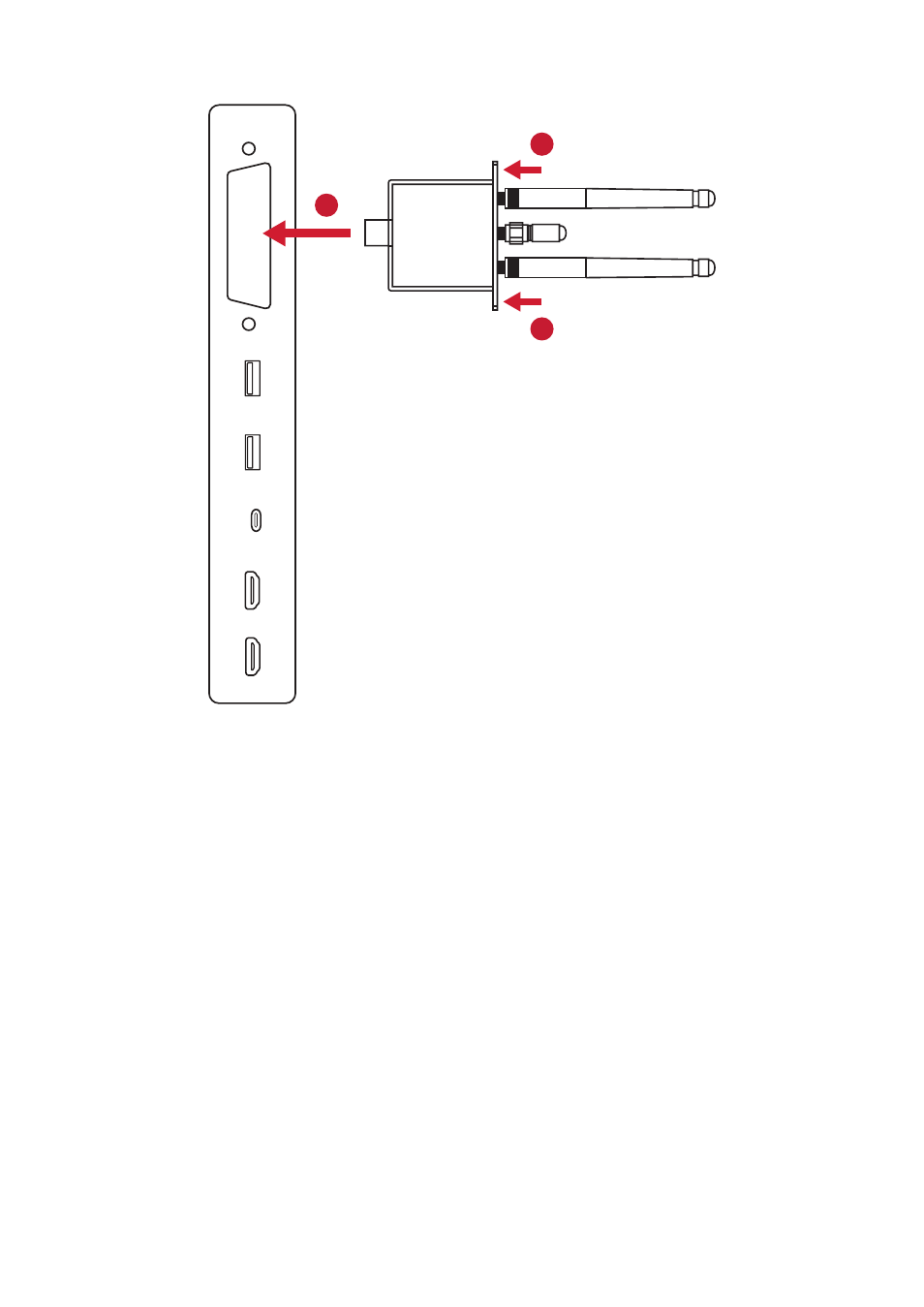
To install the Wi-Fi module:
1.
Remove the Wi-Fi module cover on the display (if applicable).
2.
Insert the Wi-Fi module into the Wi-Fi module slot along the tracks.
3.
Secure the module with two screws.
Advertising
See also other documents in the category VIEWSONIC Monitors:
- N4200W (42 pages)
- E71F (18 pages)
- Z90 (16 pages)
- Optiquest Q2201WB (2 pages)
- A90F+ (19 pages)
- M50 (16 pages)
- CD4230 VS12541 (45 pages)
- VX2453mh-LED (25 pages)
- GT775 (22 pages)
- G220F (19 pages)
- VX910 (21 pages)
- VX724 (21 pages)
- Optiquest Q9B (23 pages)
- P95f+-2 (19 pages)
- E50 (21 pages)
- E90 (2 pages)
- VX2739WM (2 pages)
- VX900 (21 pages)
- PS775 (16 pages)
- PT775 (18 pages)
- CD5233I (52 pages)
- G810 (20 pages)
- V1250 (66 pages)
- PERFECTFLAT PF77 (18 pages)
- A71F+ (18 pages)
- CLARITY VG150M (2 pages)
- EF70 (16 pages)
- Optiquest Q201WB (2 pages)
- G773 (32 pages)
- A91f+ (19 pages)
- G225F (20 pages)
- P75F+B (2 pages)
- E50B (2 pages)
- E70f+ (18 pages)
- VX2640W (26 pages)
- Optiquest Q2161WB (21 pages)
- E90f+ (19 pages)
- OPTIQUEST Q2205WB (23 pages)
- LCD DISPLAY VA1616W (25 pages)
- VX2753MH-LED VS13918 (25 pages)
- E90FB (18 pages)
- FuHzion VX2265wm (2 pages)
- Optiquest Z50 (18 pages)
- VX2258WM (25 pages)
- VX2450wm-LED (27 pages)