VIEWSONIC 55" 4K Wireless Presentation Display Bundle with Wall Mount User Manual
Page 37
Advertising
37
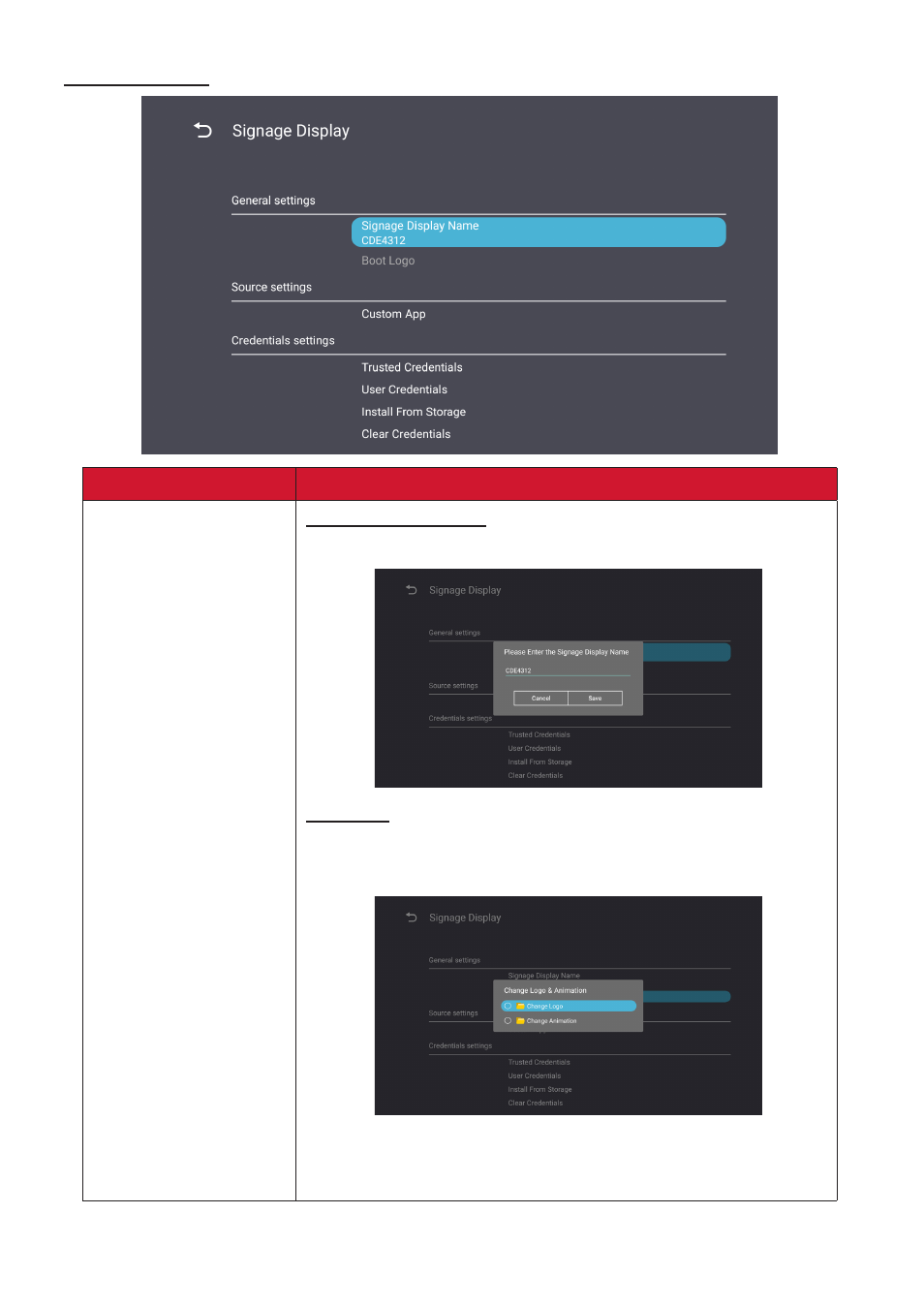
Signage Display
Item
Description
General Settings
Signage Display Name
Setup the display’s name. Maximum of 36 characters.
Boot Logo
•
Enable/Disable the boot logo.
•
Select a custom boot logo or animation file.
NOTE:
Ensure “Boot on logo” in the
Advanced
settings of
the OSD Menu is set to “User” to be able to select a
custom boot logo or animation file.
Advertising
See also other documents in the category VIEWSONIC Monitors:
- N4200W (42 pages)
- E71F (18 pages)
- Z90 (16 pages)
- Optiquest Q2201WB (2 pages)
- A90F+ (19 pages)
- M50 (16 pages)
- CD4230 VS12541 (45 pages)
- VX2453mh-LED (25 pages)
- GT775 (22 pages)
- G220F (19 pages)
- VX910 (21 pages)
- VX724 (21 pages)
- Optiquest Q9B (23 pages)
- P95f+-2 (19 pages)
- E50 (21 pages)
- E90 (2 pages)
- VX2739WM (2 pages)
- VX900 (21 pages)
- PS775 (16 pages)
- PT775 (18 pages)
- CD5233I (52 pages)
- G810 (20 pages)
- V1250 (66 pages)
- PERFECTFLAT PF77 (18 pages)
- A71F+ (18 pages)
- CLARITY VG150M (2 pages)
- EF70 (16 pages)
- Optiquest Q201WB (2 pages)
- G773 (32 pages)
- A91f+ (19 pages)
- G225F (20 pages)
- P75F+B (2 pages)
- E50B (2 pages)
- E70f+ (18 pages)
- VX2640W (26 pages)
- Optiquest Q2161WB (21 pages)
- E90f+ (19 pages)
- OPTIQUEST Q2205WB (23 pages)
- LCD DISPLAY VA1616W (25 pages)
- VX2753MH-LED VS13918 (25 pages)
- E90FB (18 pages)
- FuHzion VX2265wm (2 pages)
- Optiquest Z50 (18 pages)
- VX2258WM (25 pages)
- VX2450wm-LED (27 pages)